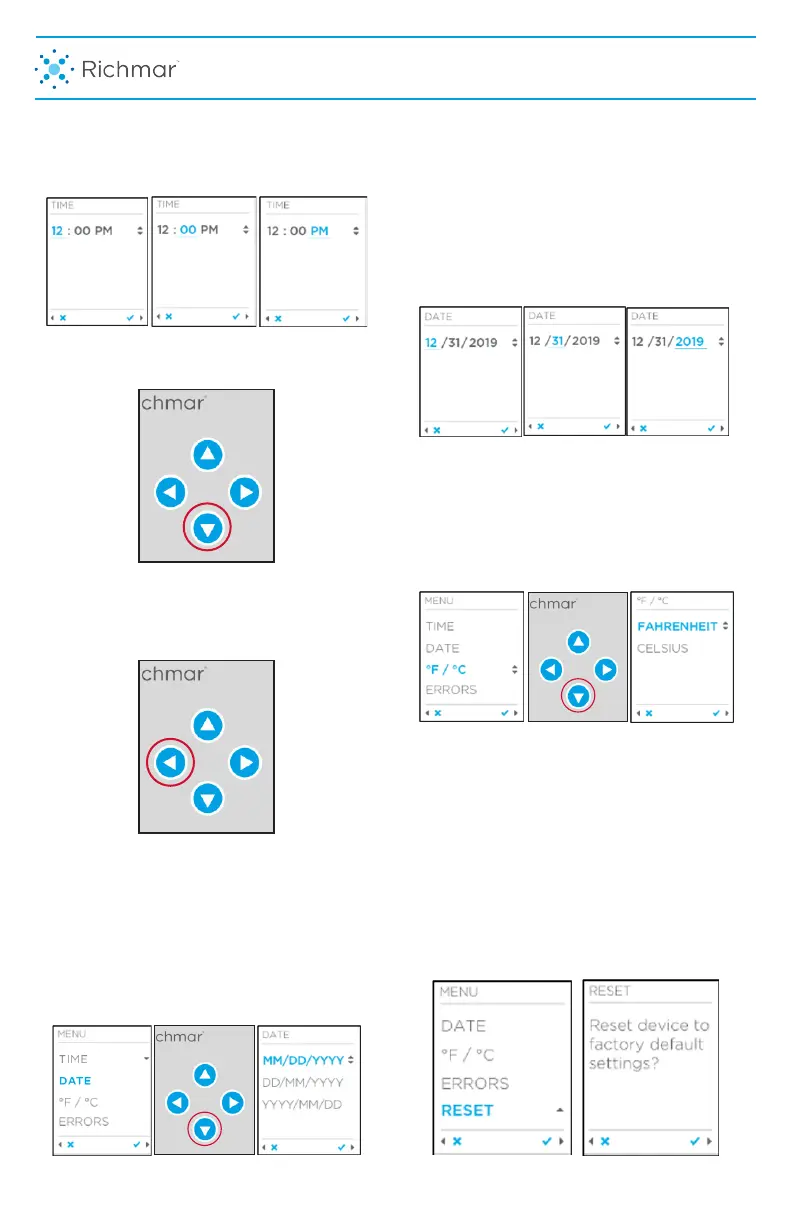
pad to change the minutes and
the right arrow again to change
to either morning or afternoon.
Press the right arrow to accept all changes
and return to the Settings Menu.
If no more setting changes are needed,
press the left arrow on the keypad to
return to the Home Screen.
8. From the Settings Menu, to change the
date, press the down arrow highlight
“DATE” in blue. Then press the right
arrow on the keypad to choose the
preferred date format. Press the up or
down arrow to change to the desired
format.
9. Press the up or down arrow until
you reach the correct number for
the chosen format then the right
arrow on the keypad to accept and
advance to the next number until
correct date is entered. Then press
right arrow once more to return to
the Home Screen or left arrow to
go back to the Settings Menu.
10. To change the desired Temperature
Measurement, enter the Settings menu
and press the down arrow to highlight
F°/C° in blue. Press the right arrow to
accept. Then press up or down arrow
to choose between Fahrenheit or
Celsius. The heating unit defaults to F°.
NOTE: If there is a need to do a Factory
Reset, enter the settings menu and press
the down arrow until RESET is
highlighted in blue. Press right arrow to
accept. A screen will verify that Factory
Reset is, in fact the chosen function.
Press right arrow to accept.
DEVICE USER INTERFACE
9



 To Next Page