131
camera settings
Recall My Settings
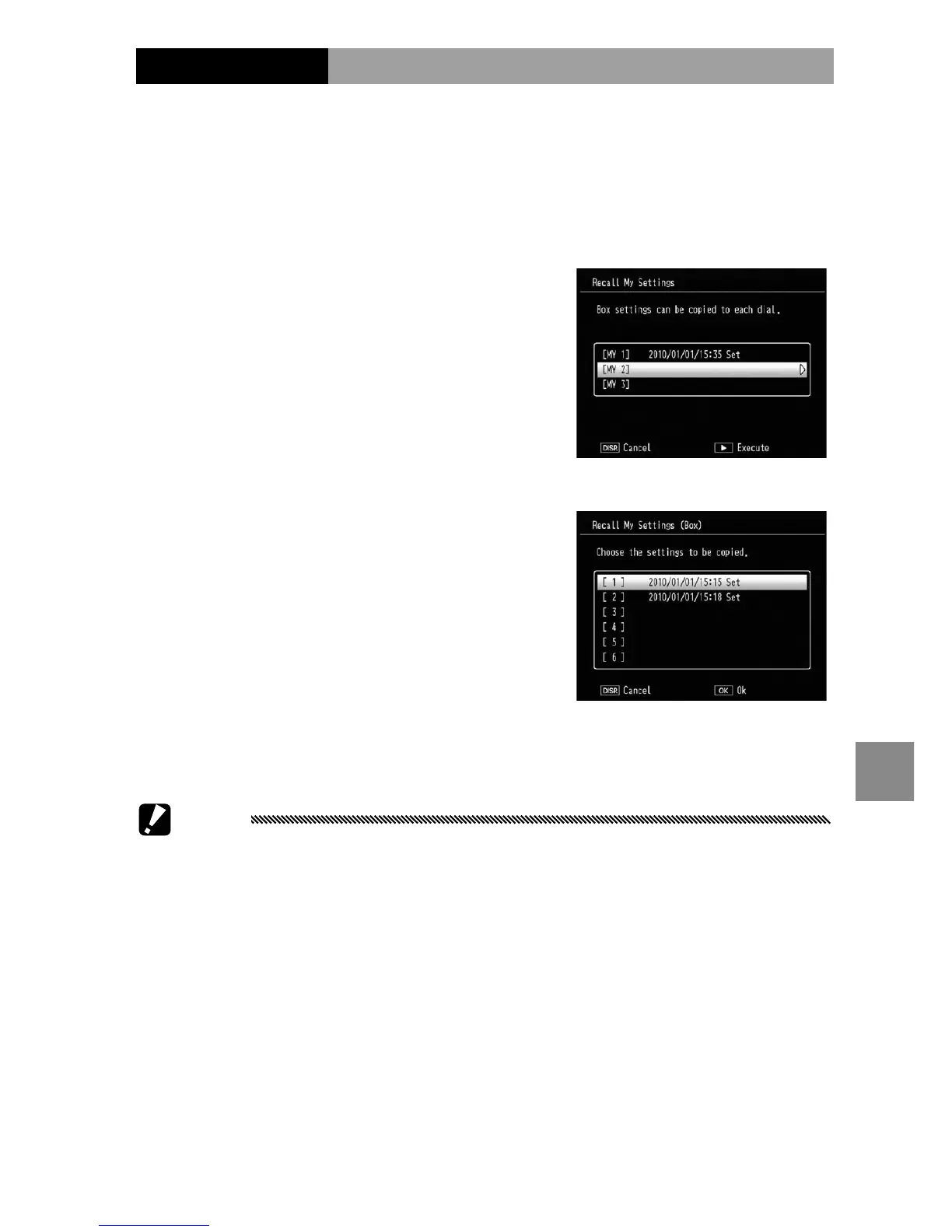
Copy settings from a “box” to MY1, MY2, or MY3.
Select Recall My Settings in the key custom options tab,
press Fn2, and follow the steps below.
1
Select a destination.
Highlight the destination
for the stored settings (MY1,
MY2, or MY3) and press Fn2.
2
Select the source.
Highlight the settings that
will be assigned to the
selected position on the
mode dial and press C/
D.
To exit without assigning settings to the mode dial,
press the DISP. button.
Caution
If Edit My Settings is used to edit boxes that are currently
assigned to the mode dial, the changes will be reected when
the mode dial is rotated to the position assigned to the box.
Changes to settings assigned directly to MY1, MY2, or MY3 are not
however reected in the boxes currently assigned to the mode
dial, and if the boxes are subsequently changed, these changes
will not be reected in the settings assigned to MY1, MY2, or MY3.


 To Next Page
 Loading...