EasyManua.ls Logo

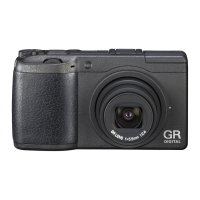
Ricoh GR II - User Manual

Ricoh GR II
186 pages
Print Icon
To Next Page IconTo Next Page
Loading...
Before You Begin
Read this section before use.
It covers the names of the parts and how to prepare the camera for use.
First Steps
Read this section before using your camera for the first time.
It covers the basic operations for using your camera for the first time, includ-
ing how to turn on the camera, take pictures, and play back images.
Advanced Operations
Read this section when you want to learn more about the different
camera functions.
It covers all shooting and playback functions and describes how to customize
the camera settings and use it with a computer.
Operating Manual
The serial number may be found on the bottom of the camera.

Table of Contents

Questions and Answers

  • S
    Shelly CooperAug 19, 2025
    What to do if my Ricoh GR II Digital Camera doesn't take pictures?
    • R
      Rebecca HoldenAug 19, 2025
      If your Ricoh Digital Camera isn't taking pictures, it could be due to several reasons: the battery might be exhausted (charge it), the camera might be off or not in shooting mode (turn it on or enter shooting mode), the memory card might not be formatted (format the card), or the memory card might be full (insert a new card or delete unwanted files).
  • A
    Anthony LewisAug 22, 2025
    Why my Ricoh GR II won't turn on?
    • R
      robert23Aug 22, 2025
      If your Ricoh Digital Camera isn't turning on, ensure the battery is correctly inserted and charged. If that doesn't work, the battery might be incompatible, so try using a compatible battery. Also, make sure the battery is inserted in the correct orientation.
  • E
    Eric GarrettAug 25, 2025
    How to fix 'Card Error' on Ricoh GR II?
    • L
      liujefferyAug 25, 2025
      If you are getting a 'Card Error' message on your Ricoh Digital Camera, try formatting the memory card again. If the error persists after formatting, the card may be faulty, and you should not use it.
  • T
    Timothy PetersonAug 26, 2025
    Why does my Ricoh GR II Digital Camera turn off by itself?
    • J
      Jennifer ThompsonAug 26, 2025
      Your Ricoh Digital Camera might be turning off automatically to save power; in this case, simply turn it back on. Alternatively, the battery may be exhausted, so try charging it.
  • C
    Chase MooreAug 28, 2025
    Why is the low battery indicator on my Ricoh GR II showing when the battery is full?
    • M
      meganvaldezAug 28, 2025
      If the low battery indicator appears or the camera turns off even with a fully charged battery, the battery might be incompatible. Try using a compatible battery with your Ricoh Digital Camera.
  • J
    Justin FitzpatrickAug 30, 2025
    What to do if Ricoh GR II says 'FILE NUMBER OVER'?
    • A
      Ariana BaileyAug 30, 2025
      If your Ricoh Digital Camera displays 'FILE NUMBER OVER', it means the file number limit has been exceeded. You can reset the file numbers or use another memory card.
  • R
    Robert SanchezSep 1, 2025
    How to fix Ricoh GR II Digital Camera battery charging issue?
    • T
      Thomas StanleySep 1, 2025
      If the battery of your Ricoh Digital Camera cannot be charged, it may have reached the end of its charging life. Replace it with a new battery.
  • T
    Terry ReyesSep 3, 2025
    Why is my Ricoh GR II Digital Camera not focusing?
    • S
      stevenspatrickSep 3, 2025
      If your Ricoh Digital Camera is unable to focus in autofocus mode, the subject may not be suitable for autofocus. Try using the focus lock or manual focus.
  • J
    jennifersmithSep 5, 2025
    Why can't I delete files on my Ricoh Digital Camera?
    • E
      Emily JonesSep 5, 2025
      If you cannot delete a file on your Ricoh Digital Camera, it means the file is protected. Remove protection from the file.
  • B
    Brian PorterSep 7, 2025
    How to display shooting information on Ricoh Digital Camera?
    • D
      Derek RussellSep 7, 2025
      If shooting information is not displayed on your Ricoh Digital Camera, it means the information is hidden. Press the DISP. button to display the information.

Summary

Introduction

Safety Precautions

Warning Symbols

Explains danger, warning, and caution symbols.

Meaning of Symbols

Explains universal symbols for actions and prohibitions.

Before You Begin

Parts of the Camera

Identifies camera components with numbers and diagrams.

Using the Dials and Lever

Explains operation of mode dial and other controls.

Picture Display

Details information shown on the shooting and playback screens.

Getting Ready

Instructions for inserting battery and memory card.

First Steps

Self-timer

Setting and using the self-timer function.

Checking the Camera Level and Tilt

How to use the built-in level indicator.

Playing Back Images

Viewing captured images on the display.

Using the Menu

Navigating and operating the camera menus.

Advanced Operations

Menus

Shooting Menu

Settings for capturing images.

Playback Menu

Options for managing and correcting images.

Key Custom Options Menu

Customizing buttons and settings.

Setup Menu

General camera operations and settings.

Appendices

Trouble Shooting

Solutions for common camera problems.

Specifications

Technical details of the camera.

Ricoh GR II Specifications

General IconGeneral
Megapixel16.2 MP
Camera typeCompact camera
Sensor typeCMOS
Image stabilizerNo
Total megapixels16.9 MP
Image sensor size- \
Image formats supportedRAW, JPG
Maximum image resolution4928 x 3264 pixels
Still image resolution(s)[3:2]4928×3264 (L), 3936×2608 (M), 2912×1936 (S), 1280×864(XS) [4:3]4352×3264 (L), 3488×2608 (M), 2592×1936(S), 1152×864(XS) [1:1]3264×3264(L), 2608×2608(M), 1936×1936(S), 864×864 (XS)
Video recordingYes
Video resolutions1920 x 1080, 1280 x 720, 640 x 480 pixels
Video formats supportedH.264, MPEG4, AVC
Maximum video resolution1920 x 1080 pixels
Analog signal format systemNTSC, PAL
Light meteringCentre-weighted, Spot
ISO sensitivity100, 25600
Light exposure modesAperture priority AE, Manual, Auto, Shutter priority AE
ISO sensitivity (max)25600
ISO sensitivity (min)100
Light exposure correction± 2EV (1/3EV step)
Maximum aperture number16
Minimum aperture number2.8
Lens structure (elements/groups)7/5
Maximum focal length (35mm film equiv)28 mm
Minimum focal length (35mm film equiv)18.3 mm
FocusTTL
Auto focusing (AF) modesMulti Point Auto Focus, Spot Auto Focus, Continuous Auto Focus
Display diagonal3 \
Vari-angle LCD display-
Fastest camera shutter speed1/4000 s
Slowest camera shutter speed300 s
Flash modesAuto, Manual, Slow synchronization, Flash on
Flash range (tele)0.2 - 3 m
Scene modesBeach
Photo effectsBlack&White
White balanceIncandescent, Auto, Shade, Cloudy, Daylight
Self-timer delay2 s
Camera file systemExif 2.3
Memory slots1
Internal memory54 MB
Compatible memory cardsSD, SDHC, SDXC
Product colorBlack
Wi-Fi standards802.11g, 802.11b, Wi-Fi 4 (802.11n)
USB version2.0
Power source typeBattery
Battery typeDB-65
Battery life (CIPA standard)290 shots
Cables includedUSB
Weight and Dimensions IconWeight and Dimensions
Depth34.7 mm
Width117 mm
Height63 mm
Weight221 g
Weight (including battery)251 g

Related product manuals