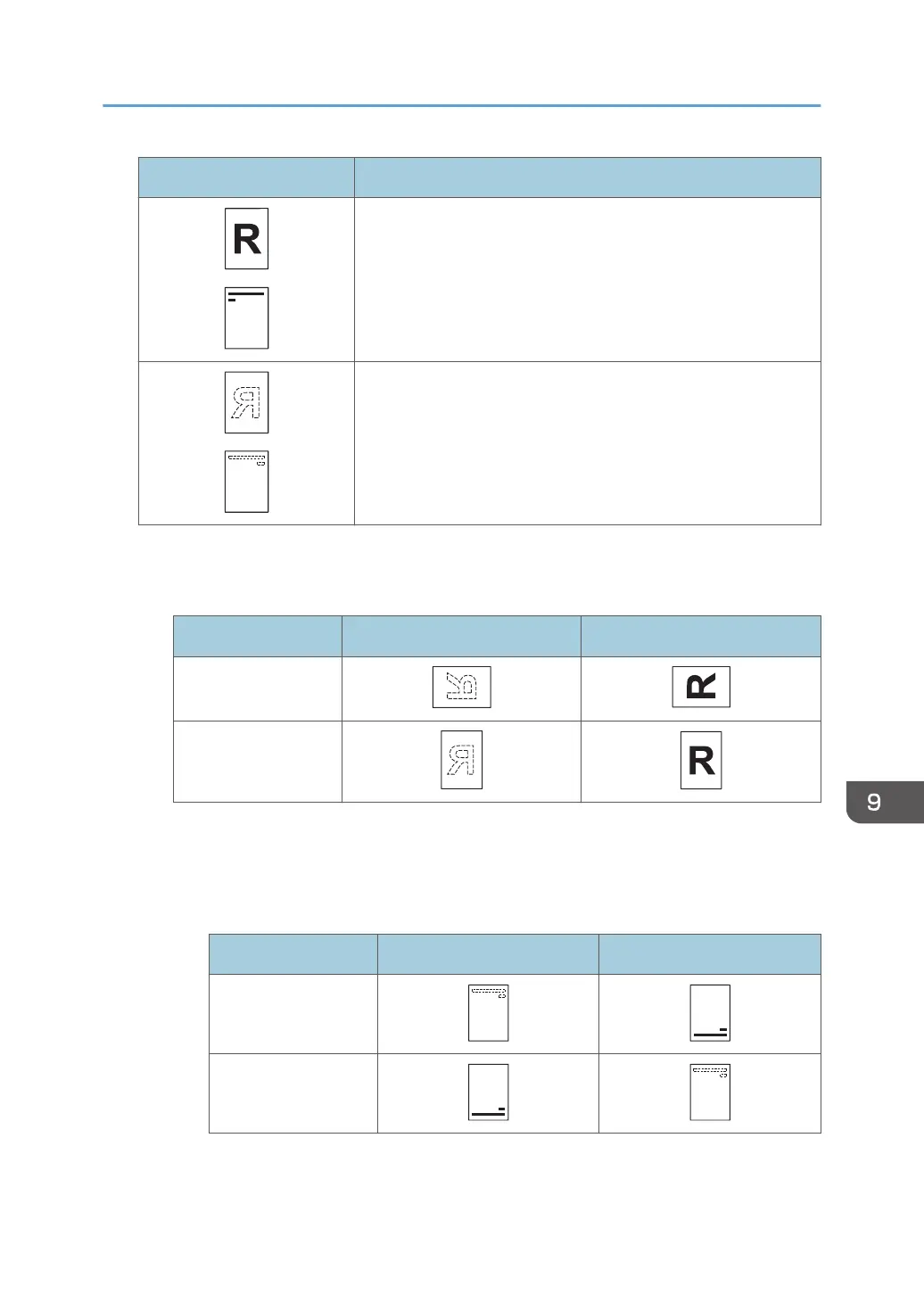
Icon Meaning
Place or load paper scanned or printed side face up.
Place or load paper scanned or printed side face down.
• Original orientation
Place the originals as shown below.
Original orientation Exposure glass ADF
Unreadable
orientation
Readable orientation
• Paper orientation
• Copier mode
When placing originals in the ADF and copying on orientation-fixed paper from the
bypass tray, specify the paper size.
Copy side Paper trays Bypass tray
*1
One-sided
Two-sided
Loading Paper
129



 To Next Page