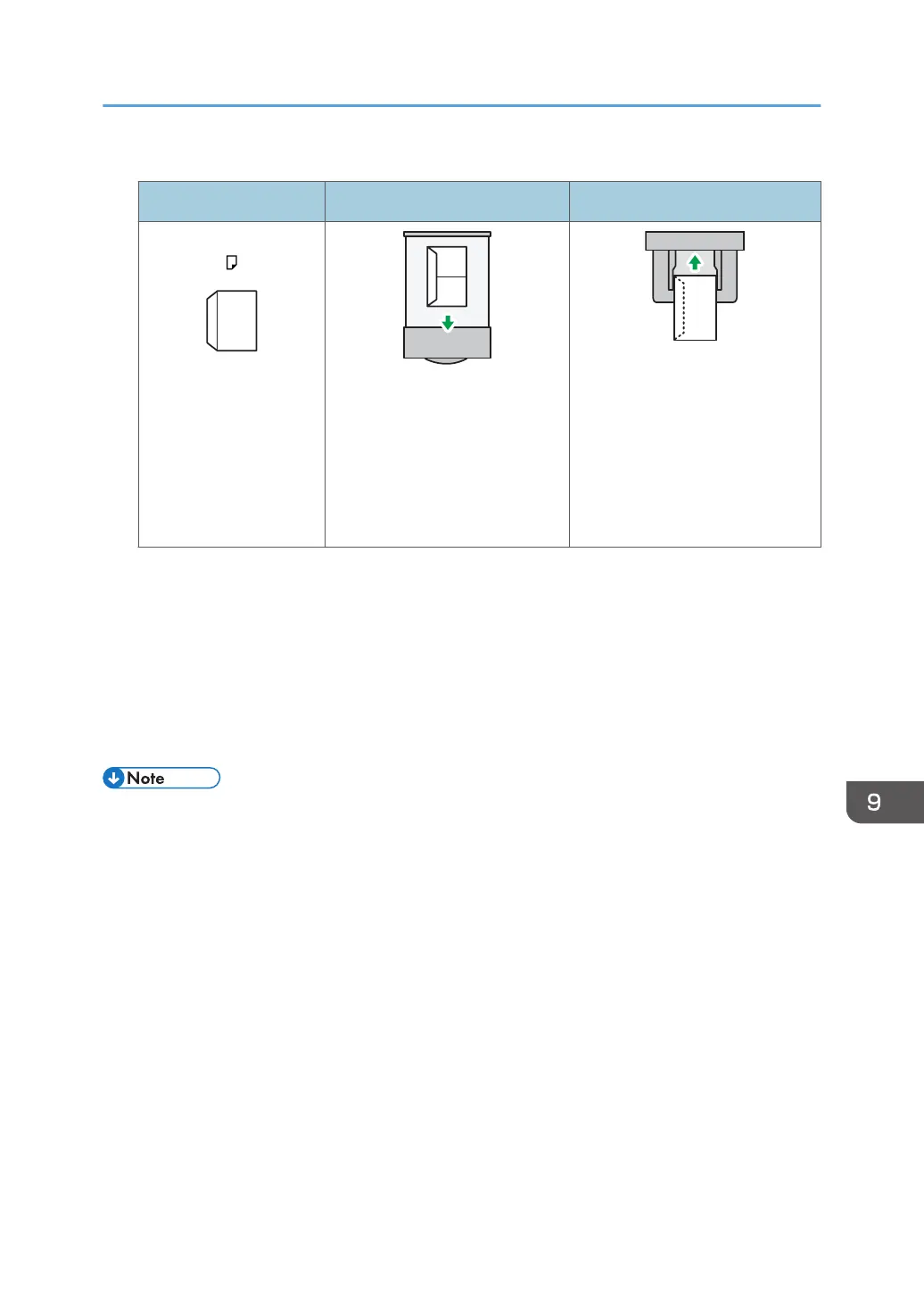
How to load envelopes
Types of envelopes Tray 1 Bypass tray
Side-opening envelopes
• Flaps: closed
• Bottom side of envelopes:
toward the right of the
machine
• Side to be printed: face
down
• Flaps: open
• Bottom side of envelopes:
toward the right of the
machine
• Side to be printed: face
down
When loading envelopes, select "Envelope" as the paper types using both [Tray Paper Settings]
and printer driver and specify the thickness of envelopes. For details, see "Printing on Envelopes",
Print.
Recommended envelopes
For information about recommended envelopes, contact your local dealer.
For details about the sizes of envelopes you can load, see page 143 "Recommended Paper Sizes
and Types".
• Load only one size and type of envelope at a time.
• The Duplex function cannot be used with envelopes.
• To get better output quality, it is recommended that you set the leading-edge print margin to at least
15 mm (0.6 inches) and the other margins to at least 10 mm (0.4 inches) each.
• Output quality on envelopes may be uneven if parts of an envelope have differing thicknesses. Print
one or two envelopes to check print quality.
• Flatten out prints if they are creased or curled.
• Check the envelopes are not damp.
• High temperature and high humidity conditions can reduce print quality and cause envelopes to
become creased.
• Depending on the environment, copying or printing on envelopes may wrinkle them even if they
are recommended.
Recommended Paper
151



 To Next Page