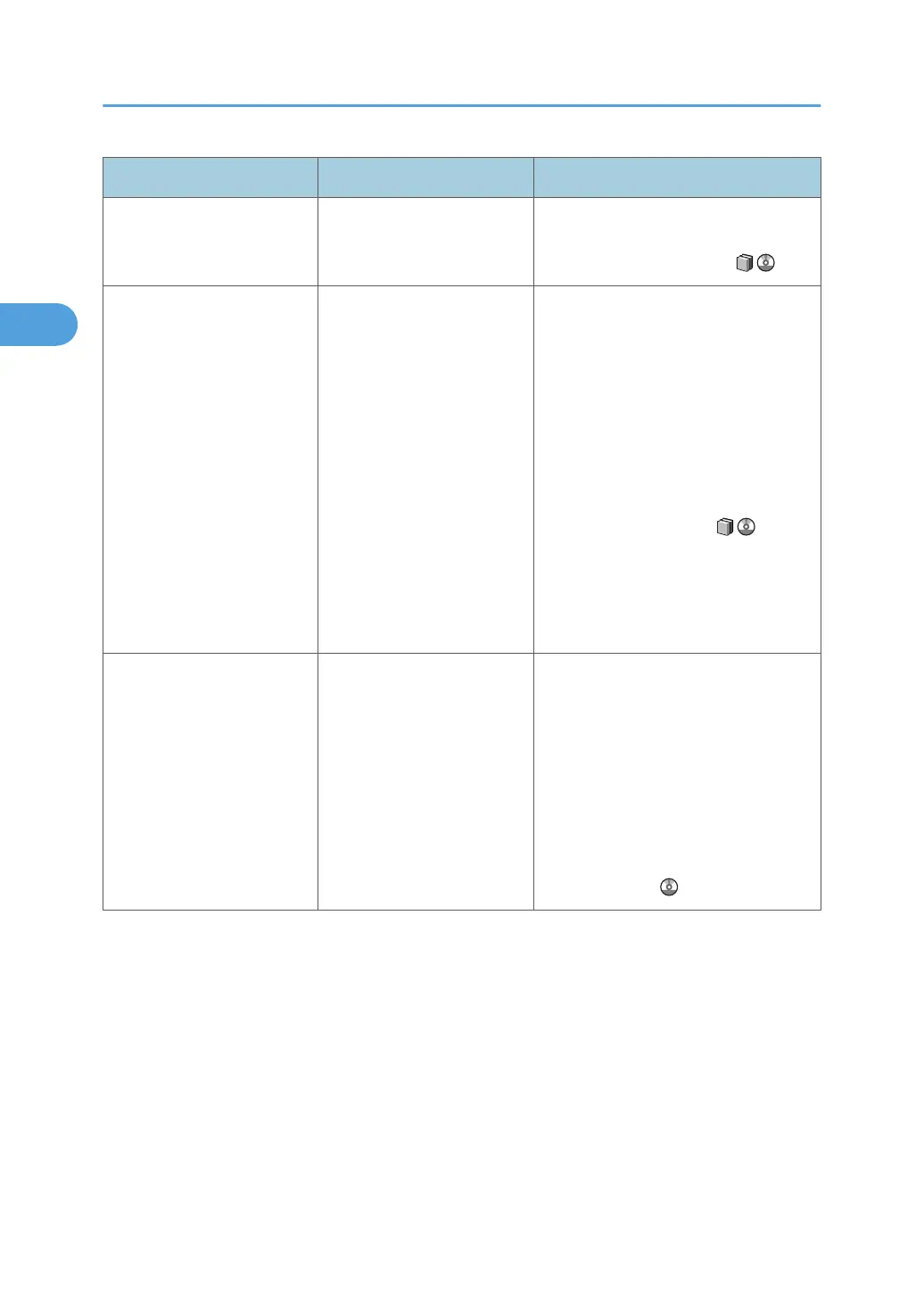
Problem Cause Solution
Edges of sheets are creased. You are using non-
recommended paper.
Use recommended paper. See
"Recommended Paper Sizes and
Types", About This Machine .
The image has mottled blank
patches or is smudged.
Missing patches and
smudges are caused by
moisture leaking from the
paper.
• Do not install the machine in areas
that are susceptible to low
temperature.
• Use paper that has been stored
where temperature and humidity
conditions meet the limitations we
recommend. For details about the
paper storage conditions we
recommend, see "Paper Storage",
About This Machine .
• Install the Optional anti-humidity
heater. For details about the anti-
humidity heater, contact your
service representative.
Paper is fed from the
interposer tray even if neither
cover sheet nor slip sheets is
selected.
In [PS / PDF Menu], [Alt.
Paper Size with Reduced Print
Image] is set to [Active], and
the paper specified in the
printer driver is not loaded in
any tray except the
interposer.
Load the selected paper tray with the
paper specified in the printer driver, and
then try printing again. To prevent this
error recurring, do not to set the [Paper
source tray:] to [Auto Tray Select], and
be sure to set [Alt. Paper Size with
Reduced Print Image] to [Inactive] (in
[PS / PDF Menu]). For details about this
function, see "Basic Configuration",
Printer Reference .
2. Troubleshooting When Using the Printer Function
40







 To Next Page