
 To Next Page
A
Alison SanchezSep 10, 2025
What does 'Set date' mean for Ricoh Digital Camera?
- RRobert WilliamsSep 10, 2025
The date is not set. Set the date.

What does 'Set date' mean for Ricoh Digital Camera?
The date is not set. Set the date.
Why can't I charge the battery on my Ricoh Digital Camera?
If you cannot charge the battery of your Ricoh Digital Camera, it may be because the battery has reached the end of its useful life. Replace with a new rechargeable battery.
Why does my Ricoh Digital Camera not turn on?
Your Ricoh Digital Camera might not be turning on due to several reasons: * The battery is exhausted or not inserted: Load the rechargeable battery correctly, or charge the battery. * An unacceptable battery is used: Use the dedicated rechargeable battery. Never use any other battery. * The camera is automatically turned off by auto power off: Turn the camera back on. * The battery is loaded in wrong direction: Load correctly. * The camera overheated: Wait until the temperature of the camera returns to normal. Do not attempt to cool the camera suddenly.
What does 'Format internal memory' mean on Ricoh Digital Camera?
The internal memory requires formatting. Format the internal memory.
What does 'File number limit exceeded' mean on Ricoh Digital Camera?
The file number limit has been exceeded. Use another card.
Why does my Ricoh Digital Camera lack natural color?
If your Ricoh Digital Camera image lacks natural color, it may be because the picture was shot in conditions that made it difficult for auto white balance to adjust the white balance. Add a white object to the composition, or use a white balance setting other than auto.
What does 'Insufficient Memory' mean on Ricoh Digital Camera?
If your Ricoh Digital Camera displays 'Insufficient Memory': * Files cannot be stored: Make sure there is sufficient memory or delete unwanted files. * The image print number limit has been exceeded: Select an image and set the number to 0.
What to do if my Ricoh Digital Camera image is too dark?
If the image from your Ricoh Digital Camera is too dark: * The flash is off and the subject is poorly lit: Select [ON] or [AUTO]. * The subject is underexposed: Correct the exposure. * The brightness of the picture display is not appropriate: Adjust the brightness of the picture display.
What to do if my Ricoh Digital Camera image is too bright?
If the image from your Ricoh Digital Camera appears too bright: * The light intensity of the flash is not appropriate: Move away from the subject or use a different light source. * Subject is overexposed: Correct the exposure. * The brightness of the picture display is not appropriate: Adjust the brightness of the picture display.
What to do if my Ricoh Digital Camera says 'Card Error'?
If your Ricoh Digital Camera displays a 'Card Error' message: * SDXC cards can not be used. If the card is not an SDXC card, format the card; if the message persists, the card may be faulty and should not be used.
Includes safety, test shooting, copyright, warranty, and radio interference information.
Explains warning symbols and lists general safety precautions for equipment use.
Details the camera and software guides, plus customer support contacts.
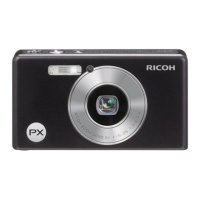
Lists package contents and identifies camera parts.
Details the display elements when shooting pictures.
Explains the display elements during movie recording.
Shows and explains display elements during image playback.
Instructions for loading the rechargeable battery and SD memory card.
Cautions for handling batteries and memory cards, including SDXC compatibility.
Information on Eye-Fi cards and how to protect images from deletion.
Steps for charging the battery before use.
How to turn the camera on and off in shooting and playback modes.
Initial setup for camera language and date/time settings.
Step-by-step guide to holding the camera and taking photos.
Tips for taking close-up shots in normal mode.
How to use optical, super resolution, and digital zoom.
How to select flash modes and understand flash charging.
Explains the ten-second, two-second, and group self-timers.
How to adjust exposure to make subjects brighter or darker.
How to view images on the display and navigate between them.
Options for viewing multiple images: single, 20, 81 frames, and calendar.
How to view images by date using the calendar interface.
How to assign star ratings to pictures.
How to view pictures that have been marked as favorites.
How to zoom in on photographs to view details.
Methods for deleting single files and multiple files from the camera.
How to access and navigate the camera's quick shooting and playback menus.
Guides on selecting scene modes like cooking, portrait, landscape, etc.
Instructions for recording and playing back video clips.
Details on focus, preventing blur, and modifying color settings.
Covers hiding images, creating copies, protecting, and re-ordering favorites.
Explains various shooting options and settings within the camera menu.
Options for managing existing pictures, including privacy and slideshows.
Basic camera settings like language, date, and display adjustments.
Instructions for printing images directly from the camera to a printer.
Steps for transferring photos from the camera to a PC or Mac.
Contains troubleshooting, specifications, and other reference information.
 General
| Megapixel | 16 MP |
|---|---|
| Camera type | Compact camera |
| Sensor type | CCD |
| Image stabilizer | Yes |
| Total megapixels | 16.4 MP |
| Image sensor size | 1/2.3 \ |
| Maximum image resolution | 4608 x 3456 pixels |
| Still image resolution(s) | 640 x 480, 1280 x 960, 2304 x 1728, 2592 x 1944, 3456 x 3456, 3648 x 2736, 4608 x 2592, 4608 x 3072, 4608 x 3456 |
| Optical zoom | 5 x |
| Combined zoom | 7.2 x |
| Focal length range | 5 - 25 mm |
| Maximum aperture number | 5.4 |
| Minimum aperture number | 3.9 |
| Lens structure (elements/groups) | 13/10 |
| Maximum focal length (35mm film equiv) | 140 mm |
| Minimum focal length (35mm film equiv) | 28 mm |
| Focus adjustment | Auto |
| Auto focusing (AF) modes | multi point auto focus, spot auto focus |
| Light metering | Centre-weighted, Spot |
| ISO sensitivity | 100, 200, 400, 800, 1600, 3200, Auto |
| Light exposure modes | Manual |
| ISO sensitivity (max) | 3200 |
| ISO sensitivity (min) | 100 |
| Light exposure control | Program AE |
| Light exposure correction | ± 2EV (1/3EV step) |
| Flash modes | Auto, Flash off, Flash on, Red-eye reduction |
| Flash range (tele) | 0.5 - 3 m |
| Flash range (wide) | 0.2 - 3.5 m |
| Power source type | Battery |
| Scene modes | Beach, Fireworks, Night portrait, Party (indoor), Portrait, Snow, Sports, Landscape (scenery) |
| Image editing | Crop, Resizing |
| Photo effects | Black&White, Sepia |
| White balance | Auto, Cloudy, Fluorescent, Incandescent, Manual |
| Shooting modes | Manual, Movie, Program, Scene |
| Camera playback | Slide show |
| Self-timer delay | 2, 10 s |
| Camera file system | DPOF 1.1, Exif 2.3 |
| Video resolutions | 640 x 480, 1280 x 720 pixels |
| Video formats supported | AVI |
| Maximum video resolution | 1280 x 720 pixels |
| Analog signal format system | NTSC, PAL |
| Internal memory | 40 MB |
| Compatible memory cards | SD, SDHC |
| Maximum memory card size | 32 GB |
| Display diagonal | 2.7 \ |
| Display resolution (numeric) | 230000 pixels |
| PictBridge | - |
| USB version | 2.0 |
| USB connector | Mini-USB B |
| Product color | Black |
| Battery type | DB-100 |
| Battery life (CIPA standard) | 300 shots |
| Operating temperature (T-T) | 0 - 40 °C |
| Fastest camera shutter speed | 1/2000 s |
| Slowest camera shutter speed | 8 s |
 Weight and Dimensions
| Depth | 21.3 mm |
|---|---|
| Width | 100 mm |
| Height | 55 mm |
| Weight | 136 g |
| Weight (including battery) | 156 g |