Only use the special kit (optional) supplied by the manufacturer: any uses which do not conform to specifications
may cause malfunction or equipment breakage.
For installation, connect the cable contained in the special kit (optional) to the "EXT BATT TEMP" connector (see "UPS
connections view") following instructions contained in the relative manual.
After installation, enable this external temperature measuring function by means of the configuration software.
REMOTE PANEL (OPTIONAL)
The remote panel (optional) allows you to monitor the UPS from a distance and thus have a detailed, real-time overview of machine
status. Using this type of device, network, output, battery measurements etc. can be viewed and any alarms detected.
For details related to use and connections, refer to the appropriate manual.
AUXILIARY SOCKETS (OPTIONAL)
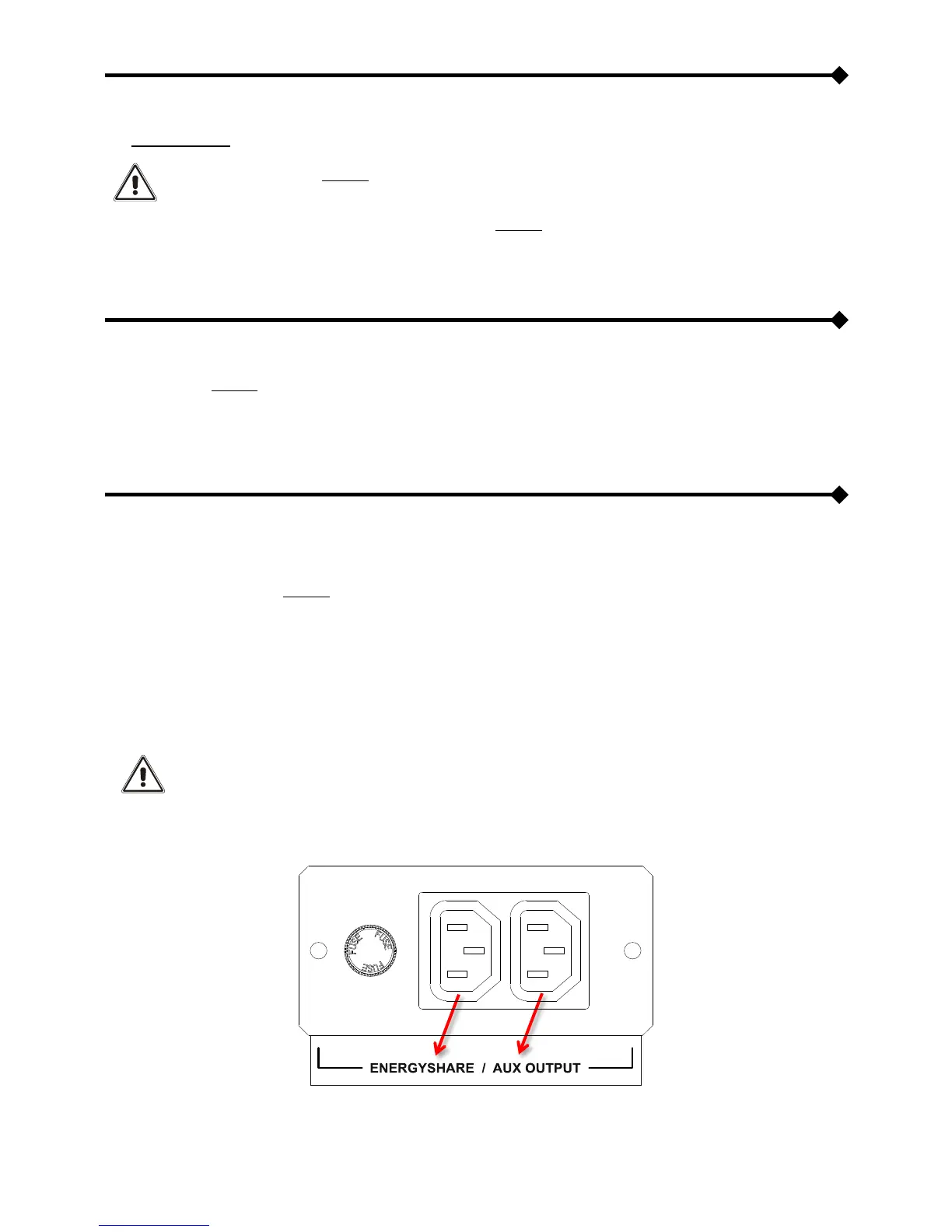
ENERGYSHARE
Programmable output socket (optional) which allows automatic disconnection of the load applied to it under certain operating
conditions. Events that determine automatic disconnection of the EnergyShare socket can be selected by the user through the
configuration software. It is possible, for example, to select detachment after a certain period of battery operation, or when the
pre-alarm threshold for battery discharge has been reached, or when an overload occurs.
AUX OUTPUT
Output socket (optional) directly connected to the UPS output; It caters auxiliary power supply (230V / max 10A)
If a manual bypass switch (SWMB) is inserted, the output switch (SWOUT) is opened and the UPS switches off
and both sockets will no longer be powered.









 To Next Page