RIGOL
© 2006 RIGOL Technologies, Inc
User’s Guide for DG2000 Series
2-65
2. To Set the Inverse Waveform
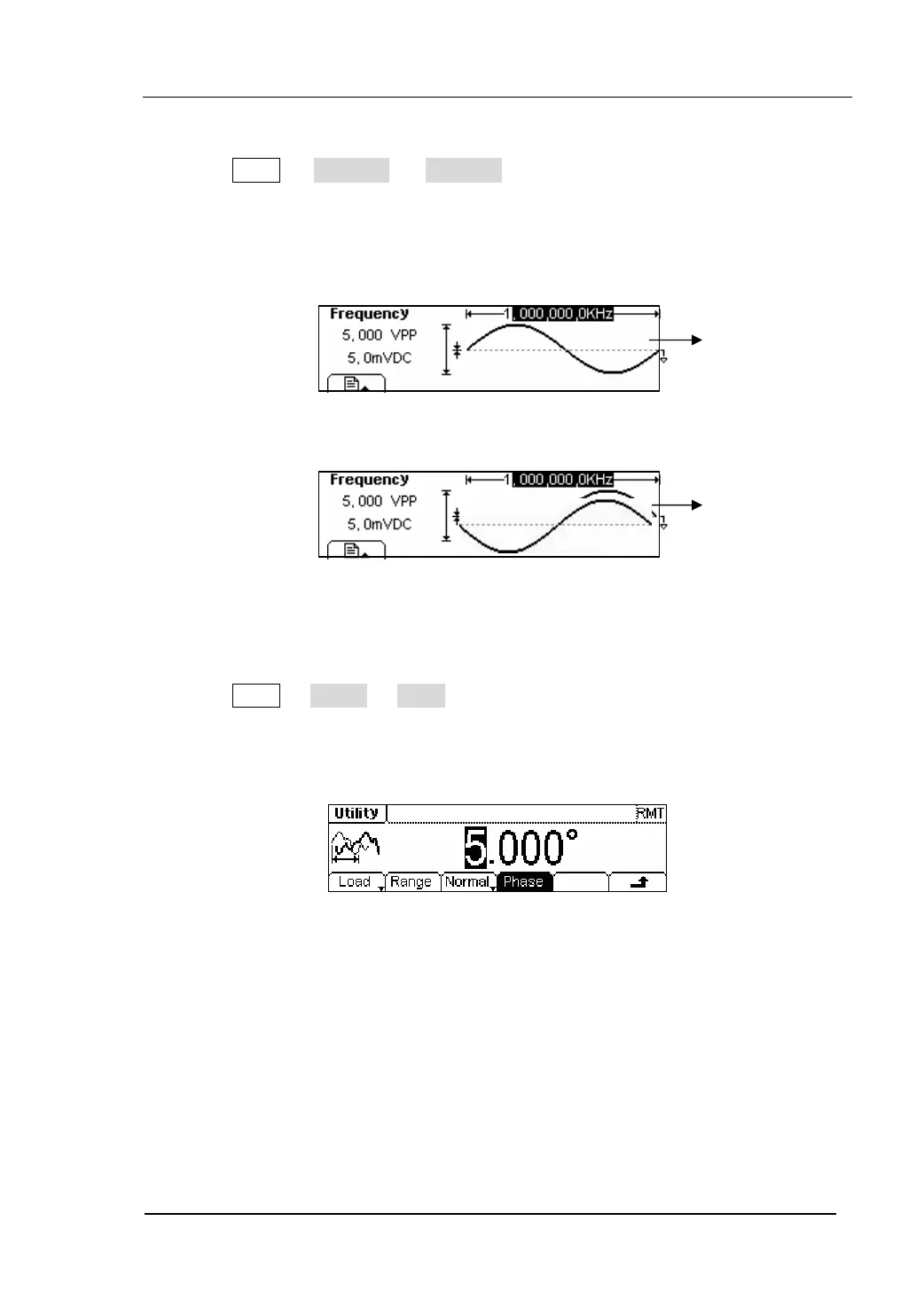
Press Utility Æ Output Æ Inverse , to set the inverse Waveform output.
No offset voltage will change while the waveform is inversed. An inversed
waveform will be displayed in the Graph Mode.
Figure 2-80 The Normal Waveform
Figure 2-81 The Inverse Waveform
3. To Adjust the Phase
Press Utility Æ Output Æ Phase, enter the following interface.
Set the Phase with the unit of degree.
Figure 2-82 Set the Phase
Normal
Inverse


 To Next Page