RIGOL
© 2006 RIGOL Technologies, Inc
User’s Guide for DG2000 Series
2-66
To Set the I/O
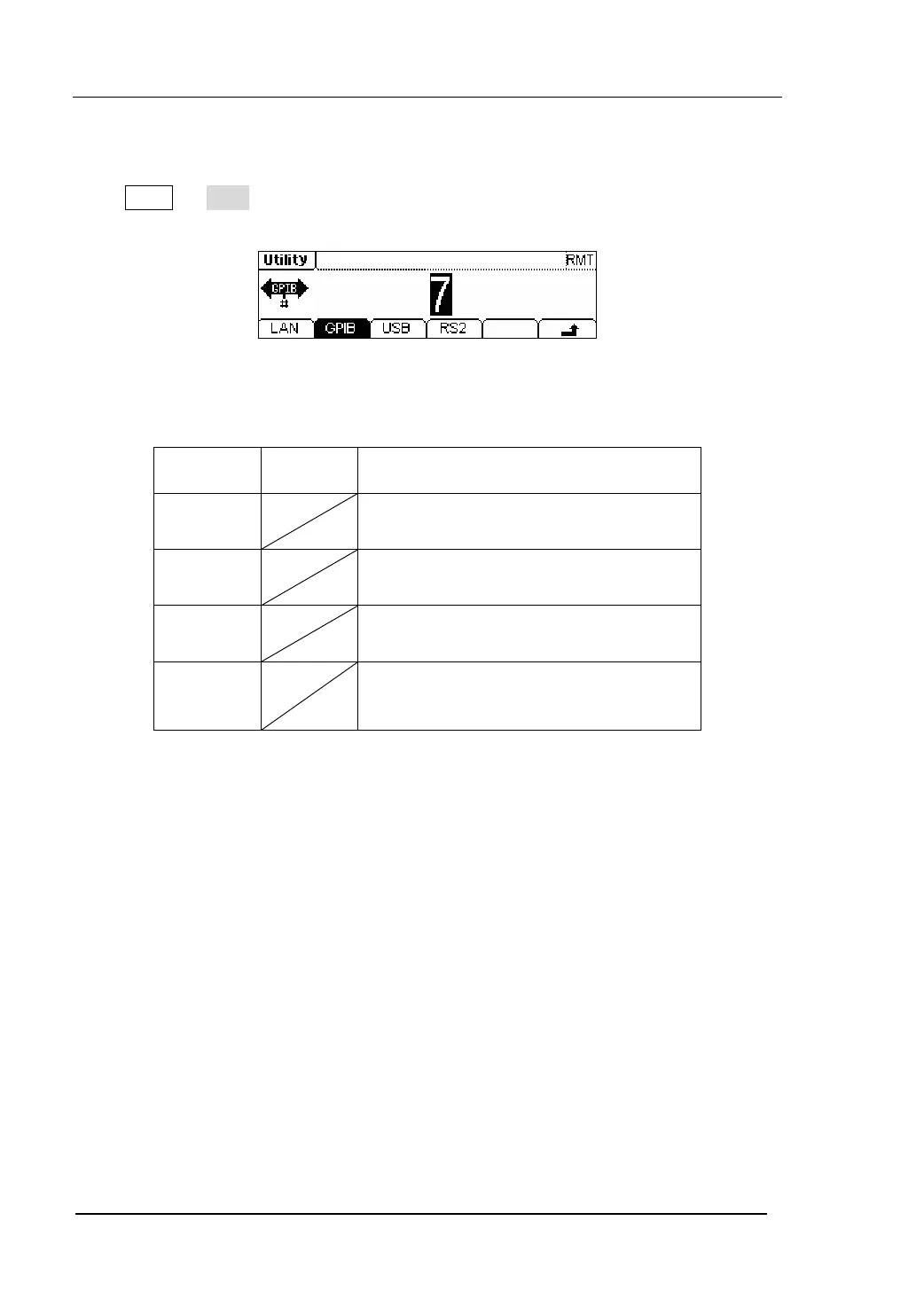
Press Utility Æ I/O , to set the I/O. See figure 2-83.
Figure 2-83 The Setting Interface of the I/O
Table 2-28 The Menu Explanations of Setting I/O
Function
Menu
Settings Explanation
LAN Set the LAN configuration parameter
GPIB Set the GPIB Address
USB See USB equipment address
RS232
Set the RS232 Interface
Set the GPIB address as any value within 0 ~ 30. The default setting is “7”. The
Address is stored in the Non-Volatile Memory, and will show when the power is on.
The I/O Setting offers the Storage and Load of the configuration parameter setting of
the GPIB(IEEE-488), RS232 or LAN which are used for remote control.


 To Next Page