RIGOL
M300 Quick Guide
4
In all-channel monitor function, you can monitor all the
channels in the scan list.
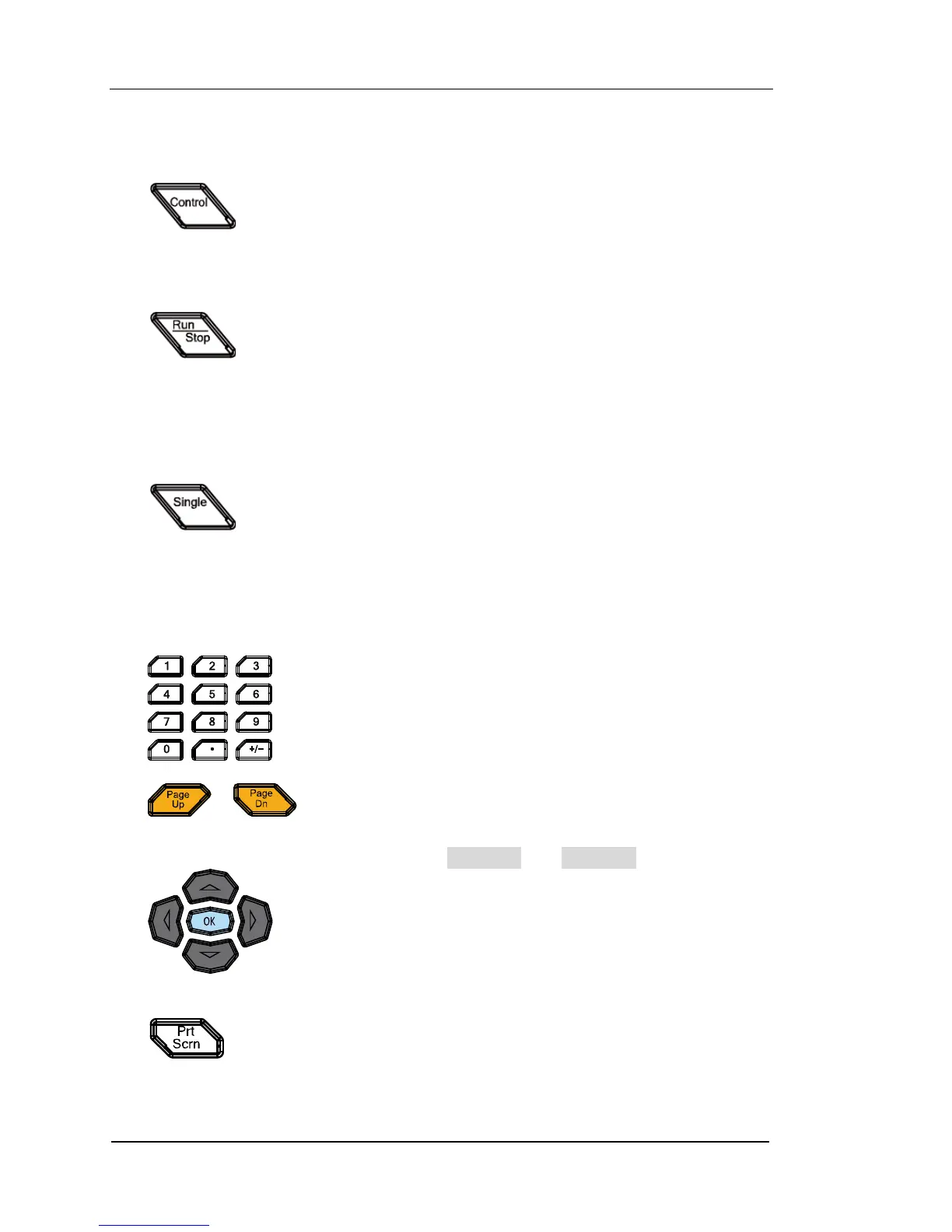
Control the modules currently inserted.
Control the status of each channel of the modules.
Reset the modules.
Configure the DIO and TOT channels of multifunction module.
Can not control the DMM module.
Press this key, the instrument triggers or enters the wait-for-trigger
state and the backlight goes on; press and hold this key, the
instrument stops triggering or exits the wait-for-trigger state and
the backlight goes off.
Note: this key is invalid when the scan list is empty.
Single-channel Switch
When the instrument is in the single-channel monitor interface,
press this key to switch the channel monitored to the next channel
in the scan list; when the instrument is in other interfaces, press this
key to switch the instrument to the single-channel monitor
interface.
3. Control Keys
Include numbers (0-9), decimal point (.) as well as
positive/negative signs (+/-).
Used to input parameter value, date and time.
Use this key to open the previous or next page of the
current interface.
Note: these keys are different from the menu page
up/down keys (Page Up and Page Dn).
Direction keys and confirmation key.
4. System Keys
If a USB storage device is currently connected to the instrument,
press this key to store the current content on the screen in USB
storage device in *.bmp format.



 To Next Page