RIGOL Chapter 1 Disassembly and Assembly
1-12 MSO5000-E Service Guide
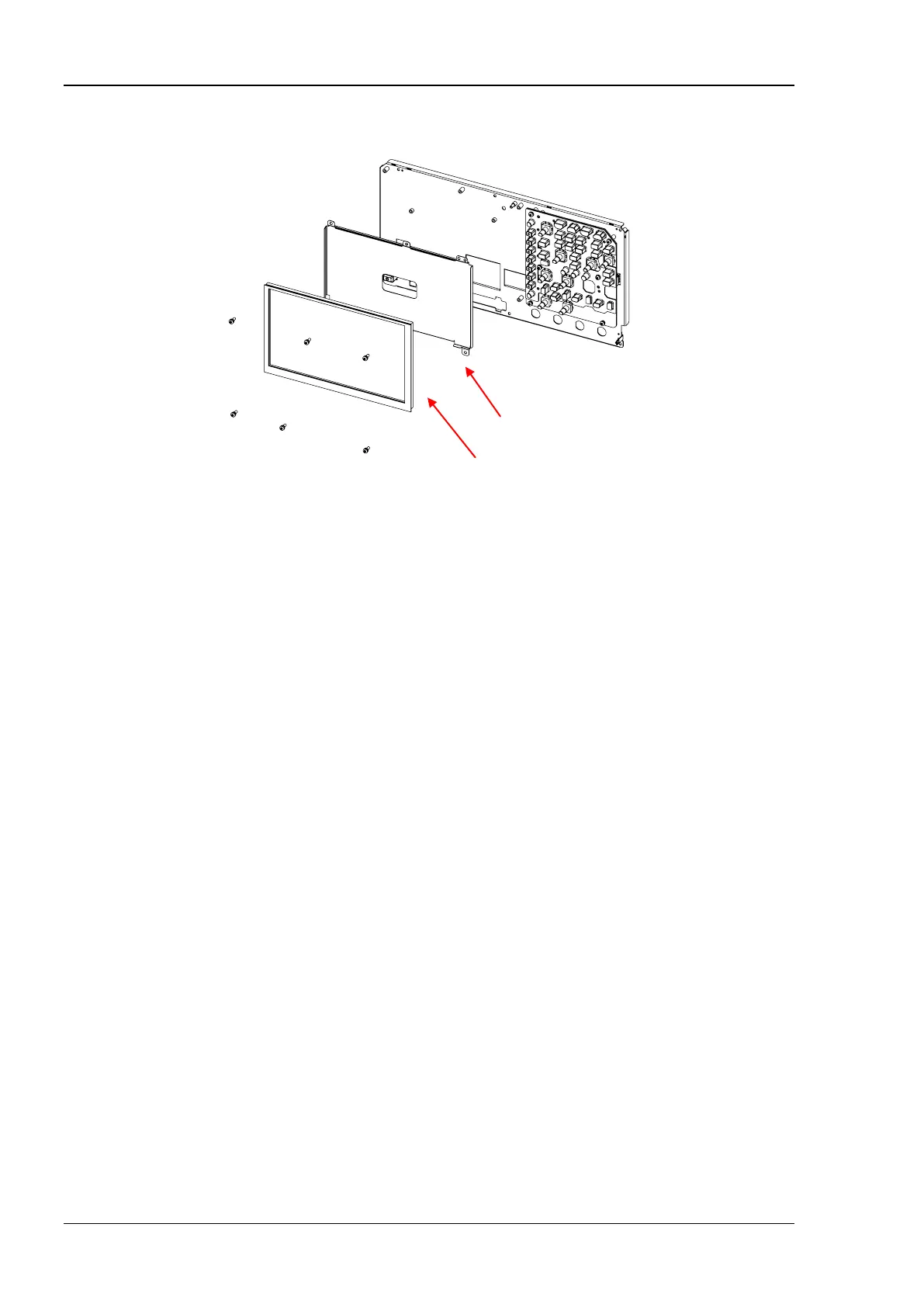
Disassemble the LCD
Figure 1-9 Disassemble the LCD
Part Description:
① 6 screws (M3x8 torx pan head combination screw, used for fastening the LCD assembly)
Disassembly Steps:
1. Use the T10 screwdriver to remove 6 screws (①) that secure the LCD assembly (LCD+LCD
shield).
2. Remove the LCD assembly from the metal front panel.
3. Remove the LCD (touch screen included) from the LCD shield.
LCD (Touch Screen Included)
①
①
①
①
①
①


 To Next Page