Smartcraft ECM-70
Page 24
Connecting to ECM-70 EFI Systems
e TechMate Pro scan tool provides an extensive set of diagnostic and support
functions for troubleshooting engines equipped with the ECM-70 engine control
system. Connection of the tool to the engine is detailed in the steps below.
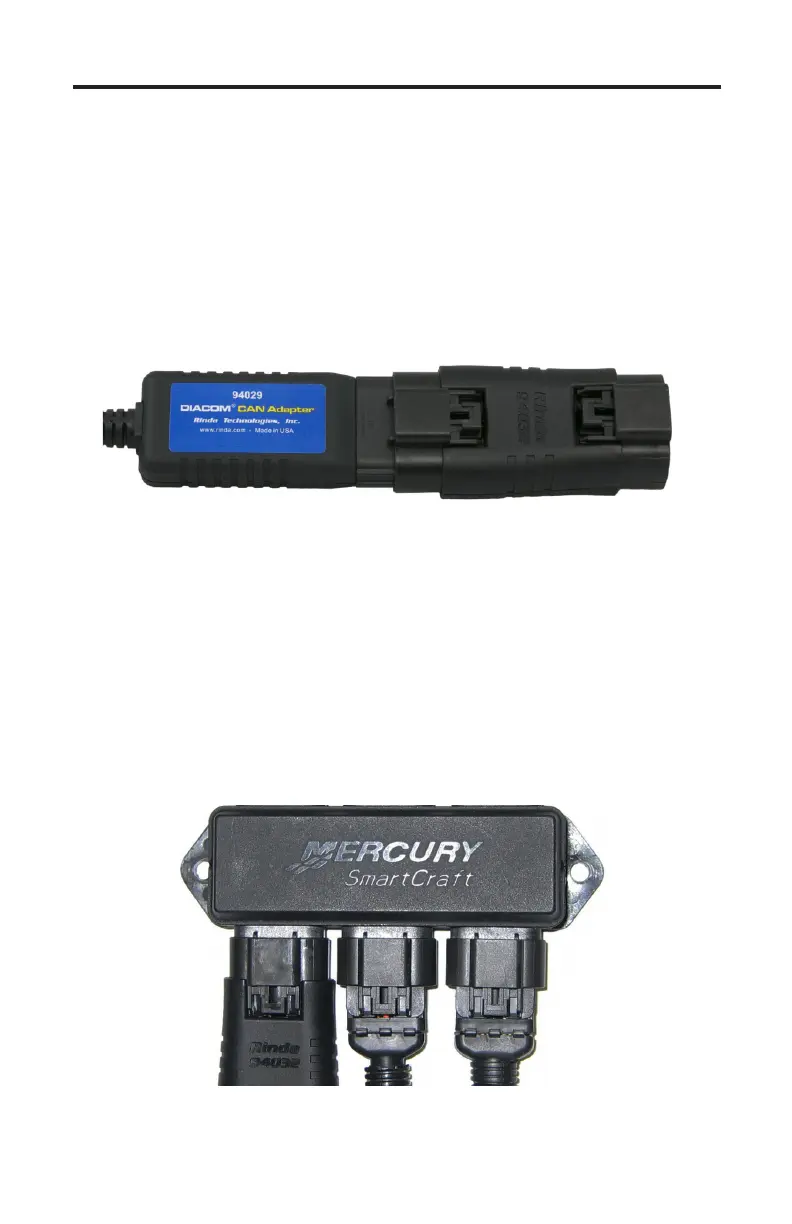
1) Adapters #94029 and #94032 are required for this application. Attach the
#94029 CAN network adapter to the scan tool communication cable. Once
attached proceed to attach adapter #94032 to the 6-pin connector on the
#94029 adapter as shown in Figure 11.
Figure 11 Adapter #94029 attached to #94032
2) With the engine’s ignition switch turned OFF, locate the Mercury 10-pin
CAN port on the engine / vessel. Depending upon the application two styles
of CAN ports may be available. Some engines / vessels are equipped with a
CAN junction box. You may connect the scan tool to any available port on
the junction box as shown in Figure 12.
Some applications have a free hanging 10-pin CAN connector located on the
engine’s electrical harness. To connect to this type of CAN port remove the
CAN connector’s protective cap (or terminator) and attach the scan tool.
Figure 12 Adapter #94032 attached to junction box



 To Next Page