AgilityUserManual
Page 15
Partit io n disarming:
Partitiondisarmingenablesyoutodisarmindividualpartitionswithinanarmedsystem
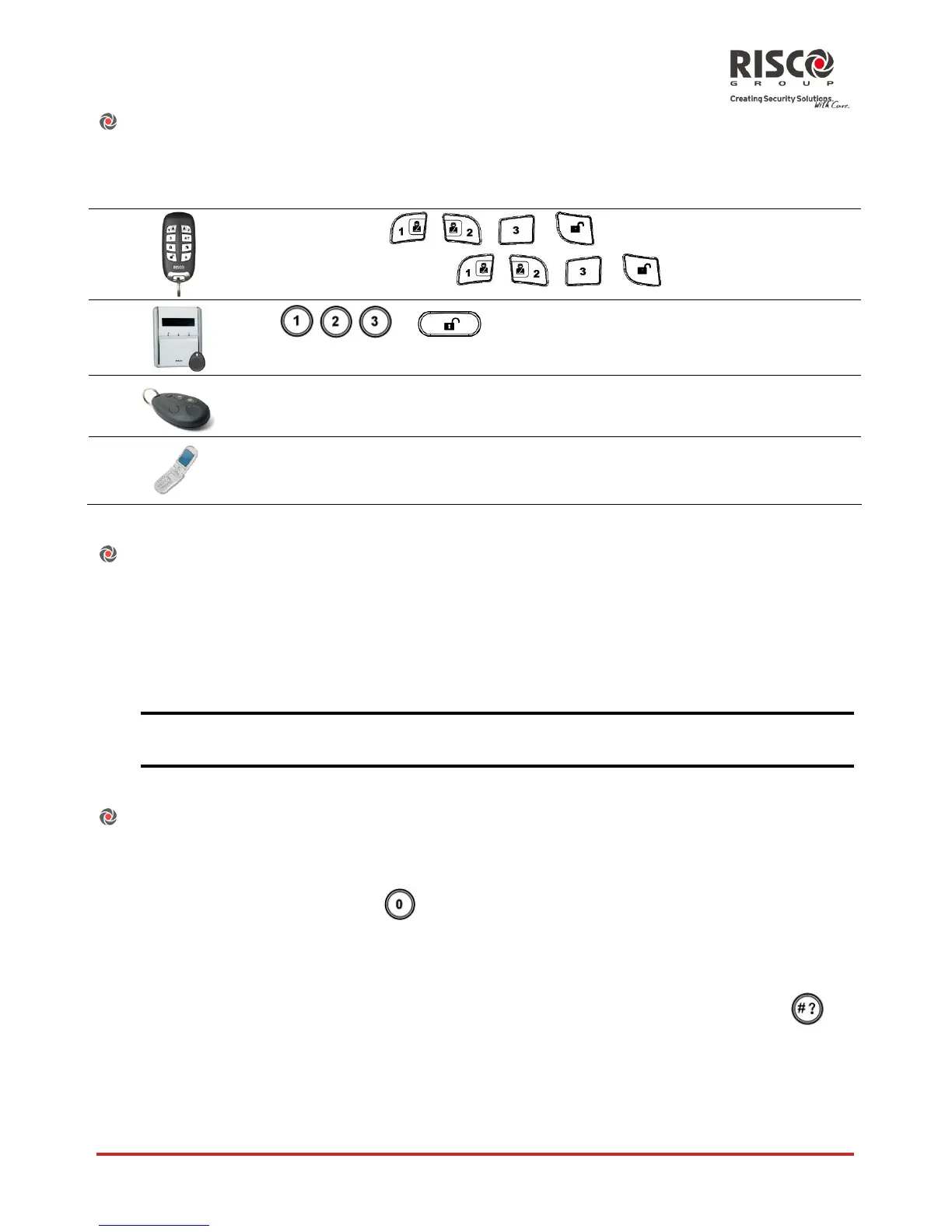
Todisarmusing ProcedureforPartitionDisarming
Quickmode:
/ / >
Highsecuritymode:
/ / > >Code
/ / > >codeorproximitytag.
Pressthe
²button.Allpartitionsassignedtothebuttonwillbe
disarmed.
SendSMS:[Code][D][Partition1,2or3].Example1234D1.Foremore
informationrefertopage21.
Duressdisarming:
Ifyouareevercoercedintodisarming yoursystem,youcanco mplywiththeintruderʹs
wisheswhilesending asilentdu re s s alarmtothe CentralStation.Todoso,youmust
useaspecialduresscode,whichwhen used,willdisarmthesy stem intheregular
manner,while
simultaneouslytransmittingtheduressalarm.Conferwithyourinstaller
whichofth e userʹscodesisdefinedasaduresscode.
Note:Undernocircumstancesmusttheduresscodebeusedhaphazardlyorwithoutreason.Central
Stations,alongwithPoliceDepartments,treatduresscodesveryseriouslyandtakeimmediateaction.
DisarmingafteranAlarm:
Whensilencinganalarmthesystem goesintoadisarmstate.Afterthesystemis
disarmedthesirenswillsound4sirenchirpsindicat e d thatanalarm occurredinthe
system.Onthekeypad,press for2secondsinordertoviewin formationaboutthe
lastalarm.
IfanʺEntrydoorʺisopenedpriortodisarmingthesystem,thefollowingvoice
announcementmessagewillbeheard:ʺAlarmoccurredinthesyst emʺ.Pr essth e
keywillindicatethecauseofthealarm.












 To Next Page