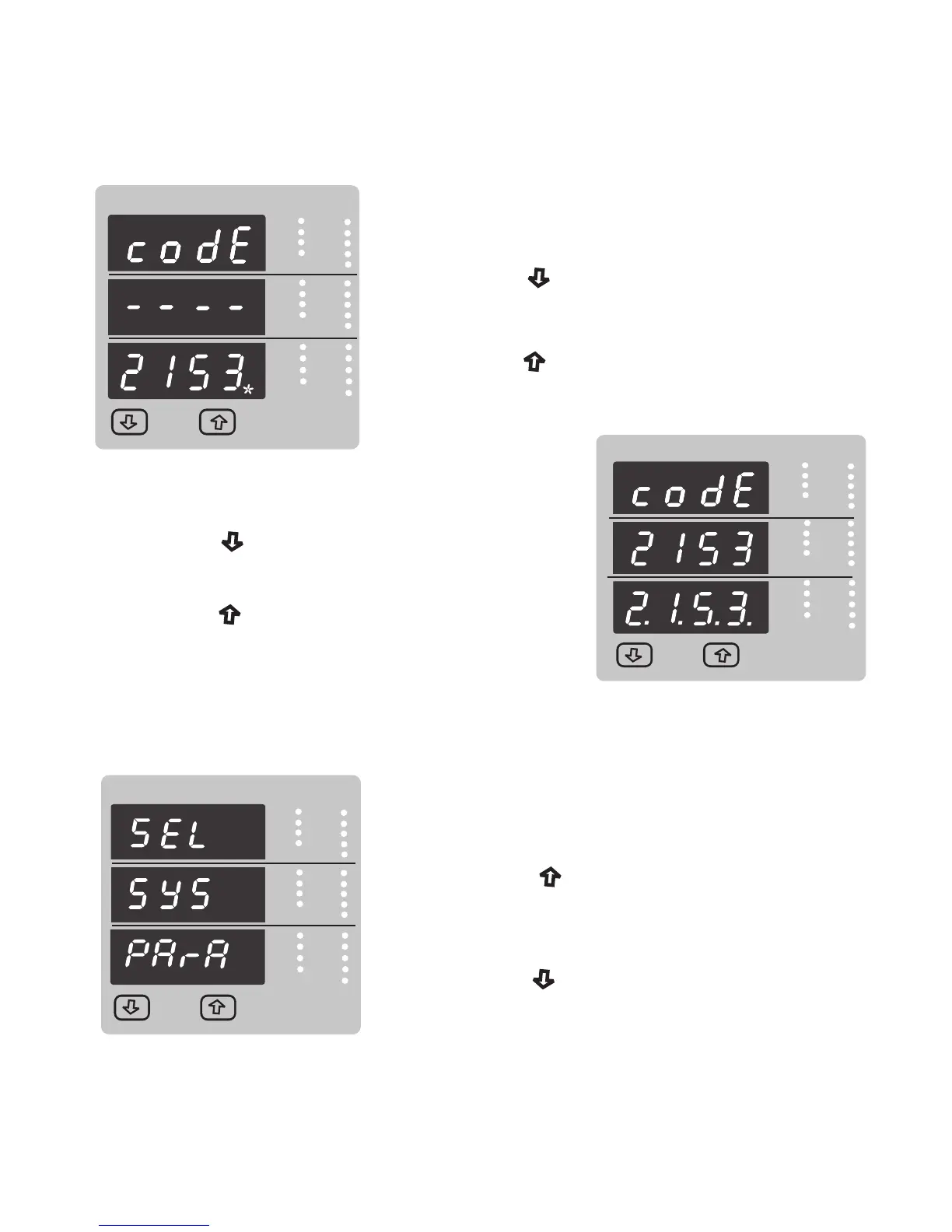
New / Change Password, third digit entered, prompting
for fourth digit. (* denotes that decimal point will be
flashing).
Pressing the “ Down” key will scroll the value of the
fourth digit from 0 through to 9, the value will wrap from
9 round to 0.
Pressing the “ Up” key to advance the operation to
the “New Password Confirmed” and sets the fourth digit,
in this case to “3”.
VYB
VRY
KVAr
Sys
V
A
KVA
Min
KW
VBR
Angle
Max
x1000
KVArh
x1000
x1000
IN
Ph R
Hz
KVAh
Ph Y
P.F.
KWh
Ph B
KAh
%THD
Demand
VYB
VRY
KVAr
Sys
V
A
KVA
Min
KW
VBR
Angle
Max
x1000
KVArh
x1000
x1000
IN
Ph R
Hz
KVAh
Ph Y
P.F.
KWh
Ph B
KAh
%THD
Demand
New Password confirmed.
Pressing the “ Down” key will return to the
“New/Change Password”.
Pressing the “ Up” key will advances to the
Menu selection screen.(see section 3.2).
3.2 Menu selection.
3.2.1 System Parameter selection screen.
This screen is used to select the different system
Parameter like “system type,””CT Ratio”,”PT Ratio”,
Pressing the “ Up” key allows the user to set
Pressing the “ down” key will advance to
Different system parameters.
Communication selection screen (see section 3.2.2)
(see section 3.2.1.1 to 3.2.1.10)
VYB
VRY
KVAr
Sys
V
A
KVA
Min
KW
VBR
Angle
Max
x1000
KVArh
x1000
x1000
IN
Ph R
Hz
KVAh
Ph Y
P.F.
KWh
Ph B
KAh
%THD
Demand
14



 To Next Page