3.2.4. Output Option selection menu
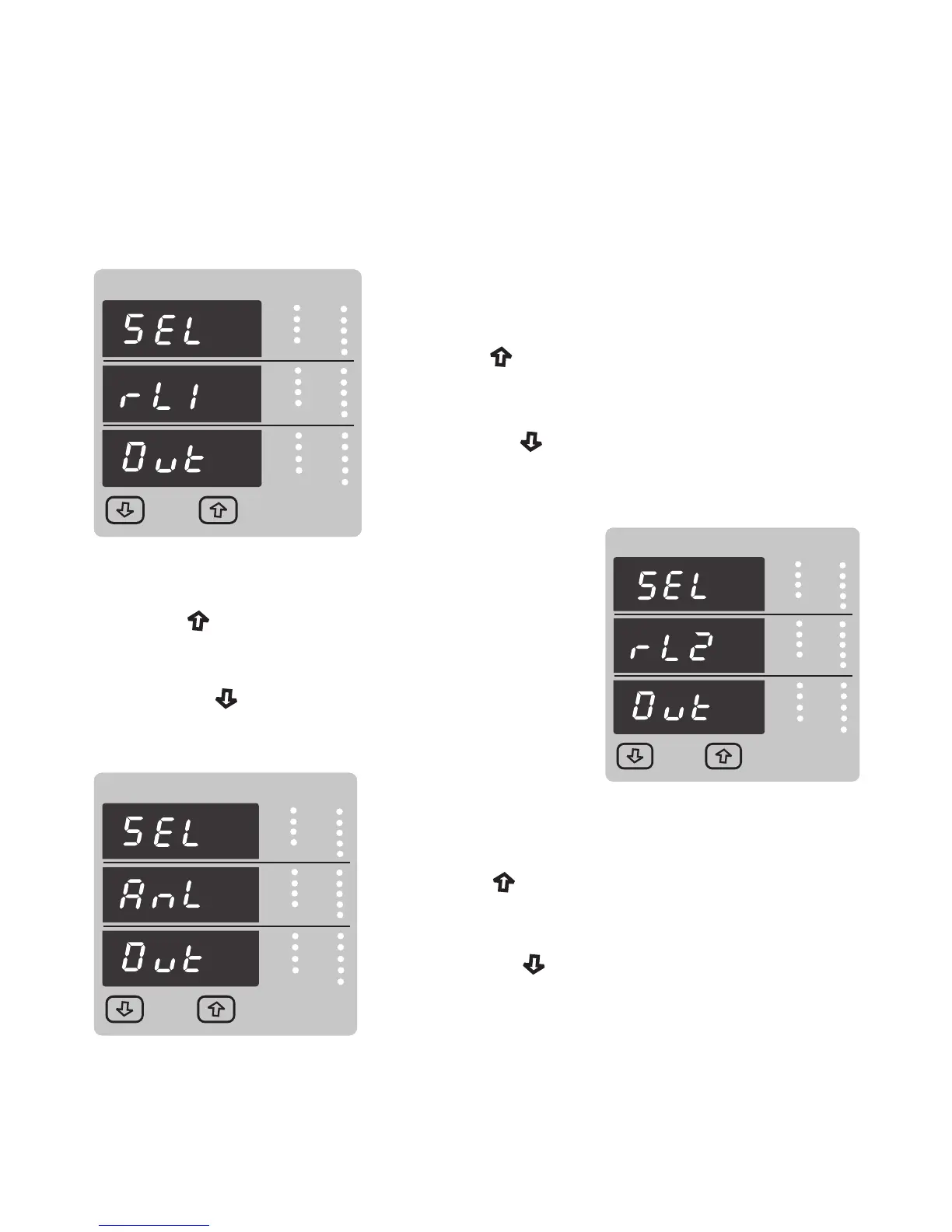
This screen applies to the Relay1 Output option Selection .
Pressing “ Up” key will select the
pressing the “ Down” key will advance
(See section 3.2.4.1.1)
Relay1 output selection menu
Relay2 output option below.
3.2.4.1 Configuration of Output
V
x1000
VRY
KVAr
KVArh
IN
Sys
Ph R
KAh
A
x1000
VYB
KVA
Hz
KVAh
Min
Ph Y
Demand
KW
x1000
VBR
Angle
P.F.
KWh
Max
Ph B
Max Demand
V
x1000
VRY
KVAr
KVArh
IN
Sys
Ph R
KAh
A
x1000
VYB
KVA
Hz
KVAh
Min
Ph Y
%THD
KW
x1000
VBR
Angle
P.F.
KWh
Max
Ph B
Demand
V
x1000
VRY
KVAr
KVArh
IN
Sys
Ph R
KAh
A
x1000
VYB
KVA
Hz
KVAh
Min
Ph Y
Demand
KW
x1000
VBR
Angle
P.F.
KWh
Max
Ph B
Max Demand
V
x1000
VRY
KVAr
KVArh
IN
Sys
Ph R
KAh
A
x1000
VYB
KVA
Hz
KVAh
Min
Ph Y
%THD
KW
x1000
VBR
Angle
P.F.
KWh
Max
Ph B
Demand
pressing the “ Down” key will advance to Analog
This screen applies to the Relay2 Output option Selection .
Pressing “ Up” key will advance to the select Relay 2
(See section 3.2.4.1.2)
output selection menu.
output option below.
V
x1000
VRY
KVAr
KVArh
IN
Sys
Ph R
KAh
A
x1000
VYB
KVA
Hz
KVAh
Min
Ph Y
Demand
KW
x1000
VBR
Angle
P.F.
KWh
Max
Ph B
Max Demand
V
x1000
VRY
KVAr
KVArh
IN
Sys
Ph R
KAh
A
x1000
VYB
KVA
Hz
KVAh
Min
Ph Y
%THD
KW
x1000
VBR
Angle
P.F.
KWh
Max
Ph B
Demand
This screen applies to the Analog Output Selection.
Pressing “ Up” key will Select the Analog output
Pressing the “ Down” key will advance to Quit screen.
selection menu (See section 3.2.4.3)
34



 To Next Page