Pressing “ Up” key accepts the present value and
advance to pulse rate selection menu
(see section 3.2.4.1.1.1.3).
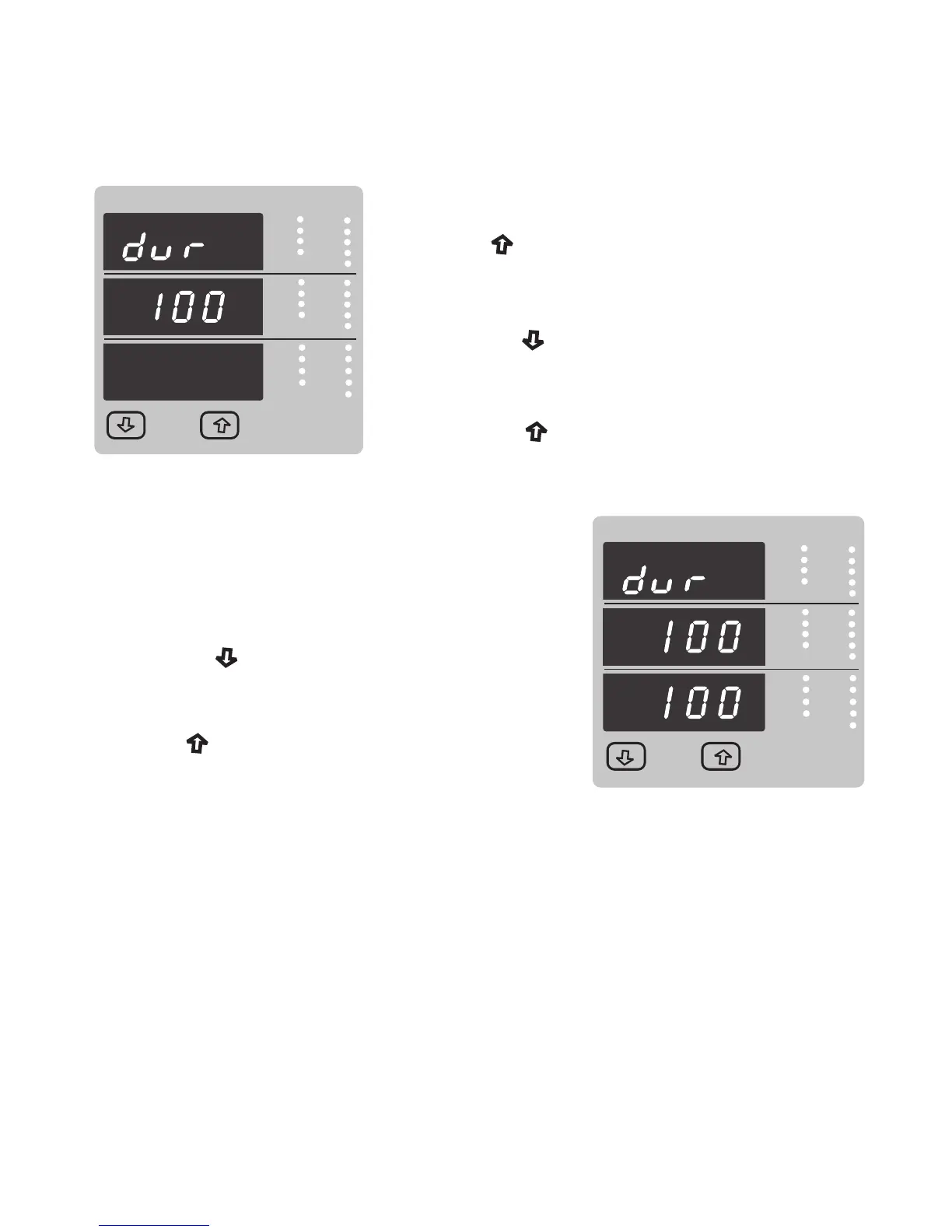
Pulse Duration Edit.
Pressing the “ Down” key will enter the “Pulse Duration
Edit” mode and scroll the value through 60, 100, 200 and
wrapping back to 60.
Pressing the “ Up” key will select the value and
advances to “Pulse Duration Confirmation”.
VYB
VRY
KVAr
Sys
V
A
KVA
Min
KW
VBR
Angle
Max
x1000
KVArh
x1000
x1000
IN
Ph R
Hz
KVAh
Ph Y
P.F.
KWh
Ph B
KAh
%THD
Demand
VYB
VRY
KVAr
Sys
V
A
KVA
Min
KW
VBR
Angle
Max
x1000
KVArh
x1000
x1000
IN
Ph R
Hz
KVAh
Ph Y
P.F.
KWh
Ph B
KAh
%THD
Demand
Pressing “ Up” key set displayed value and
Pulse Duration Confirmation.
This screen will only appear following an edit of the
Pulse duration.
Pressing the “ Down” key will re-enter the “Pulse
Duration Edit” mode.
Will advance to pulse rate selection menu
(See section 3.2.4.1.1.1.3)
3.2.4.1.1.1.3 Pulse Rate
This screen applies to the Relay Output option only. The screen allows user to set the energy
pulse rate divisor. Divisor values can be selected through 1,10,100,1000 in Wh.
37



 To Next Page