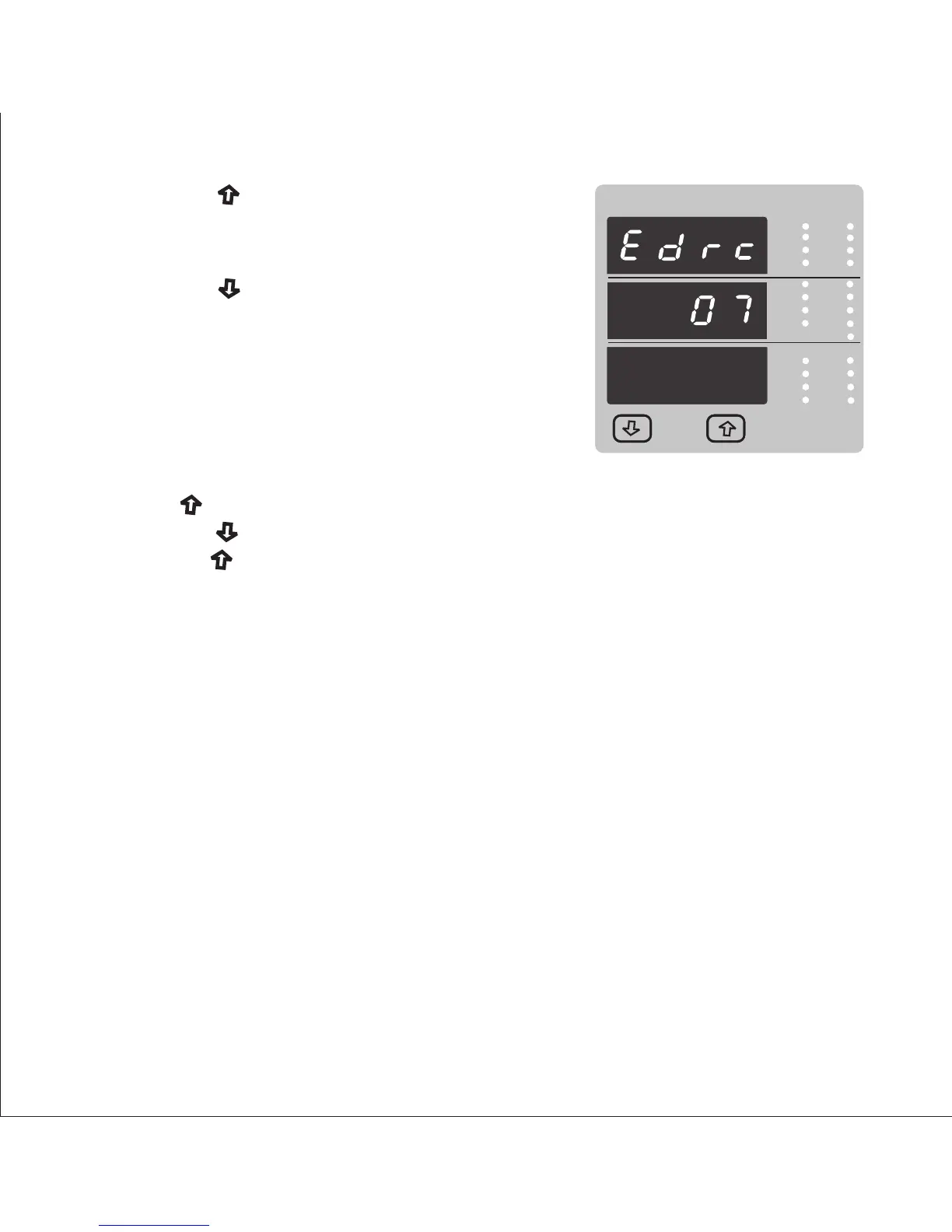
Pressing the “ Down” key will enter the Energy digit
reset count edit mode. This will scroll the value of reset
count from7 to 14 for Wh,from 7 to 12 for KWh &
from 7 to 9 for MWh.
VRY
KVAr
Sys
V
KW
VBR
Angle
Max
x1000
KVArh
x1000
IN
Ph R
P.F.
KWh
Ph B
VRY
KVAr
Sys
V
KW
VBR
Angle
Max
x1000
KVArh
x1000
IN
Ph R
P.F.
KWh
Ph B
A
VYB
KVA
Min
x1000
Hz
KVAh
Ph Y
%THD
x1000
Hz
KVAh
Ph Y
%THD
Pressing the “ Up” key sets the displayed value and
will jump back to the system parameter selection
(See Section 3.2.1)
Ex. If energy display on modbus is set Wh & It will set
Energy digit count to 10 then energy will reset after
“9,999,999,999” & then will rollback to zero.
Pressing the “ Up” key sets the displayed value and will jump back to the system
parameter selection (See Section 3.2.1)
Pressing “ Up key “ will advance to Energy digit reset count confirmation screen.
Pressing the “ Down” key will re-enter Energy digit reset count edit mode.
Note : 1) Default value is set to “14” i.e if energy count crosses 14 digit it will rollback
to zero.
2) Energy displays on modbus is set to (2) & energy digit reset count is set to 12.
Energy screen on display will show “-------” i.e Energy overflow. When energy crosses
the 11 digit count.
3) Energy displays on modbus is set to (3) & energy digit reset count is set to 9.
Energy screen on display will show “-------” i.e Energy overflow .when energy crosses
the 8 digit count.
3.2.2.1 Address Setting :
This screen applies to the RS 485 output only.
This screen allows the user to set Rs485 parameter for instruments
3.2.2 Communication Parameter Selection :
26



 To Next Page