VYB
VRY
KVAr
Sys
V
A
KVA
Min
KW
VBR
Angle
Max
x1000
KVArh
x1000
x1000
IN
Ph R
Hz
KVAh
Ph Y
P.F.
KWh
Ph B
KAh
%THD
Demand
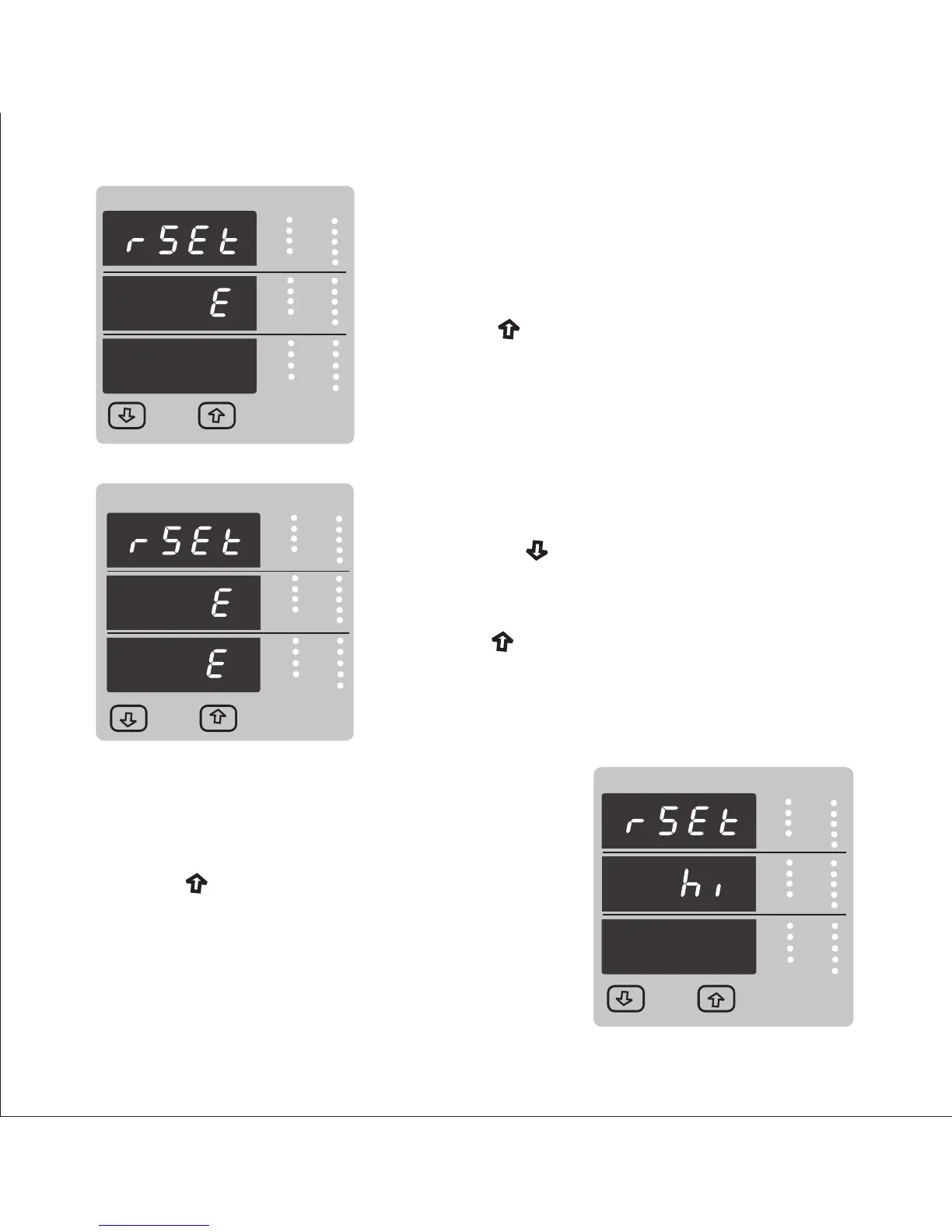
Reset option select, (Resets all Energies)
The user has scrolled through to the “E” Energy
value.
Pressing “ Up” key will select the value and
advance to the “Reset Energy Confirmation” Mode.
& resets all Energies (Import Enegy, Export Energy
Import reactive, Export reactive, Apparent Energy
Ampere Hour)
Reset Energy Confirmation.
Pressing the “ Down” key will re-enter the “Reset
option” mode.
Reset option select, (Reset Hi)
The user has scrolled through to the “Hi” (Max)
Pressing “ Up” key will select the value and
advance to the “Reset Hi Confirmation” Mode.
VYB
VRY
KVAr
Sys
V
A
KVA
Min
KW
VBR
Angle
Max
x1000
KVArh
x1000
x1000
IN
Ph R
Hz
KVAh
Ph Y
P.F.
KWh
Ph B
KAh
Demand
Max Demand
VYB
VRY
KVAr
Sys
V
A
KVA
Min
KW
VBR
Angle
Max
x1000
KVArh
x1000
x1000
IN
Ph R
Hz
KVAh
Ph Y
P.F.
KWh
Ph B
KAh
%THD
Pressing “ Up” key will jump back to the
Reset Parameter selection screen (see section 3.2.3).
Will reset Maximum (Hi) values of Voltage & Current Avg.
appeared at input.
VYB
VRY
KVAr
Sys
V
A
KVA
Min
KW
VBR
Angle
Max
x1000
KVArh
x1000
x1000
IN
Ph R
Hz
KVAh
Ph Y
P.F.
KWh
Ph B
KAh
%THD
Demand
Demand
31



 To Next Page