69
Managing Jobs >> Printer Mode Screens
5
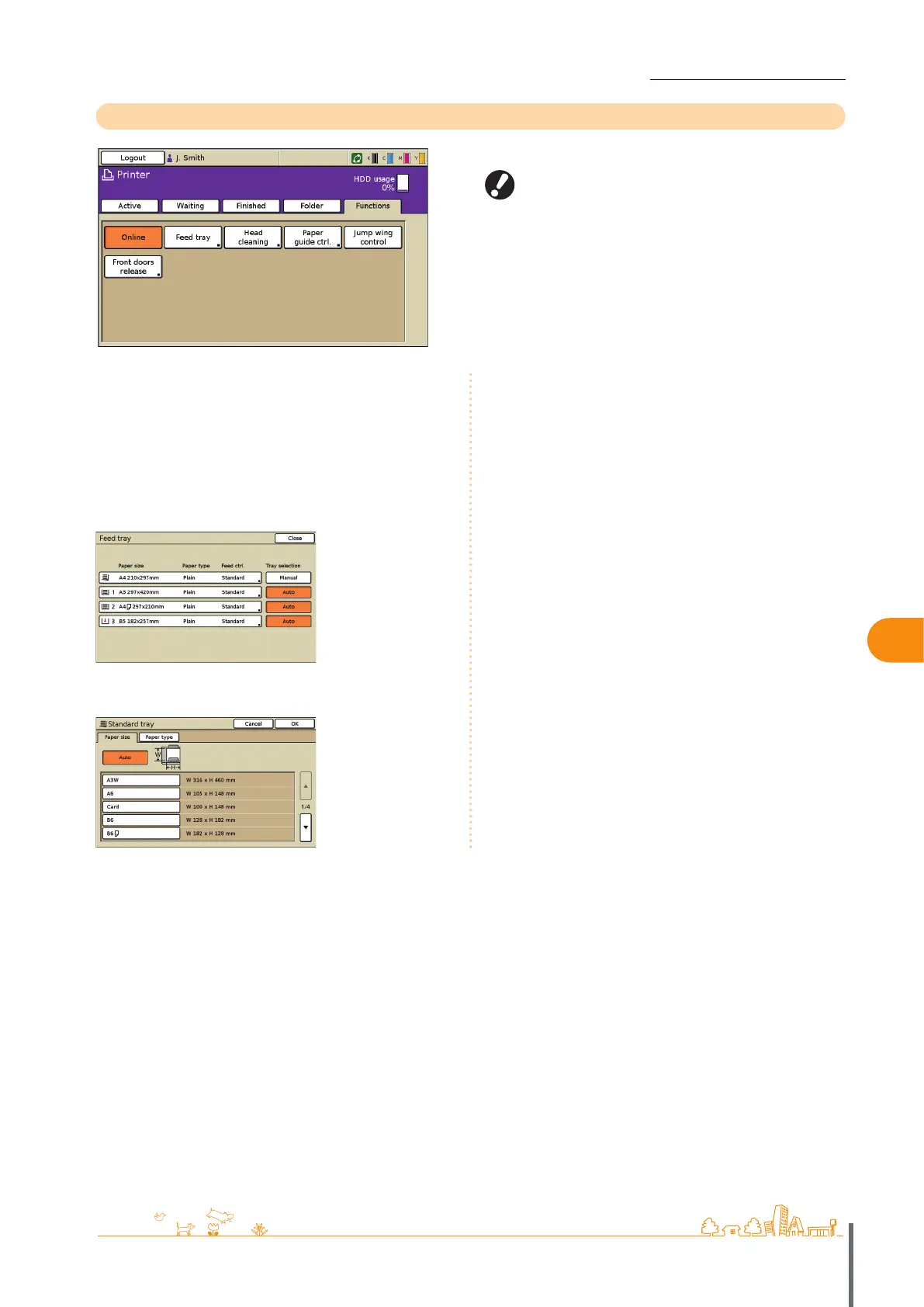
Functions Screen
Displays user-adjustable settings.
The following functions are used in other modes besides
printer mode. They are described in Chapter 3, “Copying,” in
“F
unctions Screen” (p. 41
).
Head cleaning
Paper guide control
Jump wing control
Front doors release
•
•
•
•
[Online]
Switch the machine online or oine, as needed.
The button switches between ON and OFF each time it is
pressed. When the machine is oine (set to OFF), no jobs are
printed even if there are idle jobs. Any jobs sent from a
computer will not be received.
[Feed tray]
Check or modify feed tray settings.
On the [Feed tray] screen, complete detailed paper settings
by pressing each tray button.
ComColor Series Basic Guide 02 ComColor Series Basic Guide 02










 To Next Page