85
Maintenance >> Installing the Printer Driver
7
8
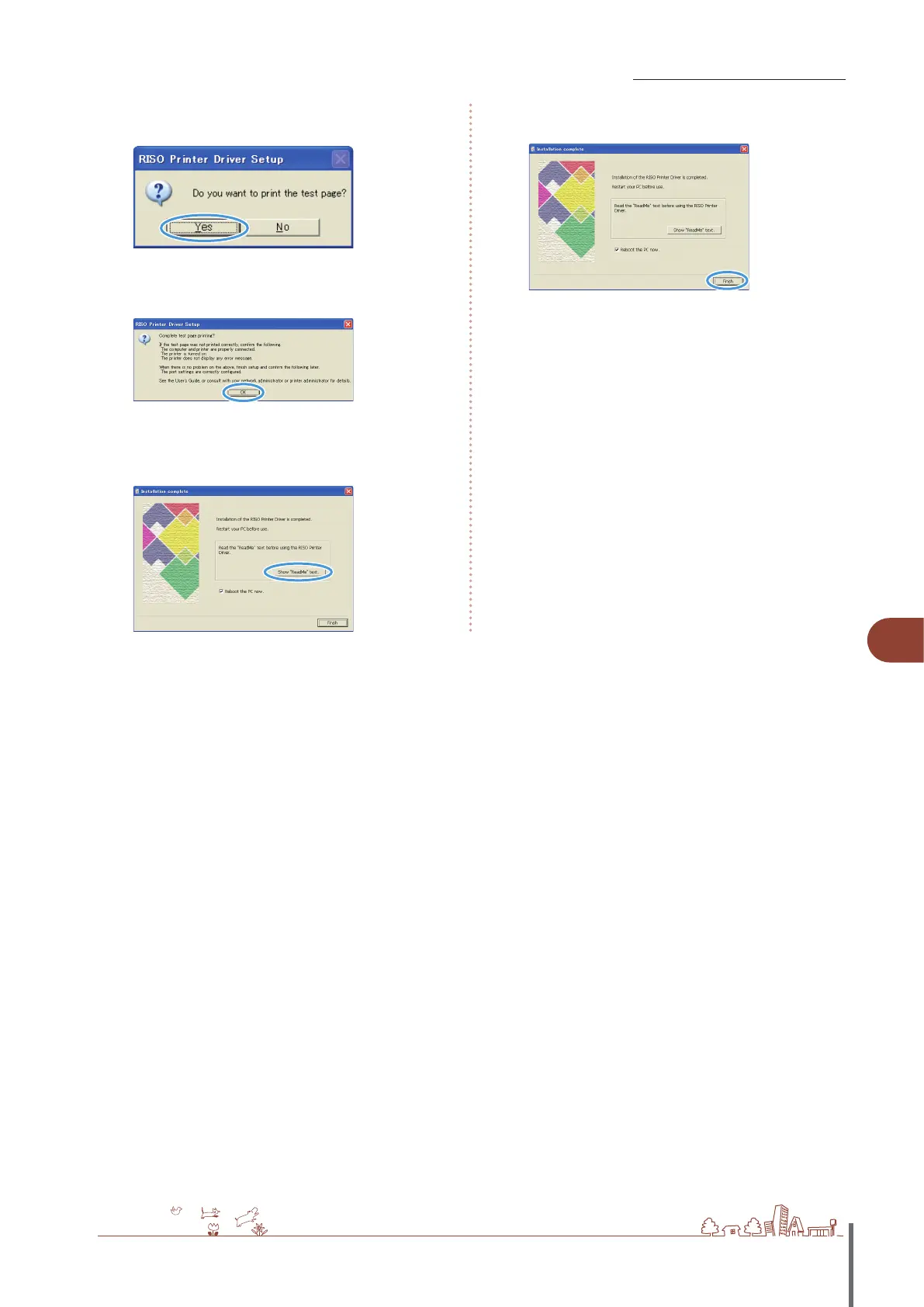
When the message for printing a test page is
displayed, click [Yes].
9
Conrm that the test page is printed correctly and
click [OK].
10
Click [Show “Readme” text].
The Readme includes precautions when using the machine.
Be sure to read this information.
11
Click [Finish].
12
Remove the CD-ROM from the computer.
After ejection, keep the CD-ROM in a safe place.
ComColor Series Basic Guide 02
ComColor Series Basic Guide 02










 To Next Page