Utility Software Guides
RISO-ADMIN features
16
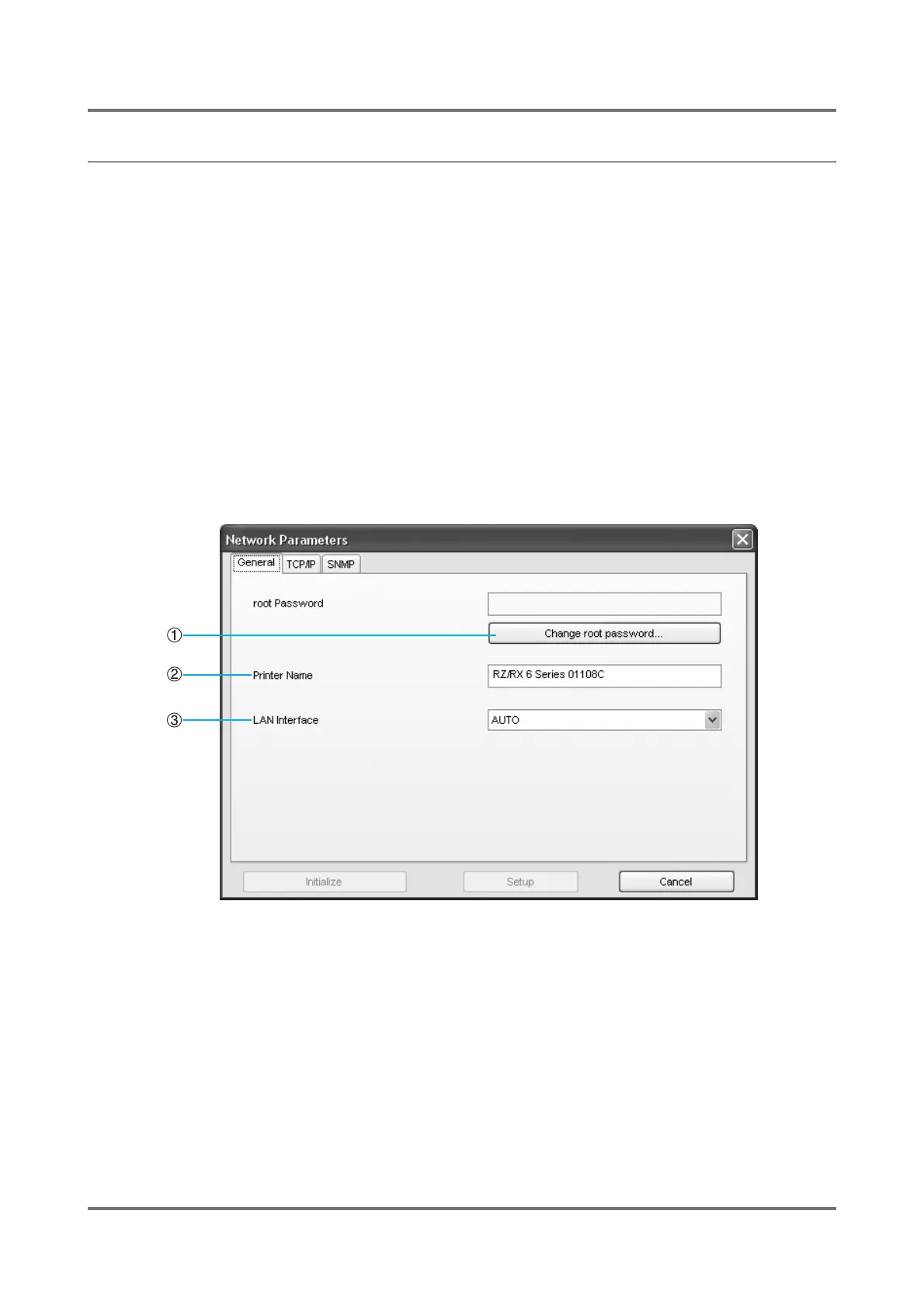
[Network Parameters] dialog box
Common buttons on the tabs
• [Setup] button
Sends settings to the network interface card. Changes to the network interface card will take place after restart.
• [Cancel] button
Cancels the settings and goes back to the previous state.
• [Initialize] button
Initializes the network interface card to restore the factory-set (default) network configuration in the selected RISO
printer.
Note:
• The network interface card can also be initialized from the operation panel on the printer. ()p.58)
[General] tab
The password which will be requested to use RISO-ADMIN or to open the RISO printer network configuration web
page in the Internet browser can be specified here.
1) [Change root password] button
Opens the entry box of the password. You can use up to
7 ASCII characters for the password.
2) Printer Name
Set the name for the "Printer Name" in the RISO-ADMIN
main window.
If more than one printer is used, set a name suitable for
each printer.
Important!:
• Do not leave the Printer Name column blank.
3) LAN Interface
You can specify the physical network type in this box.
Leave "AUTO" selected in most cases.



 To Next Page