Assigning an IP address to the RISO printer
7
System Configuration
Assigning an IP address to the RISO printer
Operational requirements
Your computer must be configured to enable TCP/IP network communication if you want to use the “Run the RISO-
ADMIN from CD” menu or RISO-ADMIN for assigning an IP address to the RISO printer.
Important!:
• Always consult your network administrator if you have to change the current network configuration to enable TCP/
IP network communication on your computer.
Checking the current network configuration on your computer
- Windows 2000/XP/Vista -
1
Open the [Control Panel] folder.
Select [Settings] from the [Start] menu and click
on [Control Panel].
2
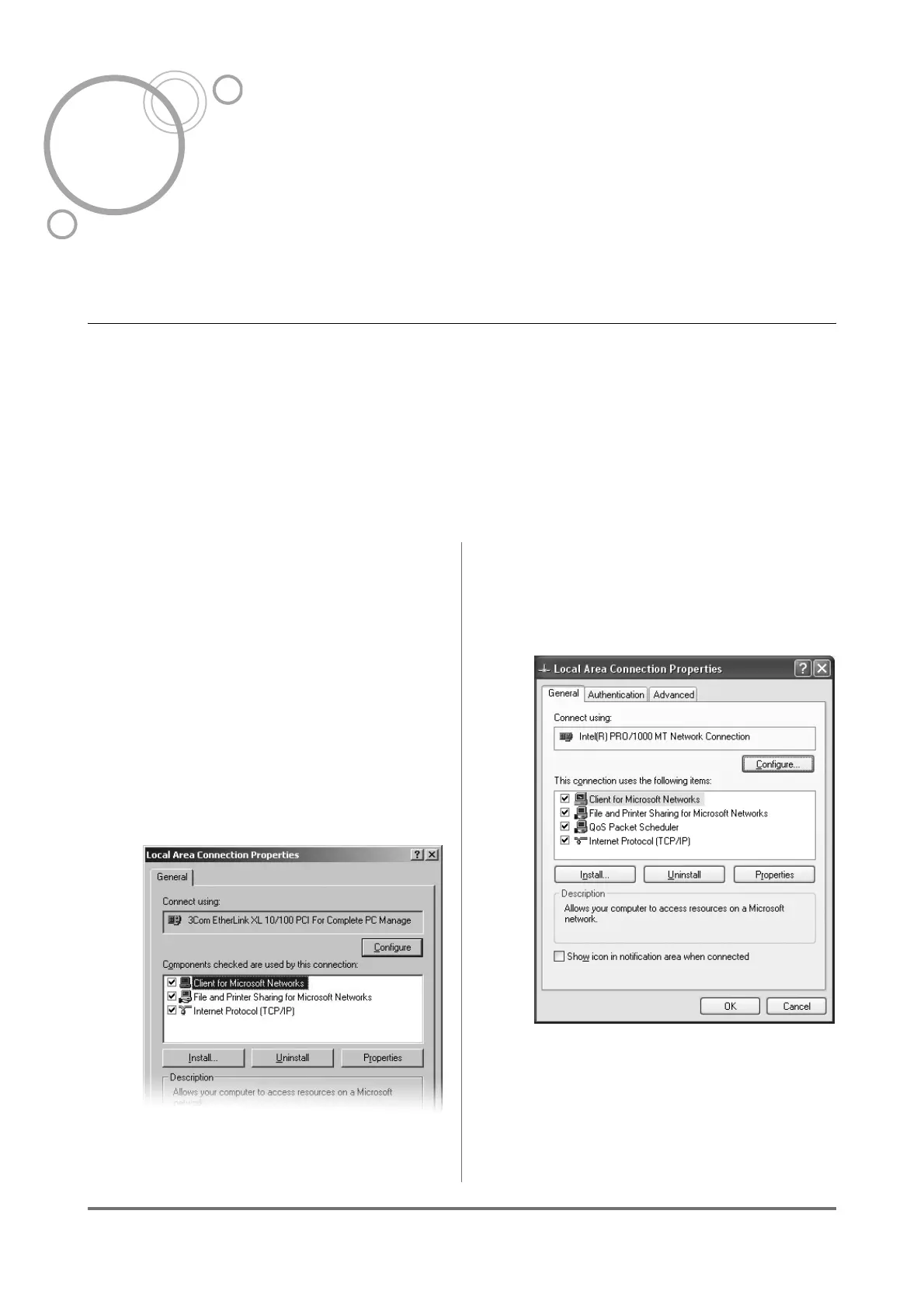
Open the [Local Area Connection
Properties] dialog box.
Click on the [Network] icon in the [Control
Panel] window.
Windows 2000
Open the [Network and Dial-up Connec-
tions] folder, and then right-click on the [Local
Area Connection] icon and select [Proper-
ties] in the displayed menu.
Windows XP
Select
[Network Connections]
in the
[Network
and Internet Connection]
option, and then right-
click on the
[Local Area Connection]
icon and
select
[Properties]
in the displayed menu



 To Next Page