Utility Software Guides
<Column> About RISO-PRINT
44
Assigning the TCP/IP direct print port to the printer driver
You must use a printer driver which is configured to output print data to a TCP/IP direct print port to send document
data directly to a RISO printer on the TCP/IP communication network.
You have only to change the current printer port of the desired printer driver to a desired network print port following
the procedure below.
Important!:
• If you are using the RISO-Print port in Windows, the TCP/IP direct print port should be created in your computer
using the RISO-PRINT before this operation.
• This procedure is not necessary when using the Windows standard LPR port or Standard TCP/IP Port.
Note:
• When a desired printer driver is not installed in your computer yet, you must install the desired printer driver pro-
gram from the corresponding software CD-ROM referring to the user's guide for the printer driver.
1
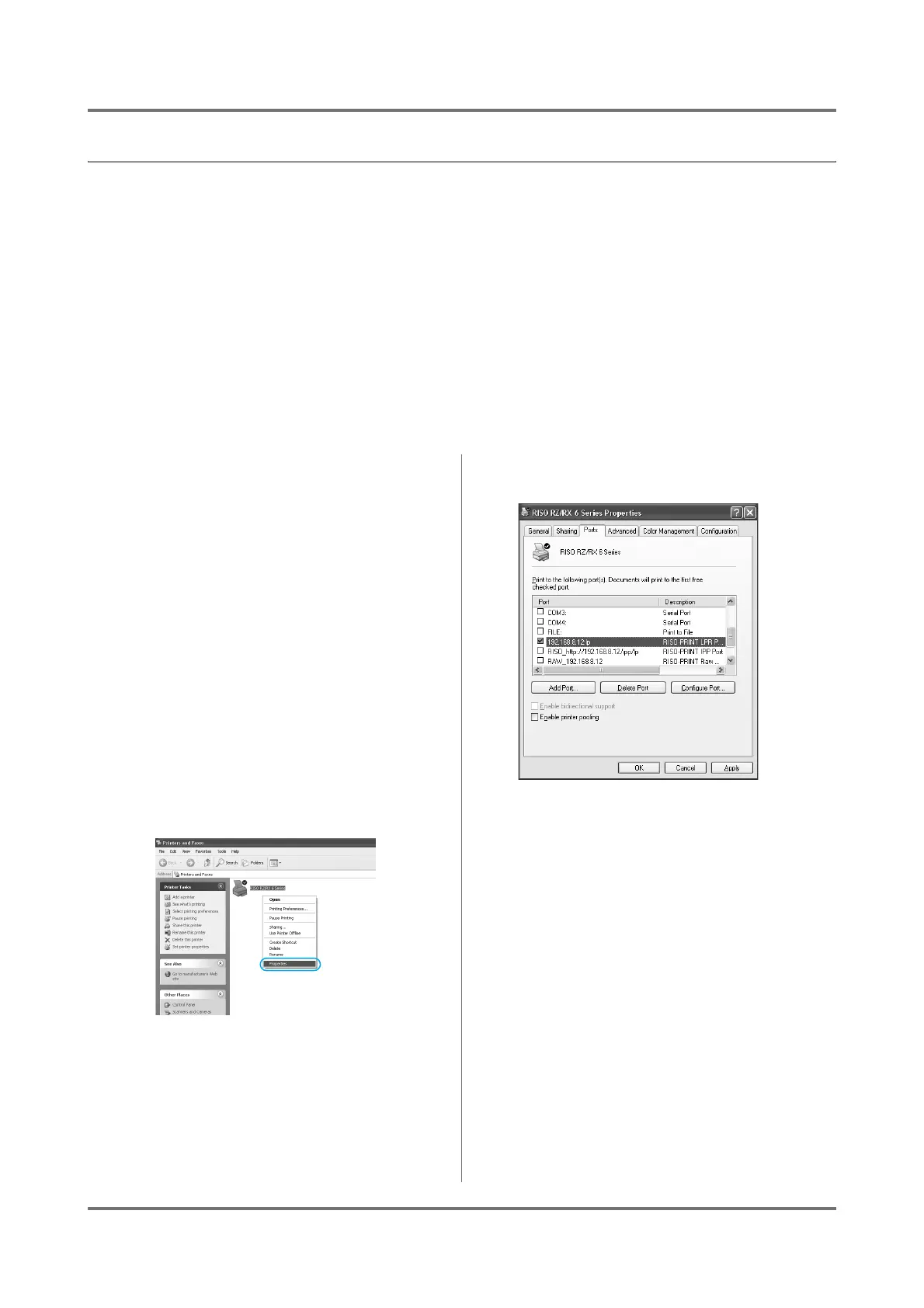
Open the [Properties] dialog box of
the desired printer driver.
Windows 2000 users:
Select [Settings] in the [Start] menu and click
on [Printers] to open the [Printers] folder.
Windows XP/Windows Server 2003
users:
Select [Printers and Faxes] in the [start]
menu to open the [Printers and Faxes] dialog
box.
Windows Vista users:
Click on the [Start] icon- [Control Panel]-
[Hardware & Sound]-[Printer] and open the
[Printer] folder.
Right-click on the desired RISO printer icon and
then click on [Properties] in the displayed menu.
2
Select the [Ports] or [Details] tab.
Note:
• The tab name may differ depending on the ver-
sion of the operating system.
3
Select a desired print port.
In the [Print to the following port] box, select the
port of the desired RISO printer from the list.
4
Click on the [OK] button.
The selected print port is assigned to the selected
printer driver as printer port and the [Properties]
dialog box is closed.



 To Next Page