Preface
Specifications
4
Specifications
Important!:
• RISO Network Card software (RISO-ADMIN, RISO-MONITOR, RISO-PRINT and RisoHoldManager) can only be
used in combination with a RISO Printer Driver.
Interface terminal features
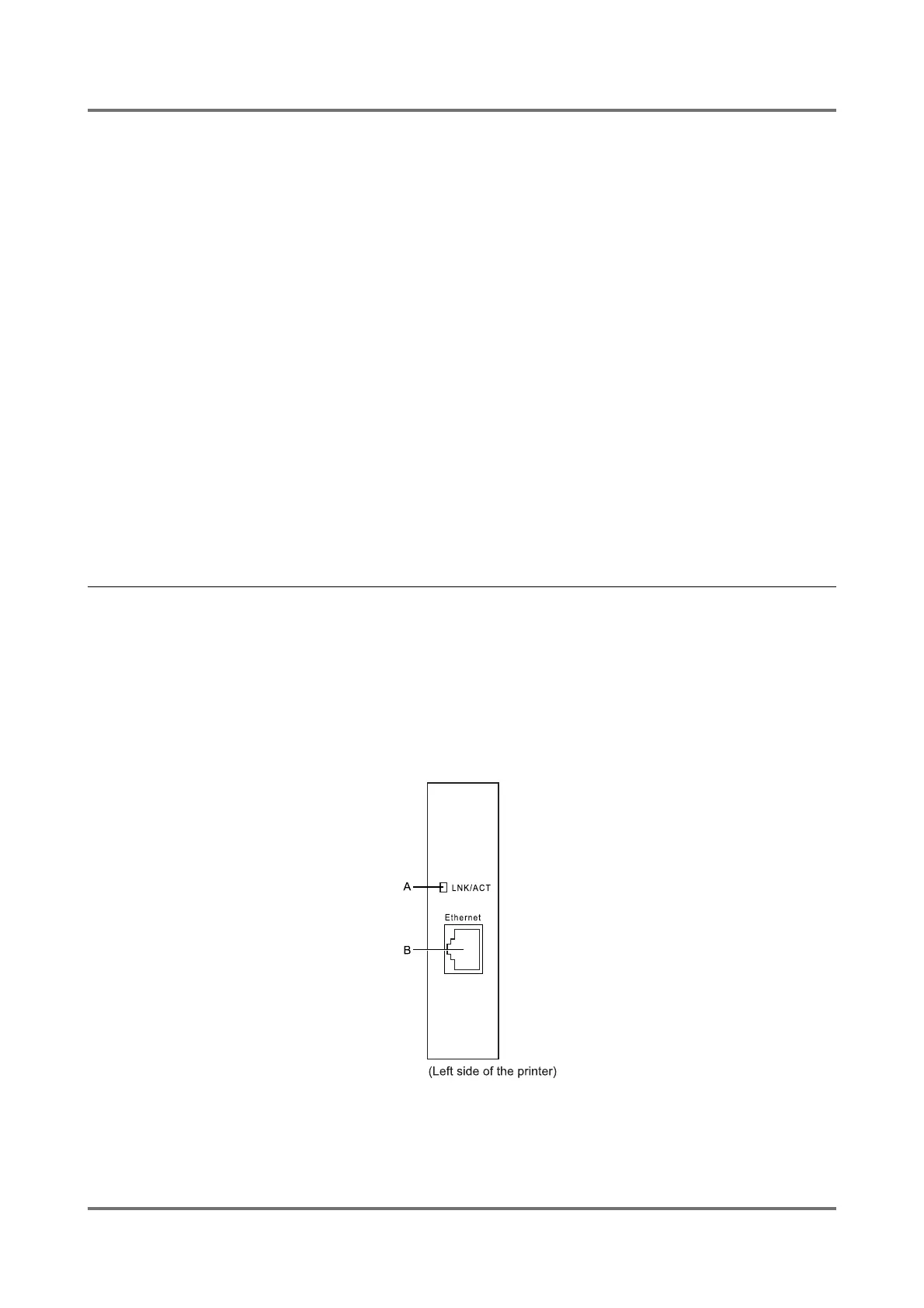
The Interface terminal of RISO Network Card is composed of the following parts.
A LNK/ACT indicator (Green)
Lights up when 10BASE-T or 100BASE-TX is used for data communication.
Blinks while data is being sent or received.
B Ethernet port
Accepts the RJ45 terminal of the Ethernet cable.
Important!:
• The maximum allowable input voltage of this port is
3.5V.
Available input port: Ethernet: IEEE802.3(10Base-T), IEEE802.3u(100Base-TX)
Applicable OS: Windows 2000 Professional, Windows 2000 Server, Windows XP Home
Edition, Windows XP Professional, Windows Server 2003, Windows Vista
Available network protocol
• TCP/IP (on the network layer): ARP, IP, ICMP
• TCP/IP (on the transport layer) TCP, UDP
• TCP/IP (on the application layer): LPD, FTP, DHCP, SNMP, HTTP, IPP, Raw-Mode Print (TCP#9100)
RISO Configuration Protocol (UDP#19541)
RISO Configuration Protocol (TCP#21075)
LPR/FTP/SNMP Client Functions
Applicable browser: Microsoft Internet Explorer 5.5 and higher



 To Next Page