Utility Software Guides
RisoHoldManager features
32
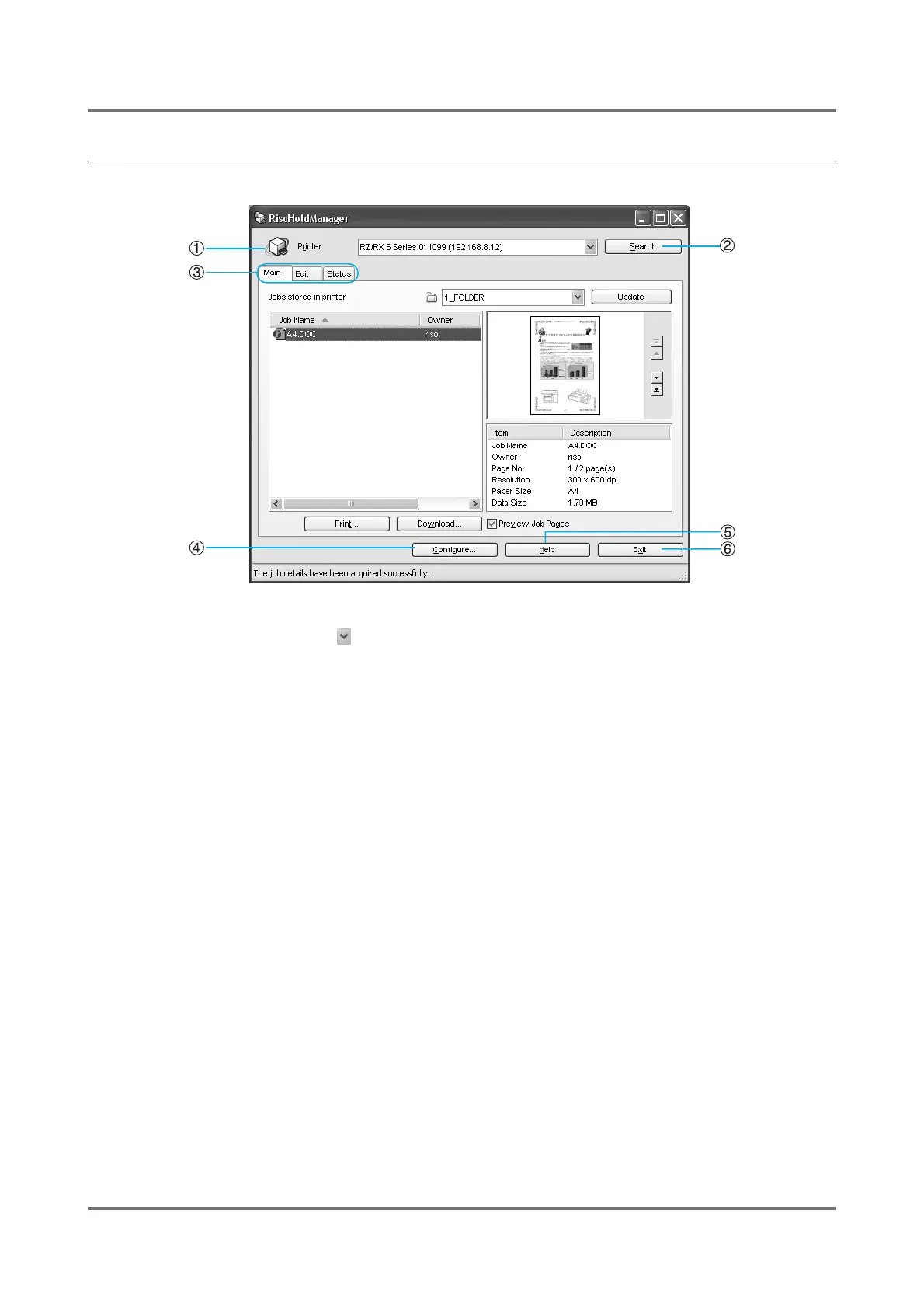
[RisoHoldManager] window
1) Printer
Clicking on the drop-down list button will display all
the printers connected to the network, allowing you to
select a RISO printer you wish to administer.
2) [Search] button
You can search again for RISO printers connected to the
network.
3) Main / Edit / Status tab
Allows you to perform a variety of functions on the jobs
stored in the storage memory of the printer.
4) [Configure] button
Here you can configure the settings of RisoHoldMan-
ager. See "[Configure] dialog box" for detailed descrip-
tions.
5) [Help] button
Displays User’s Guide (this manual).
6) [Exit] button
Ends the RisoHoldManager session.



 To Next Page