E-mail sending functions using RISO Network Card
E-mail Sending Setup
49
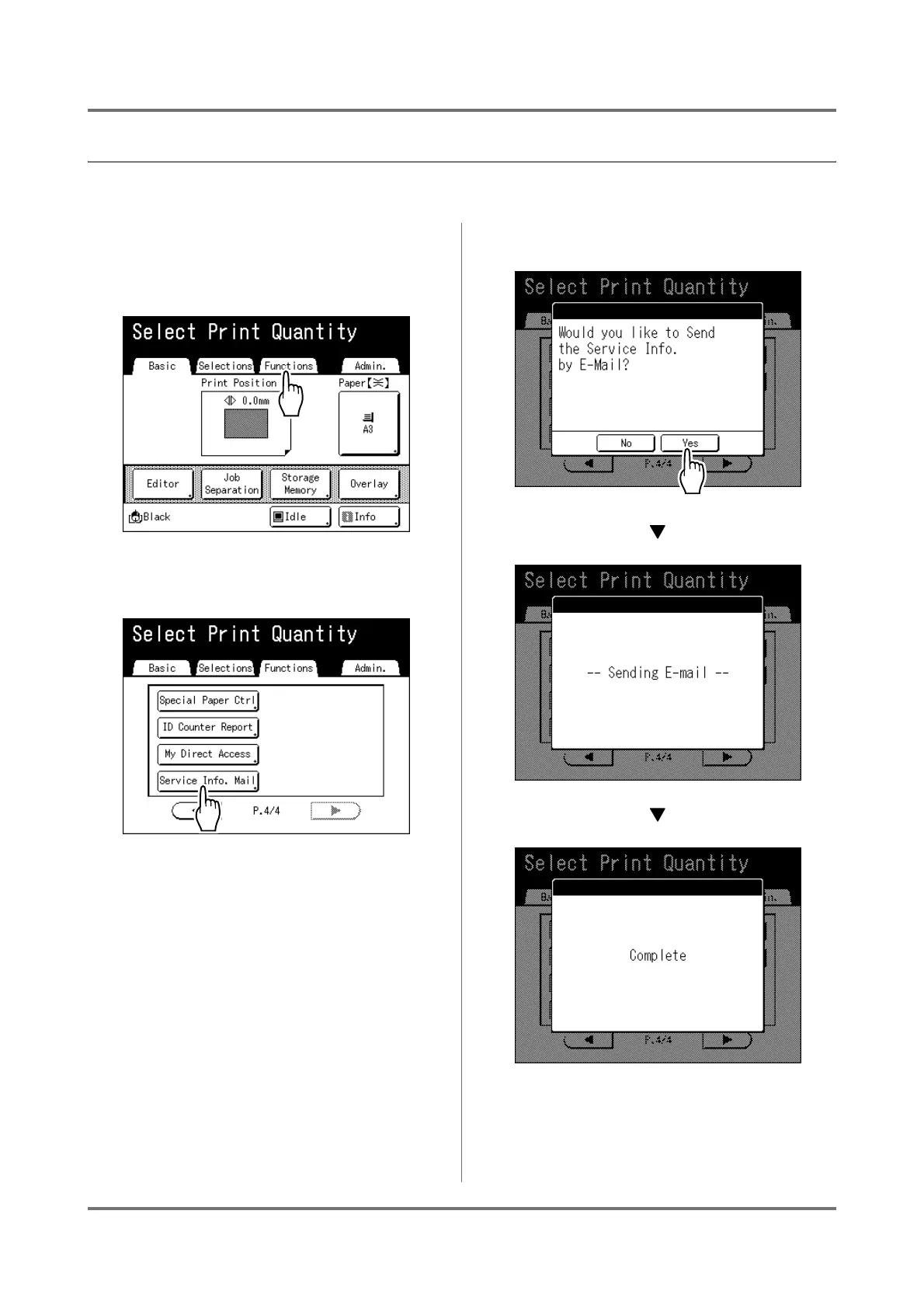
Using E-mail Sending Functions [Service Info. Mail]
The LED panel machine is operated from the operation panel.
1
Touch [Functions] on the Print Basic
Screen or Master Making Basic
Screen.
2
Touch [Service Info. Mail].
3
Touch [Yes].
After mail transmission is completed, the screen
returns to Print Basic Screen or Master Making
Basic Screen.



 To Next Page