E-mail sending functions using RISO Network Card
E-mail Sending Setup
48
• Sender Address
Input the e-mail address of the printer adminis-
trator or other desired sender.
Note:
• Consult with your network administrator for
help configuring the sender address.
• Receiver Address 1
An address can be input to send ID Counter
Report to.
• Receiver Address 2
An address can be input to send ID Counter
Report to.
Enter an address if necessary.
•Port No.
Enter the port number.
Note:
• Contact with your network administrator for
the port number.
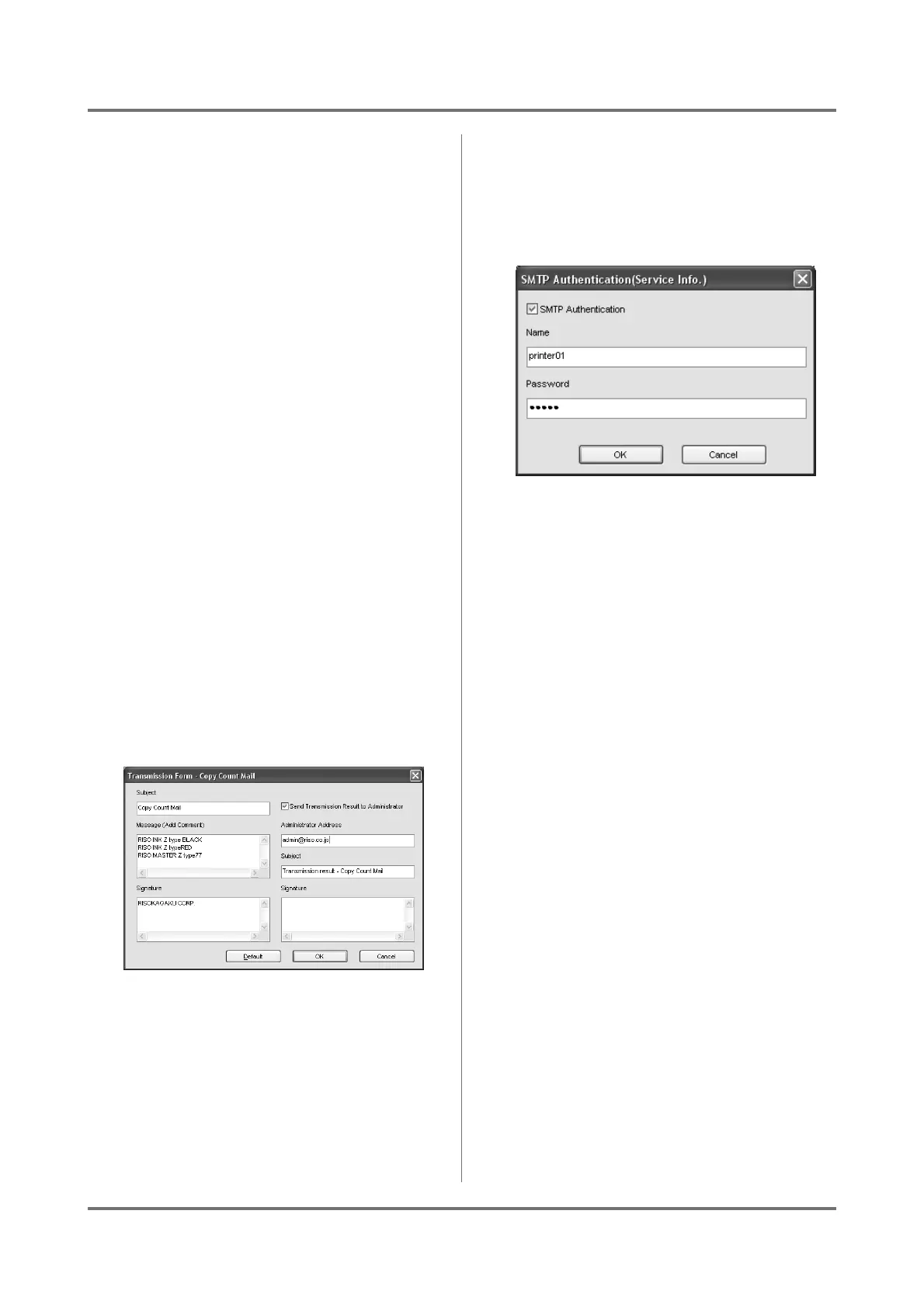
• [Transmission Form] button
Click the [Transmission Form] button to dis-
play the [Transmission Form] dialog box.
When [Subject], [Message] and [Signature]
are inputted, they are sent with the ID Counter
Report.
Click the [Default] to enter the default subject in
the [Subject] box.
Check the [Send Transmission Result to
Administrator] box to have the transmission
results of the ID Counter Report sent to the
[Administrator Address]. The [Signature]
can also be set.
• [Authent...] button
Click the [Authent...] button to display the
[SMTP Authentication] dialog box.
If SMTP authorization is required, check [SMTP
Authentication] and input your [Name] and
[Password].
9
Click the [Setup] button on the
[SMTP] tab.
Note:
• Click the [Setup] button to save the settings
onto printer main body.
With machines that have an LCD panel, when the
required configuration is completed, the [Service
Info. Mail] button and [ID Counter Report] button
will be added to your RISO printer’s [Functions]
menu.
With machines that have an LED panel, ID Coun-
ter Report output in the Custom Setting Mode (No.
91) can be set.
Note:
• With machines that have an LCD panel, after
the [Service Info.] and [Copy Count] are set
using [RISO-ADMIN], they can be changed
from your RISO printer’s [Admin.] menu.
You cannot set the LED panel machine from the
printer.



 To Next Page