Utility Software Guides
RISO-MONITOR features
25
[Status] Tab
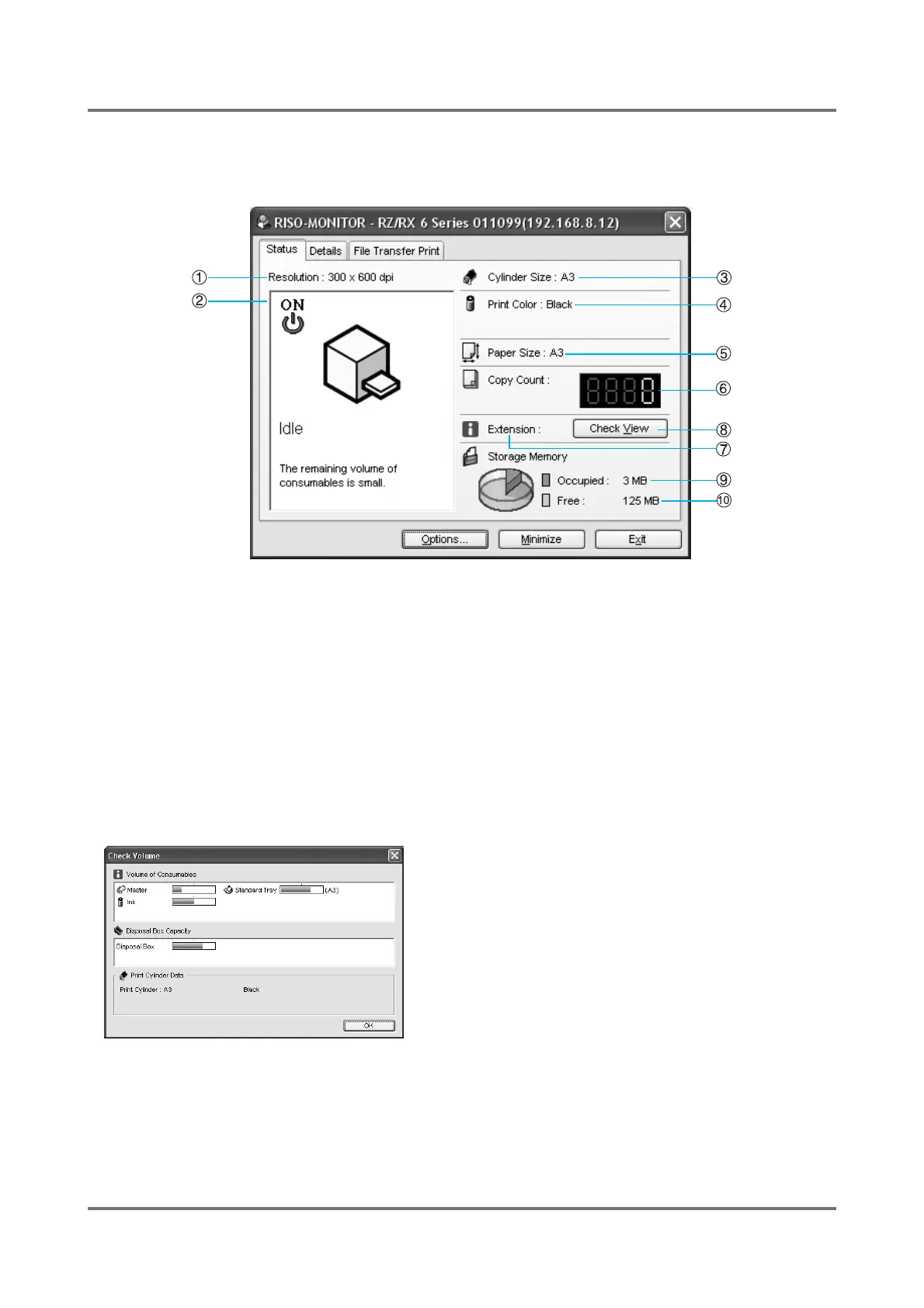
The current status of the selected RISO printer can be checked here. The displayed information is as follows.
1) Resolution
2) Operation condition / Power supply condition
3) Print Cylinder (Drum) Size
4) Print Color
5) Loaded paper size
6) Print count
7) [ i ] Extension
8) [Check View] button
Opens the [Check View] window, in which you can
check the current volume levels of consumables and the
remaining capacity of the master disposal box by per-
centage.
9) Occupied storage memory volume
10) Free storage memory volume
Note:
• All information may not be available with certain
RISO printer models.



 To Next Page