E-mail sending functions using RISO Network Card
E-mail Sending Setup
51
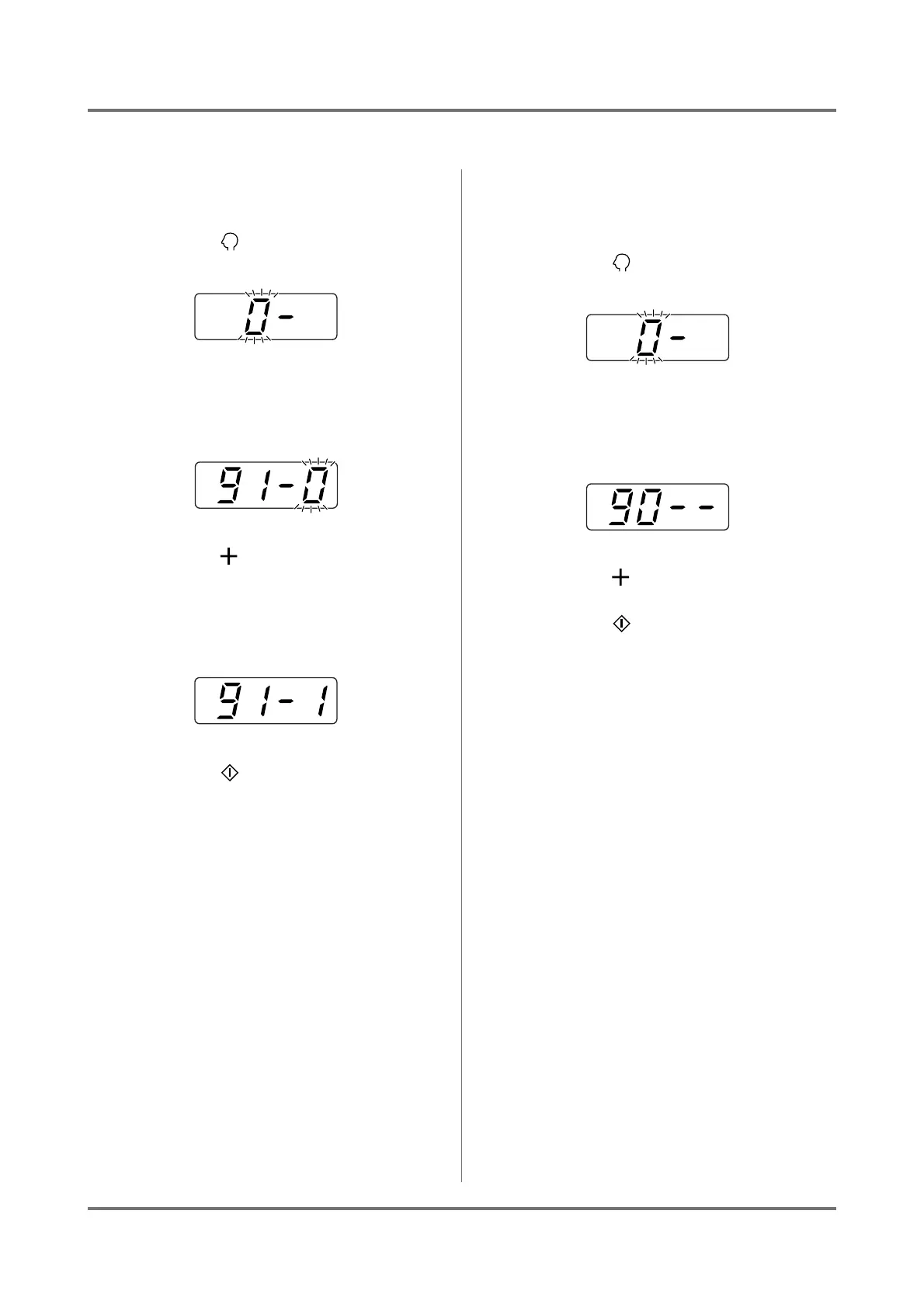
In the case of LED panel machine
Setting the ID counter report to [E-Mail]
1
Press the [ ] key.
2
Use the Print Quantity keys to input
“91”.
3
Press the [ ] key.
4
Use the Print Quantity keys to input
“1” (e-mail).
5
Press the [ ] key.
ID Counter Report output is changed to [E-Mail]
and the screen will return to the normal standby
screen.
Note:
• Once the setting is performed, it is stored in the
printer. After that, e-mail can be sent according
to the following procedure.
Sending the ID Counter Report output
by e-mail
1
Press the [ ] key.
2
Use the Print Quantity keys to input
“90”.
3
Press the [ ] key.
4
Press the [ ] key.
E-mail transmission processing begins and the ID
Counter Report output is sent.
After the e-mail transmission is complete, the
screen will return to the normal standby screen.



 To Next Page