EasyManua.ls Logo

Rittal Blue e+ - User Manual

Rittal Blue e+
52 pages
Print Icon
To Next Page IconTo Next Page
Loading...
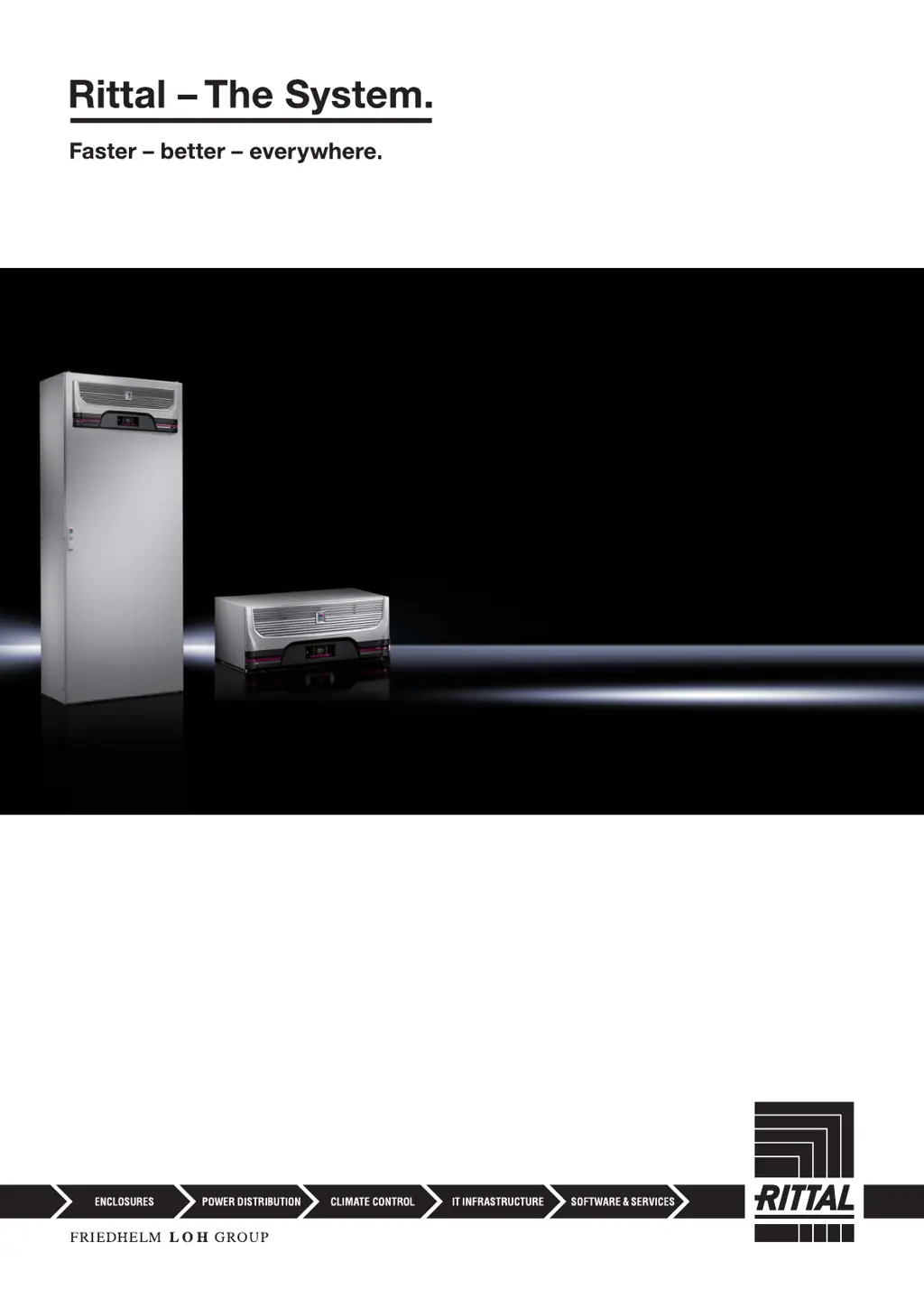
VX25 Blue e+
integration solution
Roof-mounted Blue e+
cooling unit
Assembly and operating instructions
SK 3185030
SK 3185730

Table of Contents

Questions and Answers

  • J
    Joseph PerezSep 2, 2025
    How to fix Inverter cooling error in Rittal Blue e+ Chiller?
    • B
      Bradley ParksSep 2, 2025
      The inverter heat sink in your Rittal Chiller is dirty. Remove the roof plate and side panels and clean the heat sink, e.g. using compressed air. The error message will terminate automatically approximately 30 seconds after it has been resolved.
  • J
    James WhiteAug 31, 2025
    Why does my Rittal Blue e+ show a check voltage error?
    • R
      Rebecca WrightAug 31, 2025
      You are operating your Rittal cooling unit outside of the admissible voltage ranges. Check the power supply to the cooling unit and observe the specifications on the rating plate.
  • A
    asullivanAug 29, 2025
    What to do if there is an air routing problem with my Rittal Chiller?
    • G
      gonzaleslauraAug 29, 2025
      The air inlet or outlet of your Rittal Chiller is blocked. Remove the blockage and ensure that minimum distances from the air inlet or outlet to components inside the enclosure are observed.
  • C
    Christina HumphreyAug 27, 2025
    What causes Fan alarm 2 on a Rittal Blue e+ and how to fix it?
    • C
      Courtney PayneAug 27, 2025
      The fan in your Rittal Chiller is defective. Replace the fan. You may order the required spare part directly from Rittal.
  • R
    Richard MendozaAug 26, 2025
    Why Rittal Blue e+ shows Ext.temp. range error?
    • J
      juarezchadAug 26, 2025
      Your Rittal Chiller is being operated outside of the admissible ambient temperature. Ensure that the ambient temperature does not exceed the admissible range.
  • R
    rjonesAug 25, 2025
    What to do if Rittal Chiller shows fan alarm 1?
    • S
      Stanley JohnsonAug 25, 2025
      If the fan in your Rittal Chiller is blocked, check for a visible blockage and remove it. If no blockage is visible, replace the fan. You may order the required spare part directly from Rittal.
  • C
    christopher24Aug 22, 2025
    How to clean the condenser on a Rittal Blue e+ Chiller?
    • K
      Kathy CharlesAug 22, 2025
      If the condenser in your Rittal Chiller is dirty, remove the roof plate and side panels. Then, clean the heat exchanger, for example, using compressed air. The error message will terminate automatically approximately 30 seconds after the issue has been resolved.

Summary

Documentation Notes

CE Labelling and Document Storage

Confirms compliance with EU directives and outlines document availability for personnel.

Symbols and Applicable Documents

Explains safety symbols and lists related documents for the unit and enclosure.

Safety Instructions

General Safety Guidelines

Covers electrical regulations, proper product use, and qualified personnel requirements.

Operational Staff and Dangers

Defines personnel roles and highlights risks like obstructed airflow and improper handling.

Product Description

Functional Overview and Components

Details the dual cooling circuits, their functions, and lists key components.

Condensation and Filter Mats

Explains condensate management, filter importance for IP rating, and door limit switch function.

Proper Use and Misuse

Defines intended use and provides examples of dangerous inappropriate usage.

Transport and Handling

Delivery, Unpacking, and Transport

Covers checking packaging, unpacking procedures, and safe transport methods with weight warnings.

Installation Guide

Installation Safety and Siting

Safety warnings for lifting and guidelines for selecting a suitable installation location.

Assembly Procedures

Steps for assembling the unit, including cut-outs, mounting, and condensate discharge connection.

Electrical Connection Details

Instructions for electrical connection, power supply, alarms, and interfaces, emphasizing safety regulations.

Commissioning Process

Interface Connections

Describes connecting via Micro-USB and RS 485 interfaces for configuration and IoT linkage.

Commissioning Steps

Outlines the sequence for commissioning, including oil settling, power connection, and initial settings.

Operation and Configuration

Display Layout and Navigation

Explains the display structure, start screen, and how to change parameter values.

Information and Device Details

Accessing information menus for temperature, device, and efficiency data.

Configuration Menu Options

Covers settings for temperature, network, alarm relays, filter mats, language, and self-test.

System Messages and Errors

Details system messages, malfunctions, errors, and how to display and resolve them.

Troubleshooting System Messages

Provides a list of system messages with troubleshooting measures and solutions.

Inspection and Maintenance

Maintenance Safety and Procedures

Safety precautions for maintenance, including electrical safety and specific tasks like cleaning and filter replacement.

Cooling Unit Maintenance

Routine maintenance for the cooling unit, focusing on cleaning and fan checks.

Cooling Module Removal

Instructions for removing the cooling module from the integration solution for service, with safety warnings.

Technical Specifications

General and Electrical Specs

Lists detailed technical data including dimensions, cooling output, electrical parameters, and protection ratings.

Spare Parts and Drawings

Spare Parts List

Lists available spare parts and provides information on ordering them from Rittal.

Mounting Cut-out Representation

Diagram showing the required dimensions for making a mounting cut-out.

Accessories and Service

Available Accessories

Lists accessories with their model numbers for enhancing unit functionality.

Customer Service Contacts

Provides contact details for Rittal customer service and technical support worldwide.

Compact Service Information

Summarizes key steps for assembly, commissioning, and operation, plus service contact info.

Rittal Blue e+ Specifications

General IconGeneral
BrandRittal
ModelBlue e+
CategoryChiller
LanguageEnglish

Related product manuals