1111
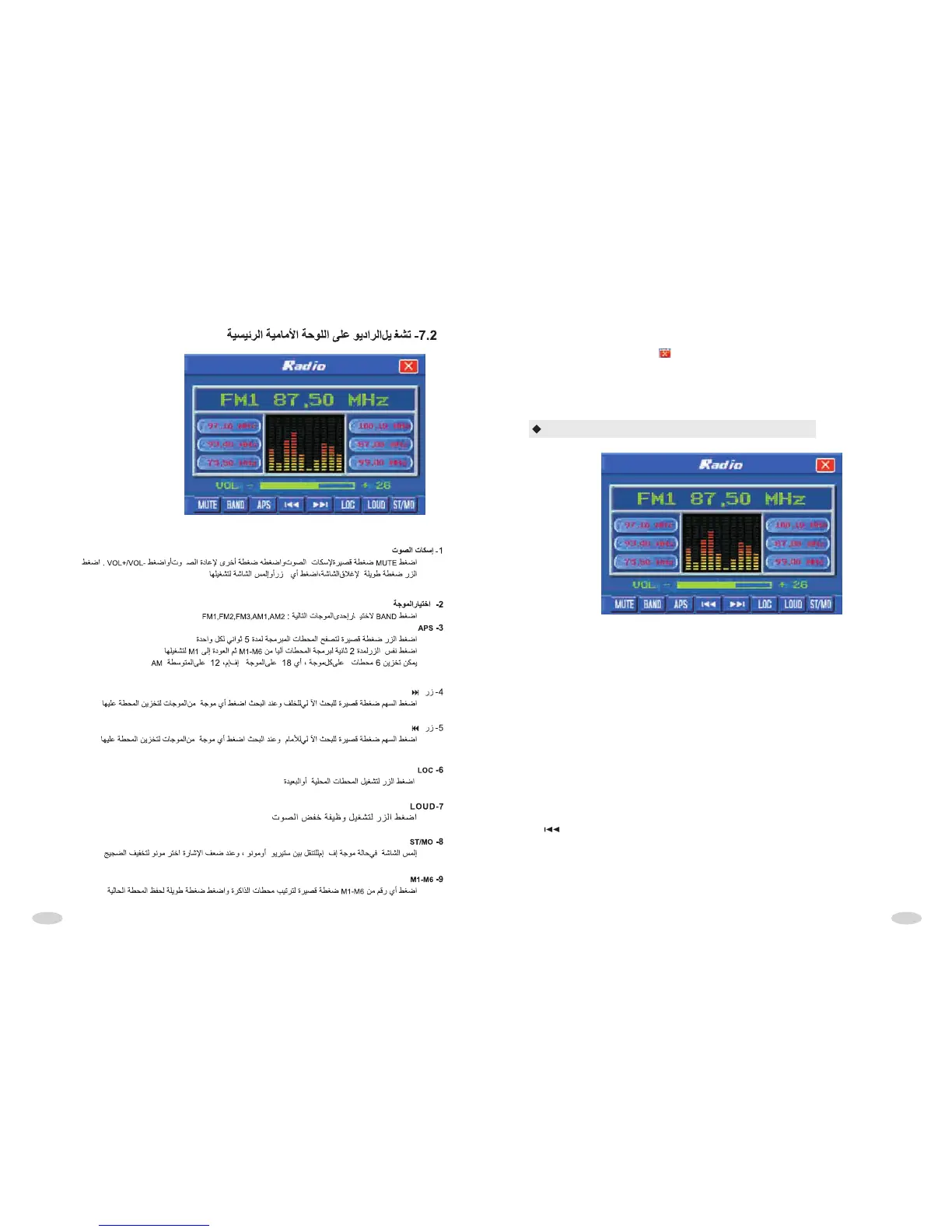
RADIO INTERFACE OPERATION
In main interface, touch any function icon can come into corresponding
mode. Press top right corner , or COME BACK BUTTON can come back
current playing state .If having not any operation within about 10 seconds,
system will automatically come back to current playing state .
1. Mute button
Press it shortly to turn off the mute function, press it shortly again or press
VOL+/VOL- button to turn on the mute function. Press it long to turn off the screen.
Press any button or touch anywhere on TFT to turn on the screen.
2. BAND SELECTION BUTTON
Press it to shift among FM1, FM2, FM3, AM1 and Am2
3. APS button
Press it shortly to browse and play memorized stations which will last 5 seconds.
Press it long for 2 seconds, the unit seeks automatically frequency in full scope,
and memorize automatically found stations from M1 to M6,then return M1 to play.
Remark: when the unit is in seeking station, it is in sleep state. Every band stores 6
channels, FM1, FM2, FM3 can store 18 channels totally; AM1,AM2 can store 12
AM channels totally .
4. button
Pressing it shortly is seeking station downward automatically. When selected
effective channel, the unit stop and play. When running, press any button of
M1,M2,M3,M4,M5,M6 long to memorize the current channel in corresponding
button.



 To Next Page