5656
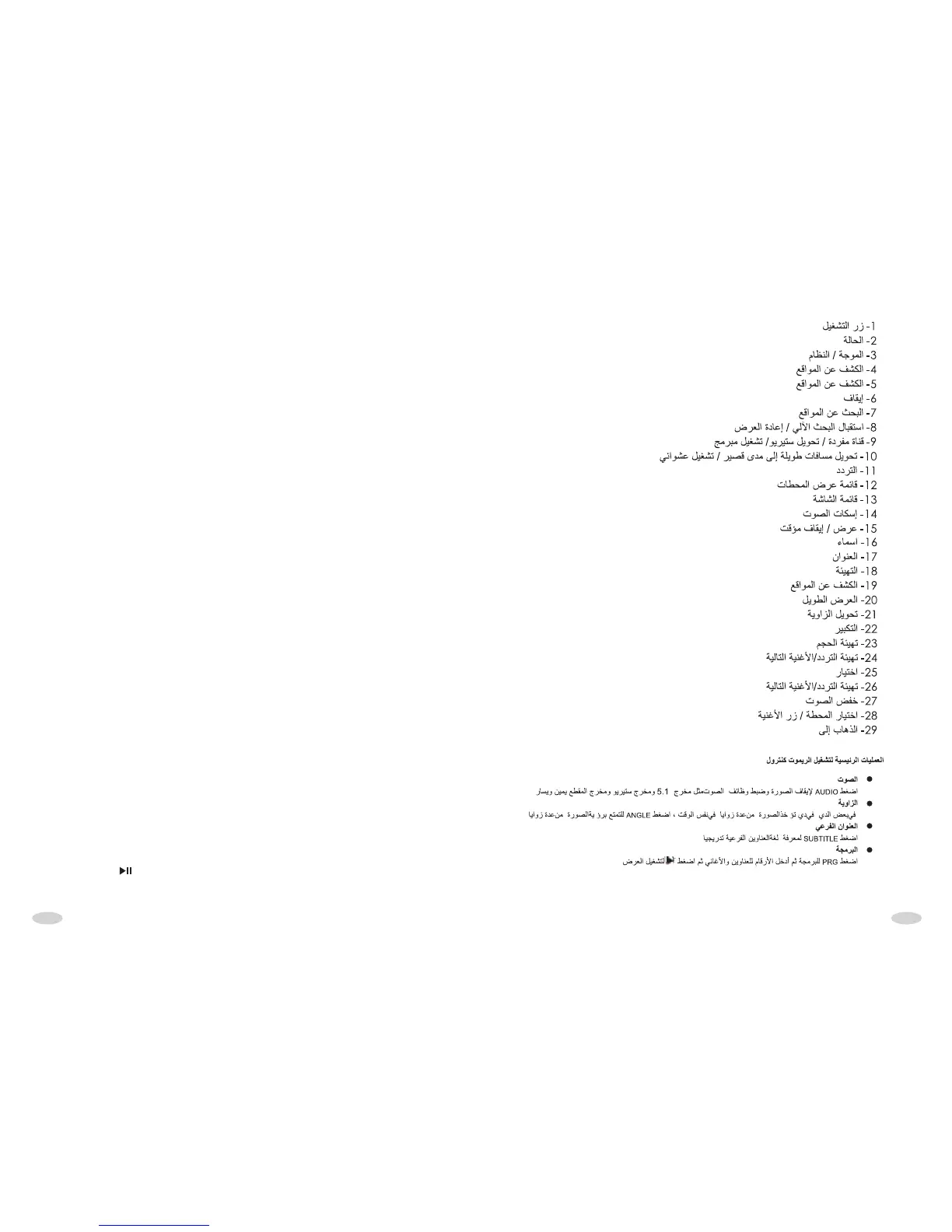
14 MUTE
15 PLAY/PAUSE
16 caption shift
17 TITLE display
18 SETUP
19 NAVIGATION
20 long playing
21 Angle transfer
22 ZOOM
23 VOLUM step up
24 Frequency step up /next song
25 SEL(Audio frequency control)
26 Frequency step up /next song
27 VOLUM DOWN
28 SELECT STATION/SONG BUTTON
29 GOTO (Jumps play)
1 POWER
2 MODE(shift)
3 BAND/SYSTEM shift
4 NAVIGATION
5 NAVIGATION
6 STOP
7 NAVIGATION
8 Receiver auto search/ replay
9
Program play
Single channel/Stereo transfer/
10
range/ Play random
transfer long distance to short
11 Frequency degression
12 Playback Broadcast Menu
13 Screen menu
REMOTE CONTROL’S BASIC OPERATION:
AUDIO
Press it to cut the movie dubbing language gradually. It has the functions such as
5.1-track output, stereo output and L/R track output
ANGLE
Some DVD disc may be taken views from different angle at the same time. Press
the key to enjoy the same view from different angle
SUBTITLE
Press it to cut gradually the captions language
PRG
After press program key, press the digital to input the order of the title/ Songs. Then
press the key to play.



 To Next Page