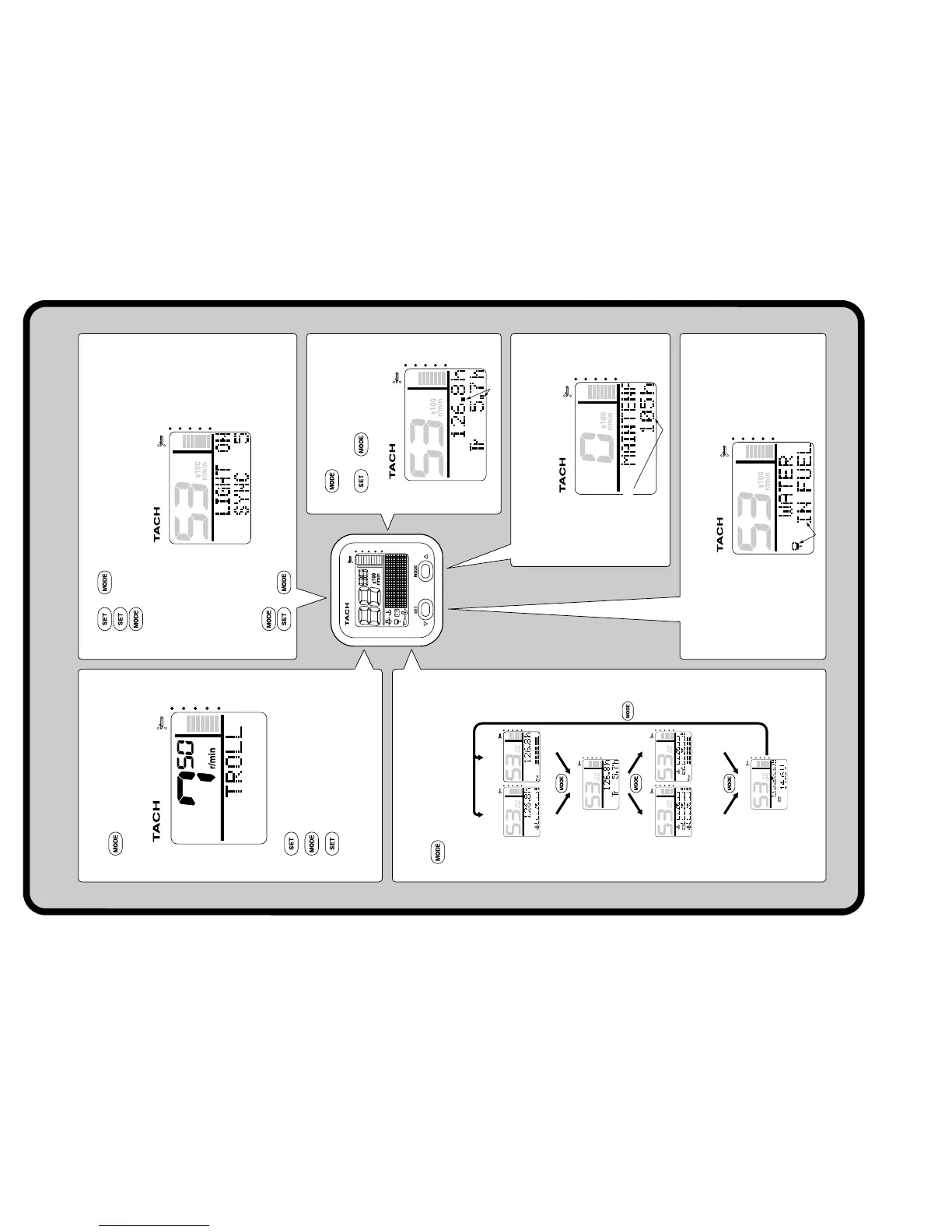
Tachometer Unit (Square) Quick Reference
Blinks
Blink
Blinks
Display 4
Battery voltage value,
Battery voltage level
Cooling water/
engine temperature +
Battery voltage level +
Oil pressure
Cooling water/
engine temperature +
Battery voltage level +
Oil level
Display 2
Display 3
Oil pressure +
Total hour
Display 1
(4-stroke)
Display 1
(2-stroke)
Oil level +
Total hour
Total hour, Trip hour
Adjusting trolling speed (*)
1. (1 second): To activate the trolling
speed setting mode.
2. : To decrease the engine speed.
3. : To increase the engine speed.
4. (1 second): To return to the nor-
mal display and to the default engine
idle speed.
: Press to switch between the
displays.
Changing backlight settings
1. + : To activate the backlight mode.
2. : To switch between LIGHT ON and LIGHT OFF.
: Press to switch between the five brightness levels (1-5).
3. (1 second): To switch between SYNC and non-sync.
4. + or wait 5 seconds: To return to the normal display.
Total hour/Trip hour display
1. : To switch Total hour/Trip
hour display.
2. + (1 second):
To reset the trip hours (Tr).
Periodic maintenance notification
Consult an authorized Yamaha dealer for
periodic maintenance.
Water detection warning
Consult an authorized Yamaha dealer to maintain the fuel system.
Changing multifunction display
(*) This adjustment cannot be made on outboard motors that are not equipped with the
trolling speed adjustment function.
6Y8-2819U-X2



 To Next Page