9
Operating your radio - FM
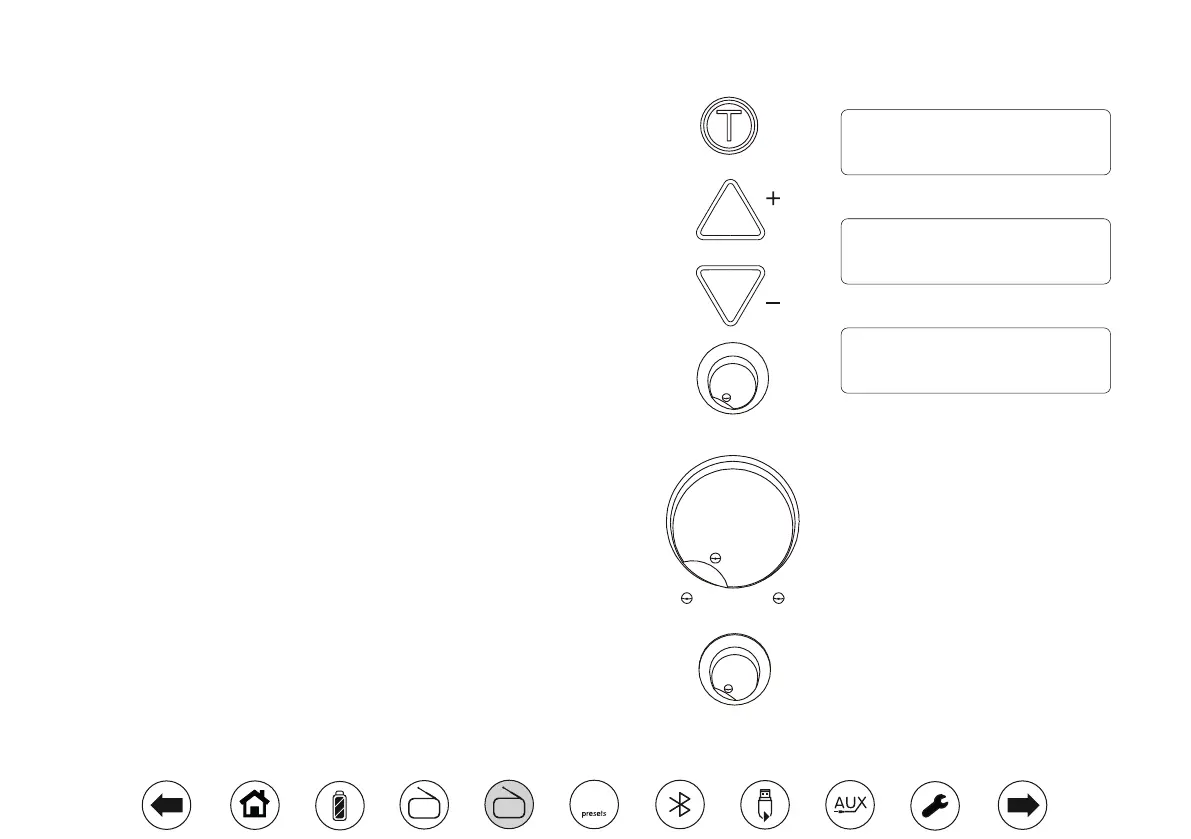
1. Carefully extend the telescopic aerial.
2. Press the On/Off button to switch on your radio. The radio will beep to
conrm that it is now switched on.
3. If FM mode was used last then the radio should briey display 'FM radio'.
If the radio is not in FM mode then press the Tuner button as needed to
select FM mode.
4. Apply a long press on the Tuning Up button to commence scan tuning.
The tuning tone will increase in pitch. The displayed frequency will
increase. Your radio will scan in an upwards direction (low frequency to
high frequency) and stop automatically when it nds a station of sufcient
strength.
5. The display will show the frequency of the signal which has been found.
If RDS information is available, after a few seconds the display will show
the radio station name. If you only hear hiss or interference, simply apply
a long press on the Tuning Up button to scan further.
6. To scan down in frequency, apply a long press on the Tuning Down
button. The tone will decrease in pitch. Your radio will scan the FM band
in a downwards direction (high frequency to low frequency) and will stop
automatically when it nds a station of sufcient strength.
7. The tuning tone volume can be adjusted using the Tuning Tone control.
8. When the waveband end is reached your radio will recommence tuning
from the opposite waveband end.
9. Adjust the Volume and Tone control. To switch off your radio press
On/Off.
Tuner
Tuning / Album
Tuning Tone
Min. Max.
Tone
Min. Max.
Volume
Min. Max.
FM radio
87.50MHz
St FM
Scanning
BBC R2
09:30 03-01-2018
St
DAB
FM
10


 To Next Page