-
30
-
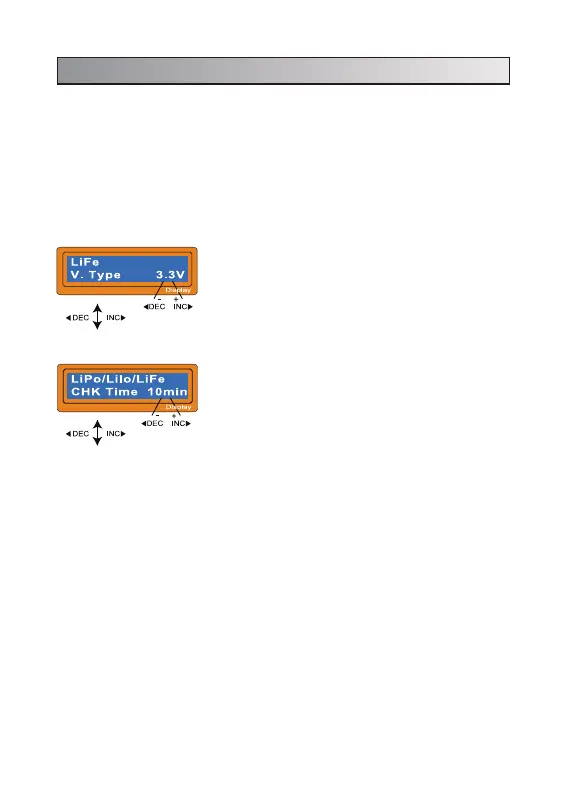
The screen displays the nominal voltage of
Lithium battery. There are three kinds of Lithium
battery; LiFe (3.3V), Lilo (3.6V), LiPo (3.7V) or LiHv
(3.8V). This is very important so you have to check
the battery carefully and set it up correctly. If it is
different from correct value the battery can explode
during charge process.
It recognise the cell count of Lithium battery
automatically at the beginning of charge or
discharge process to avoid from erroneous setting
by user. But deeply discharged battery can be
perceived incorrectly.
To prevent the error, you can set the time term to
verify the cell count by the processor. Normally, 10
minutes are enough to perceive the cell count
correctly. For the battery of larger capacity, you
may extend the time term. But if you set the time
term too long for the battery of smaller capacity, the
charge or discharge process can be finished within
the time term with the erroneous cell count. This
may cause the fatal result. If the processor
recognises the cell count incorrectly at the
beginning of charge or discharge process, you may
extend the time. Otherwise, you had better use with
the default value.
5. Initial parameter set up (user’s set up)
It will be operated with the default value of the essential user settings when
it is connected to a power source for the first time. The screen displays the
following information in sequence and the user can change the value of
parameter on each screen.
When you are willing to alter the parameter value in the program, press
START/ENTER key to make it blink then change the value with INC or DEC key.
The value will be stored by pressing START/ENTER key once.


 To Next Page