Chapter 4-6
Robomow RL555, RL855, RL2000
4.11 Manual Mowing
You can activate the blades manually in order for Robomow to
trim small areas.
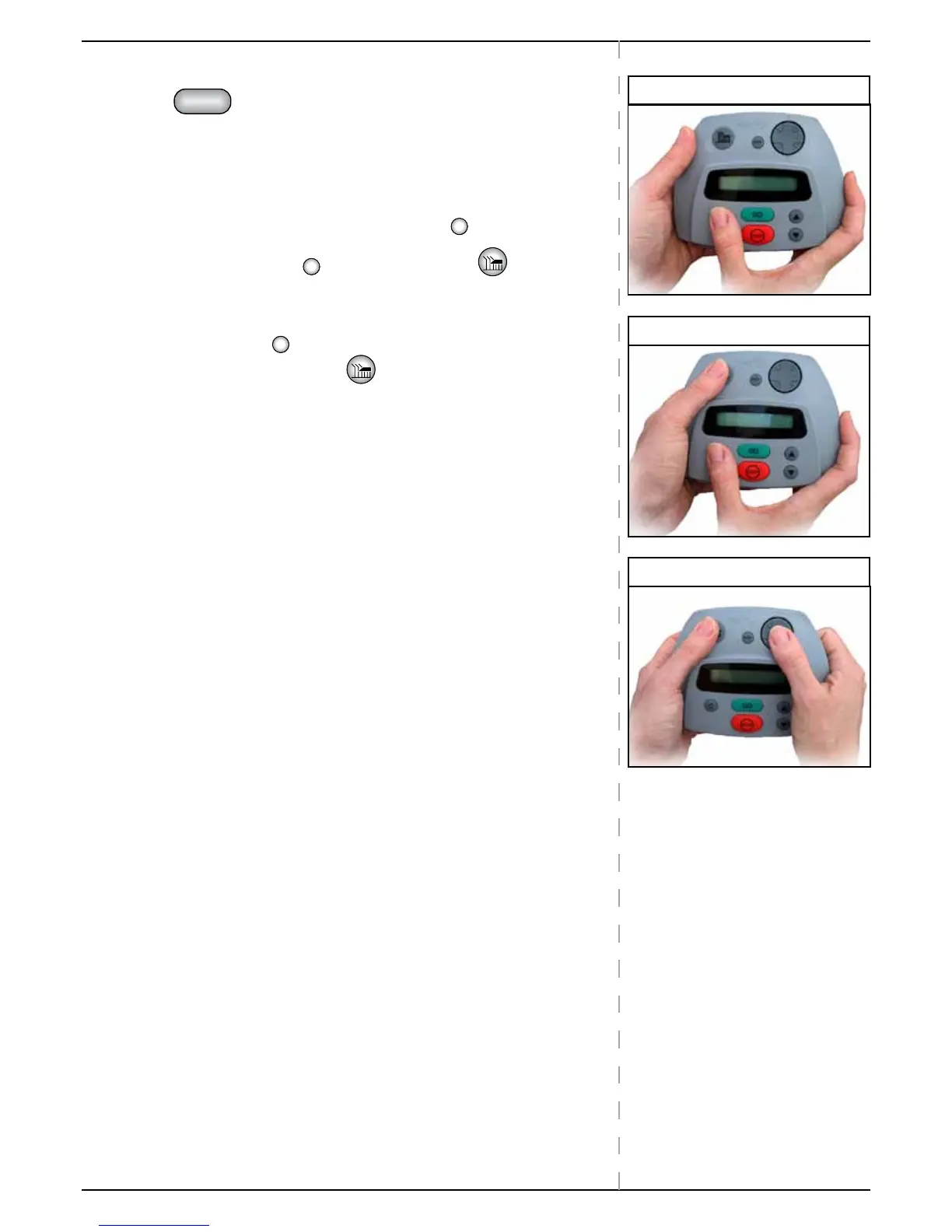
For added safety, in order to activate manual mowing you have to press 2
buttons simultaneously.
This is a two-step OPC (Operator Presence Control) type system for your
safety.
P Use your right thumb to press and hold the
button (Step 1)
P While holding the
button. Press the “MOW”
button with your
left thumb. (Step 2).
P The blades start operating.
P Release the
button.
Keep pressing the MOW
button. (Step 3)
P Use the navigator pad to drive the mower.
P To stop driving: release Navigator Pad.
P Any activation of a bumper sensor, will automatically shut down the
blades.
P To stop mowing: release the MOW button.
P To renew manual mowing: repeat steps 1-3 above.
Step 1
Step 2
Step 3


 To Next Page