Robotiq Hand-E Gripper Instruction Manual
Installation with the OMRON Wrist Connection Kit (I/O Coupling)
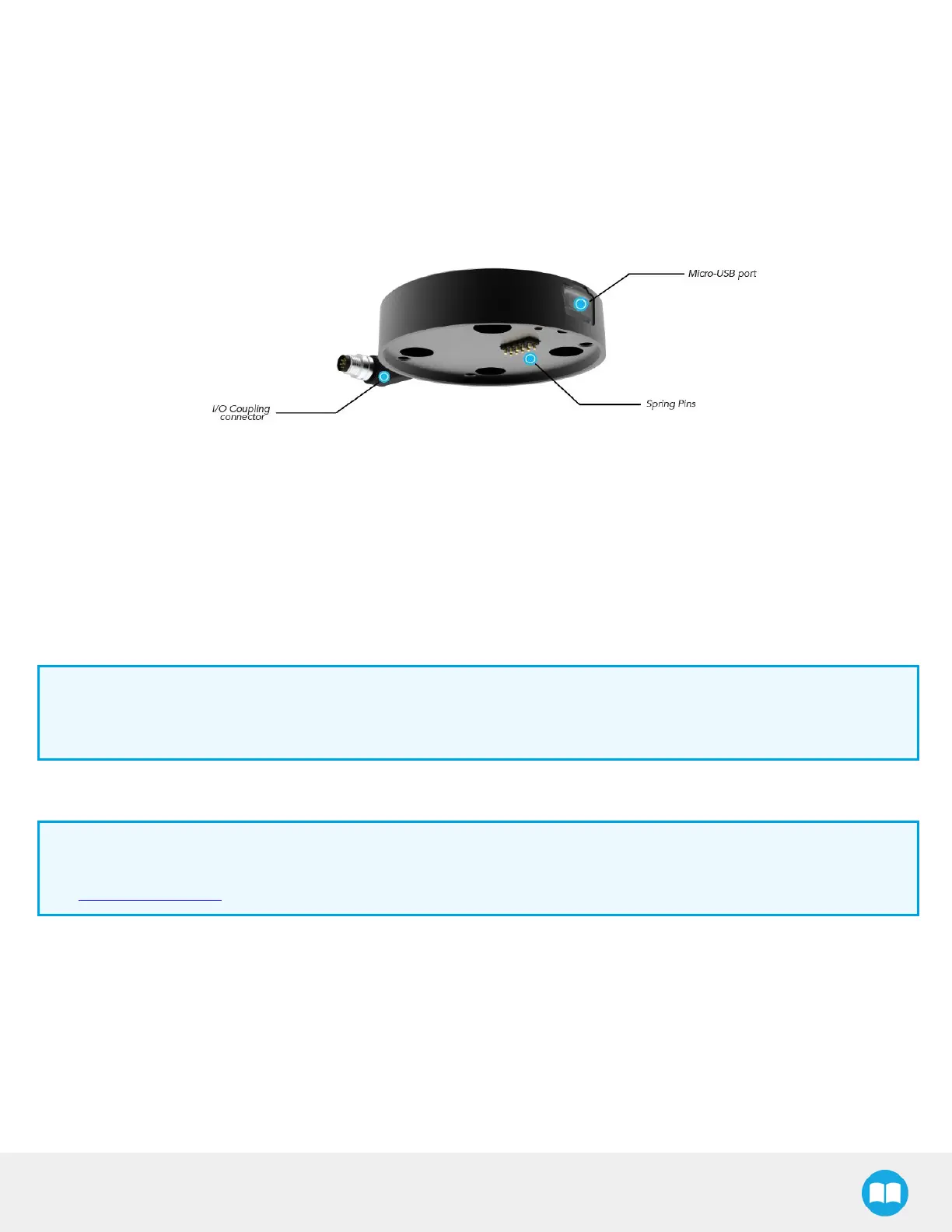
I/O Coupling:General Presentation and Nomenclature
The Robotiq I/O Coupling is a robotic peripheral designed to allow a direct connection of the Robotiq Hand-E Gripper to
theOMRON Robot tool flange. It removes the need of any cable management and avoids downtime caused by cable issues. The
robot sends I/O signals to the coupling which sends Modbus RTU commands to the gripper based on four possible presets. The
presets are determined by the I/O signals.
Fig. 3-2: Robotiq I/O Coupling
The status LED, integrated in the micro-USB port presented in the figure above, will be:
l Solid blue/red when booting
l Solid red when looking for product or waiting for communication
l Solid blue when powered with no errors (while communication is active)
l Solid green when communicating with USB
Info
The object detection feature remains available with the I/O Coupling. The position feedback, however, is not available
due to the robot tool connector nature.
The I/O Coupling comes with four (4) factory presets, as shown in the table below. These presets can be reconfigured on a
computer before using them on a robot.
Info
To configure your own presets, please follow the instructions in the Robotiq User Interface (RUI) manual, available on
support.robotiq.com.
20



 To Next Page