Normal operation
Installation, use and maintenance manual – Next-R
47
6
does not ignite anyway, the control unit locks the unit
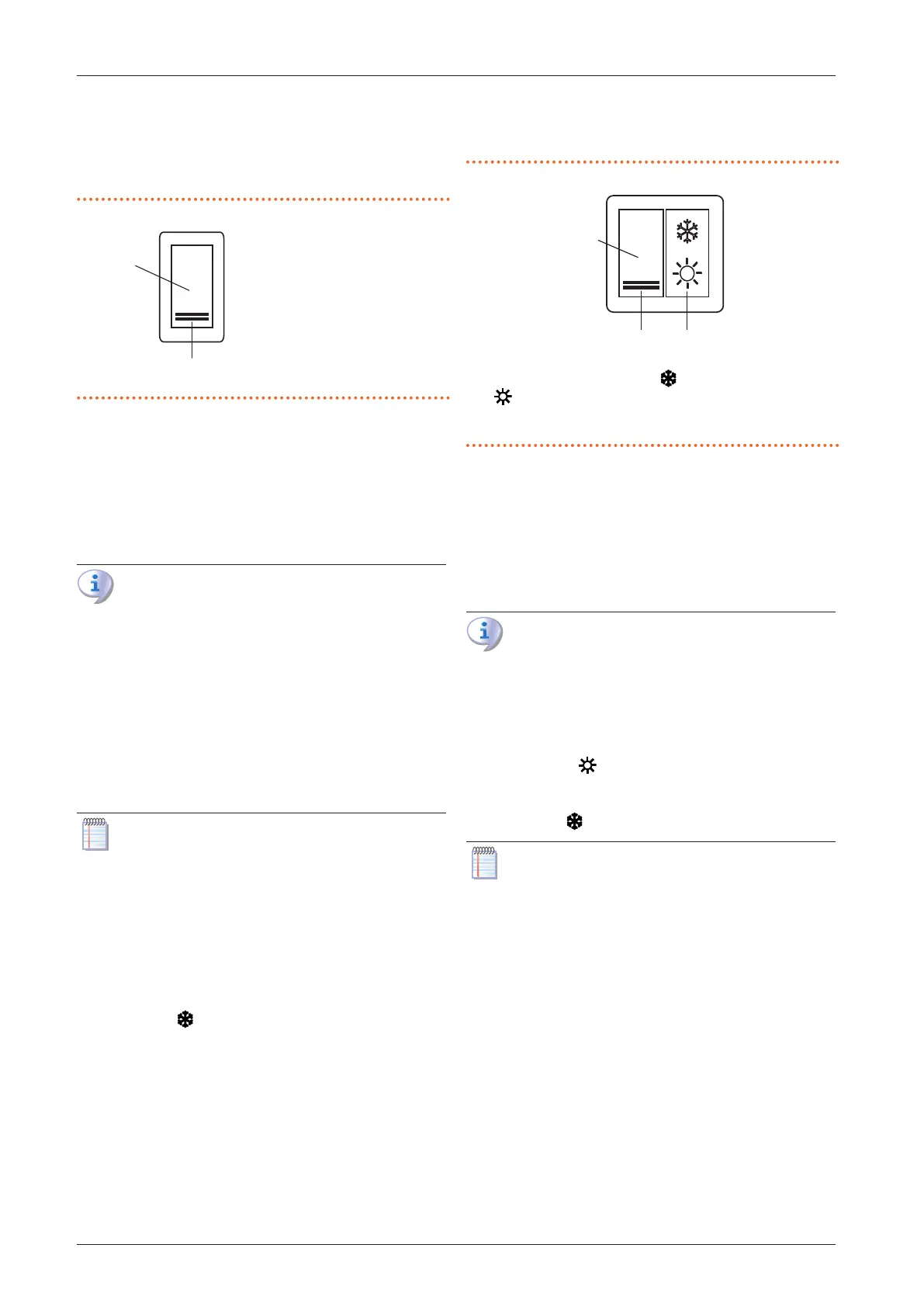
and light the locking state indicator lamp (B) on the
control (Figure 6.1
p.47
).
6. In case of ame locking, press the reset button (A).
Figure6.1 1-key basic control
A Reset button
B Lockout indicator lamp
Space heating shutdown
1. Switch o space heating request by opening Z9 con-
tact using the provided control device (thermostat,
chronothermostat or voltage-free contact).
2. The burner will shut down, while the fans will contin-
ue to operate until the appliance has cooled down
completely.
In case of prolonged periods of inactivity, see
Paragraph 7.5
p.50
.
Ventilation activation (summer mode)
1. Close the gas valve and check power supply availabil-
ity to the unit.
2. Using a suitable summer/winter selector switch
(Paragraph 4.4.6.2
p.39
), select summer mode (con-
tact 1-3 open, contact 1-2 closed). This way the fan on-
ly will start.
3. To stop the fan press again the selector switch on win-
ter position (contact 1-2 open).
It is recommended that the heating request is de-
activated during the summer season by opening
contact Z9 by means of the provided control de-
vice (thermostat, chronothermostat or voltage-free
contact).
6.2.2 OCTR000 2-key basic control
Space heating activation
1. Set the summer/winter selector switch (A) in the win-
ter position (Figure 6.2
p.47
).
2. Switch on Z9 contact using the provided control de-
vice (thermostat, chronothermostat or voltage-free
contact).
3. After the purge time (around 40 seconds), the gas so-
lenoid valve opens and the burner ignites.
4. When the ame is detected, the control box keeps the
gas valve open.
5. Otherwise, the control unit will try the ignition again
3 times, after the appropriate purge time. If the ame
does not ignite anyway, the control unit locks the unit
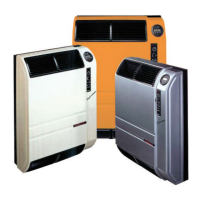
and light the locking state indicator lamp (C) on the
control (Figure 6.2
p.47
).
6. In case of ame locking, press the reset button (B).
Figure6.2 2-keys basic control
A Summer/winter selector switch ( space heating operating mode;
summer operating mode, ventilation only)
B Reset button
C Lockout indicator lamp
Space heating shutdown
1. Switch o space heating request by opening Z9 con-
tact using the provided control device (thermostat,
chronothermostat or voltage-free contact).
2. The burner will shut down, while the fans will contin-
ue to operate until the appliance has cooled down
completely.
In case of prolonged periods of inactivity, see
Paragraph 7.5
p.50
.
Ventilation activation (summer mode)
1. Close the gas valve and check power supply availabil-
ity to the unit.
2. Set the summer/winter selector switch (A) in the sum-
mer position (Figure 6.2
p.47
). This way the fan
only will start.
3. To stop the fan press again the selector switch on win-
ter position .
It is recommended that the heating request is de-
activated during the summer season by opening
contact Z9 by means of the provided control de-
vice (thermostat, chronothermostat or voltage-free
contact).
6.2.3 OTRG005 thermoregulator
Refer to the instructions in the relevant manual.
6.2.4 OCDS008 digital chronothermostat
Refer to the instructions in the relevant manual.
6.2.5 OSWR000 Genius software for remote
management of gas unit heaters
Refer to the instructions in the relevant manual.
6.2.6 External request
Space heating activation
1. Ensure that contact 1-3 is closed by the factory in-
stalled temporary jumper. If a summer/winter selector


 To Next Page