TEST MODE
I
I
t
t
e
e
m
m
s
s
r
r
e
e
q
q
u
u
i
i
r
r
e
e
d
d
c
2 SWITCH PEDAL (i.e. DP-8)
1 EXPRESSION PEDAL (i.e. EV-5)
PERSONAL COMPUTER
ROLAND RH-50 HEADPHONES
TOUCH SCREEN PEN
3 TEST DISKS: 1 for DD – 1 for HD – 1 for HD PROTECTED (for FDC tests)
2 PCMCIA CARDS 128MB: 1 for test – 1 for NAND FLASH (+ possible OPERATION SYSTEM)
1 MIDI CABLE
1 USB CABLE
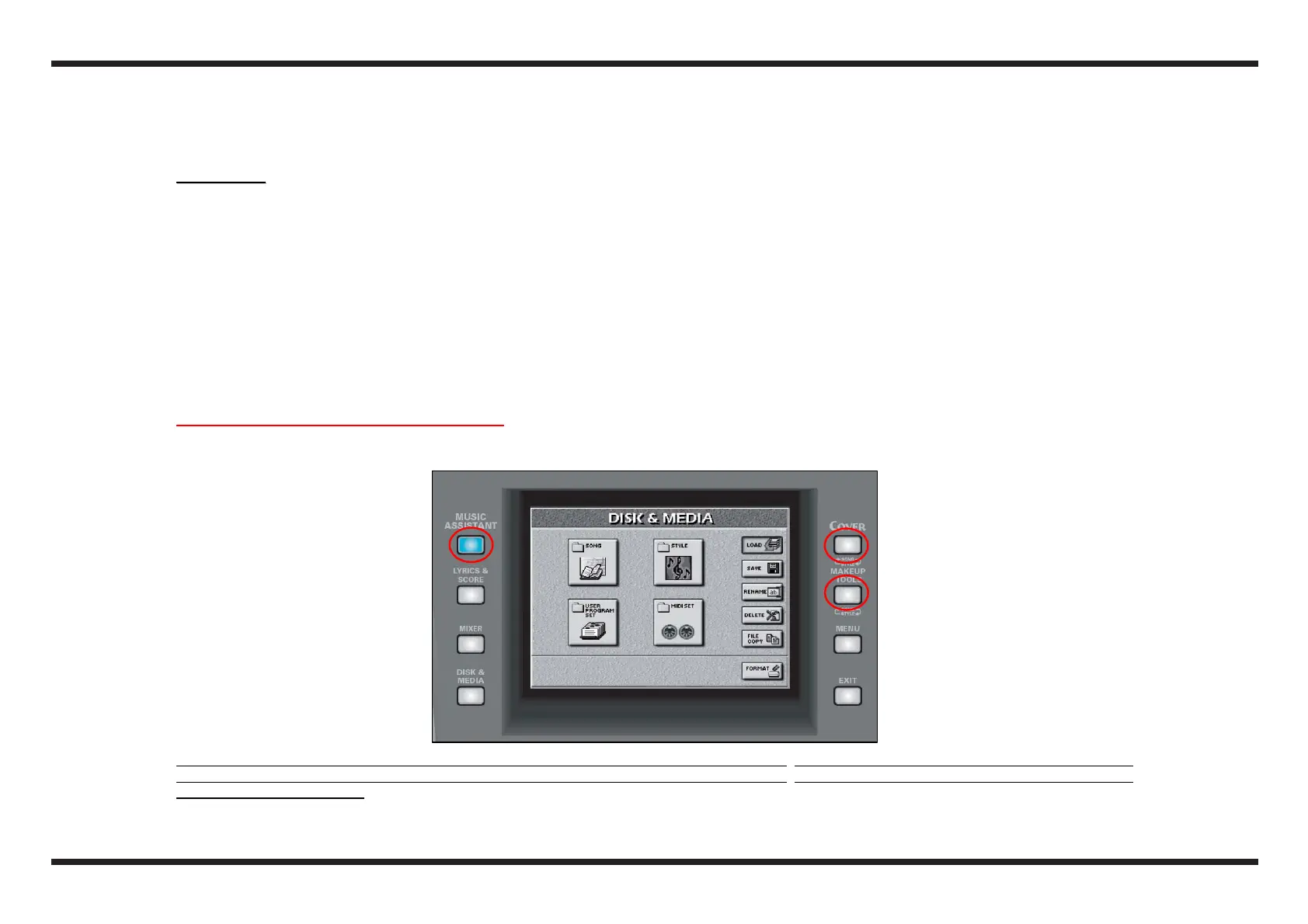
1.1 How to enter the INTERNAL TEST mode
Keep the buttons MUSIC ASSISTANT, COVER, MAKEUP TOOLS pressed and turn on the E-50
N.B. The performance of the tests is checked by the E-50, it is therefore necessari to perform them
all, otherwise it will not be possibile to continue in
some cases.In any case to pass to one test (without performing it) to another at any moment, keep the button ONE TOUCH 1 pressed and then press the
VARIATION 1 button pressed.



 To Next Page