1.2 Touch Screen Calibration
Enter the “INTERNAL TEST” mode (cf. paragraph 1.1)
Wait for the initialization of the E-50 to start.
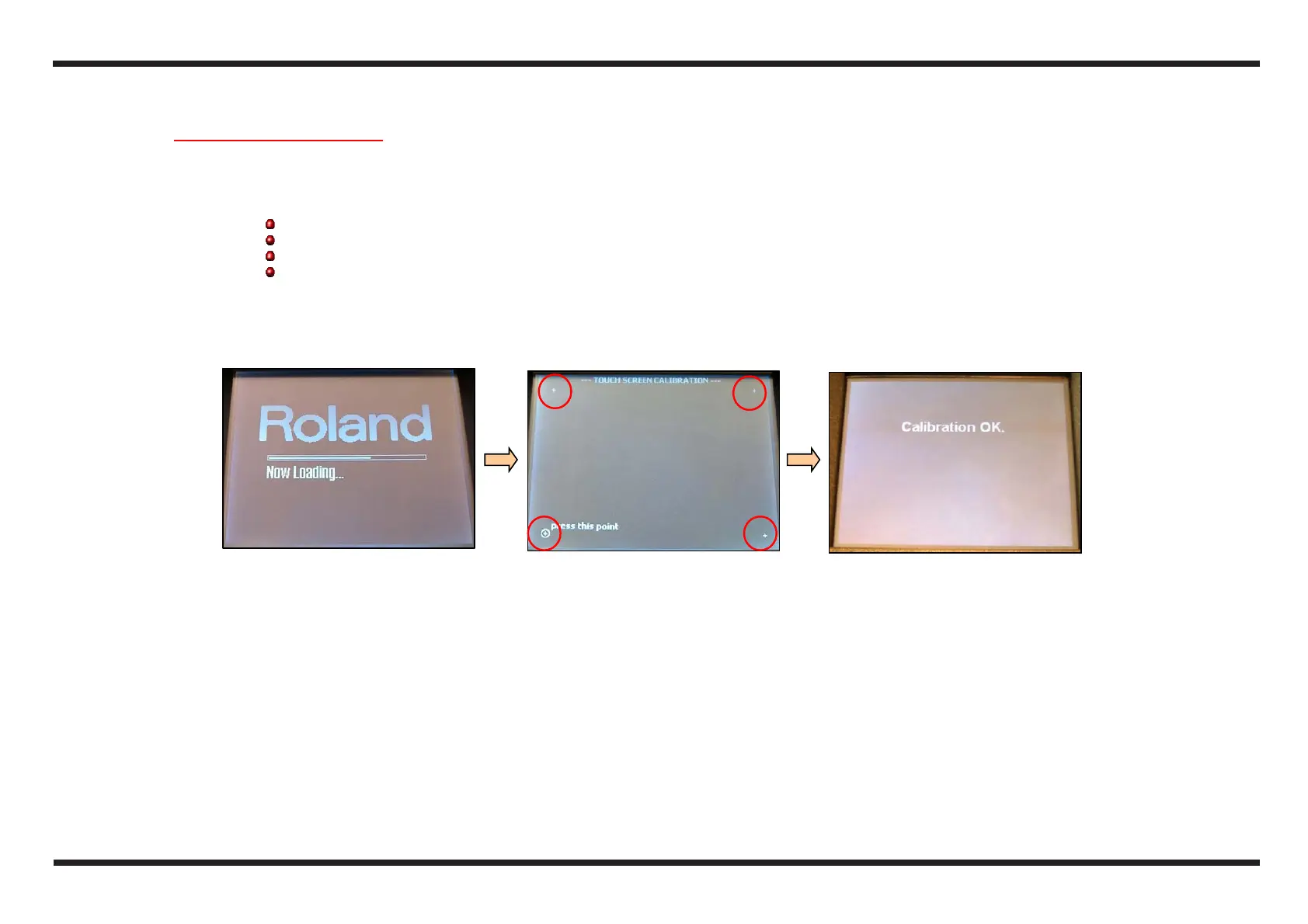
Using the touch screen pen, touch for a second, the points shown on the display, the sequenze is the following:
down on the left
up on the right
down on the right
up on the left
If the operation is not successful, the display shows NG:Calibration, in that case repeat the operation from scratch (point 3): after the error
message wait until the calibration video appears again
If the operation is successful, the display will show Calibration OK and after a while the instrument will pass to the next test.
4 2
1



 To Next Page