1.12 MIDI and USB sockts Check
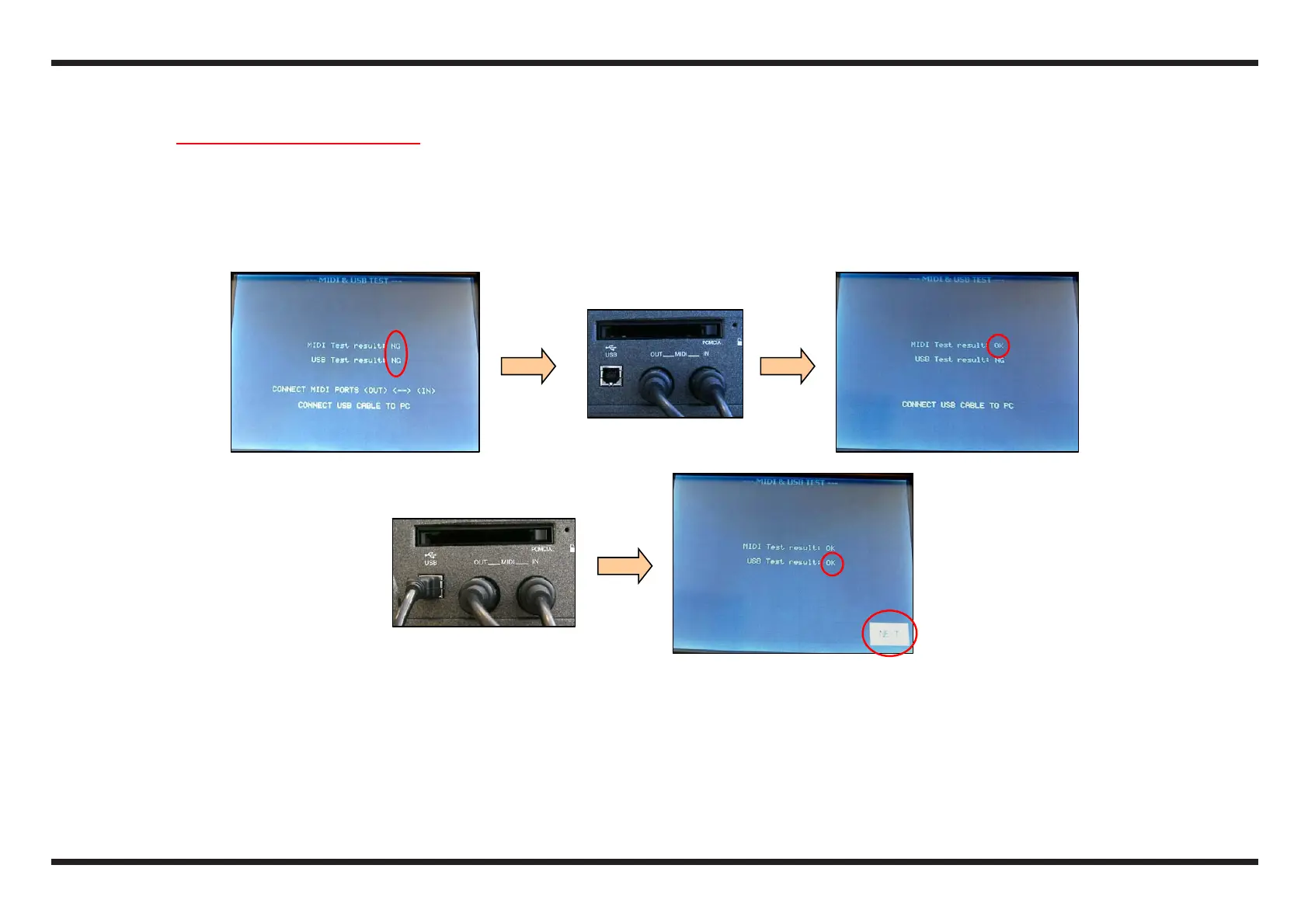
c Without MIDI and USB connections, check that the display shows NG near the writings MIDI Test result and USB Test result
d Using a MIDI cable, connect the MIDI IN with the MIDI OUT of the E-50: check that the display shows OK near the writing MIDI Test result
e Connect the USB cable, coming from the PC, with the USB socket of the E-50: check that the display shows OK near the writing USB Test
result
f At the end of the tests, touch the icon NEXT, to pass to the next test.
c d
e
f



 To Next Page