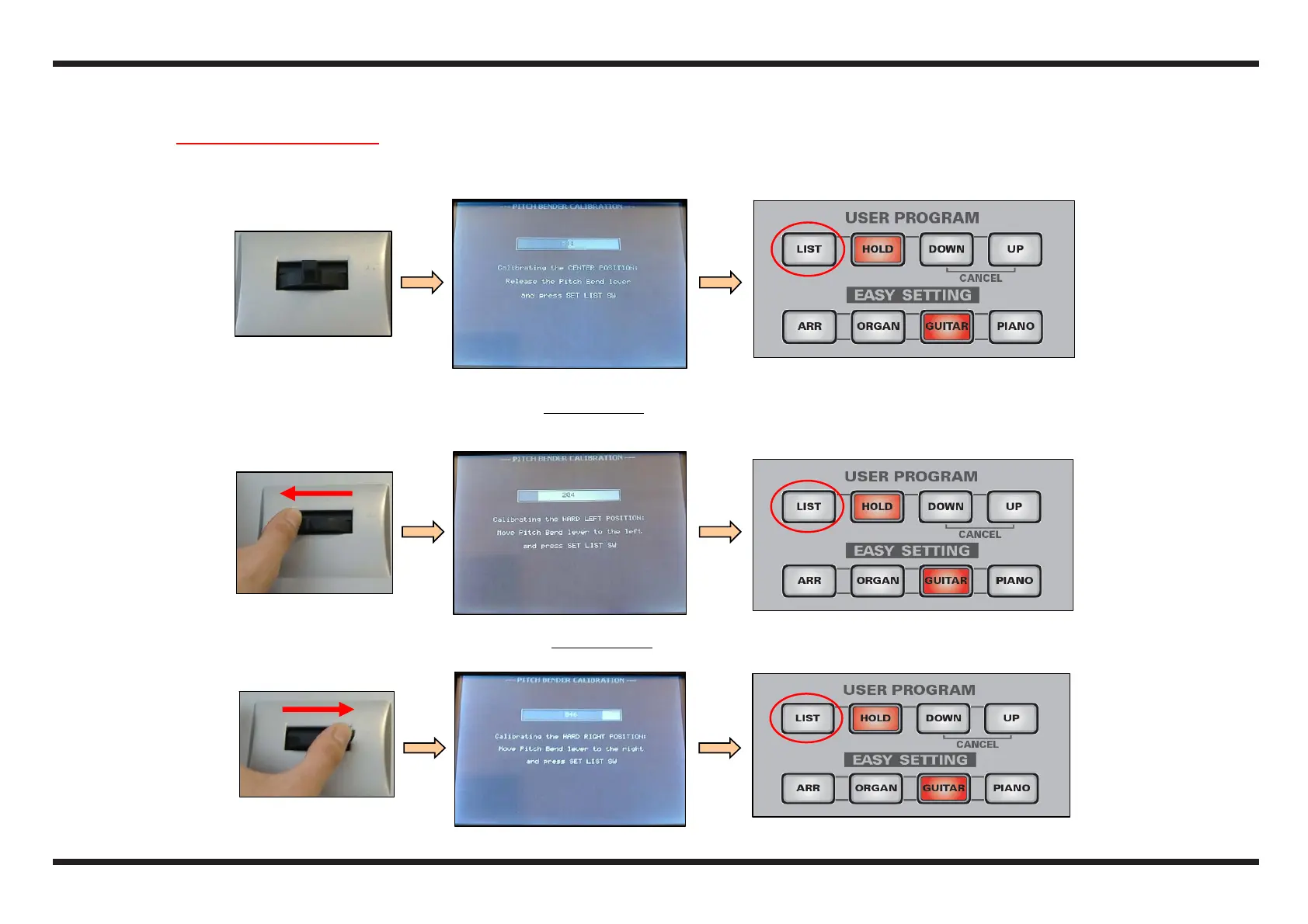
1.9 Pitch Bender Calibration
Leave the Pitch Bender lever in the rest position (the bar on the LCD should be coloured in red for about its half)
Press the LIST button (USER PROGRAM section) on the E-50.
Keep the lever of the Pitch Bender all to the left, without forcing it, (the bar on the LCD should be almost completely white)
Press the LIST button on the E-50
Keep the lever of the Pitch Bender all to the right, without forcing it, (the bar on the LCD should be almost completely red)
Press the LIST button on the E-50



 To Next Page