2
2
.
.
F
F
A
A
C
C
T
T
O
O
R
R
Y
Y
R
R
E
E
S
S
E
E
T
T
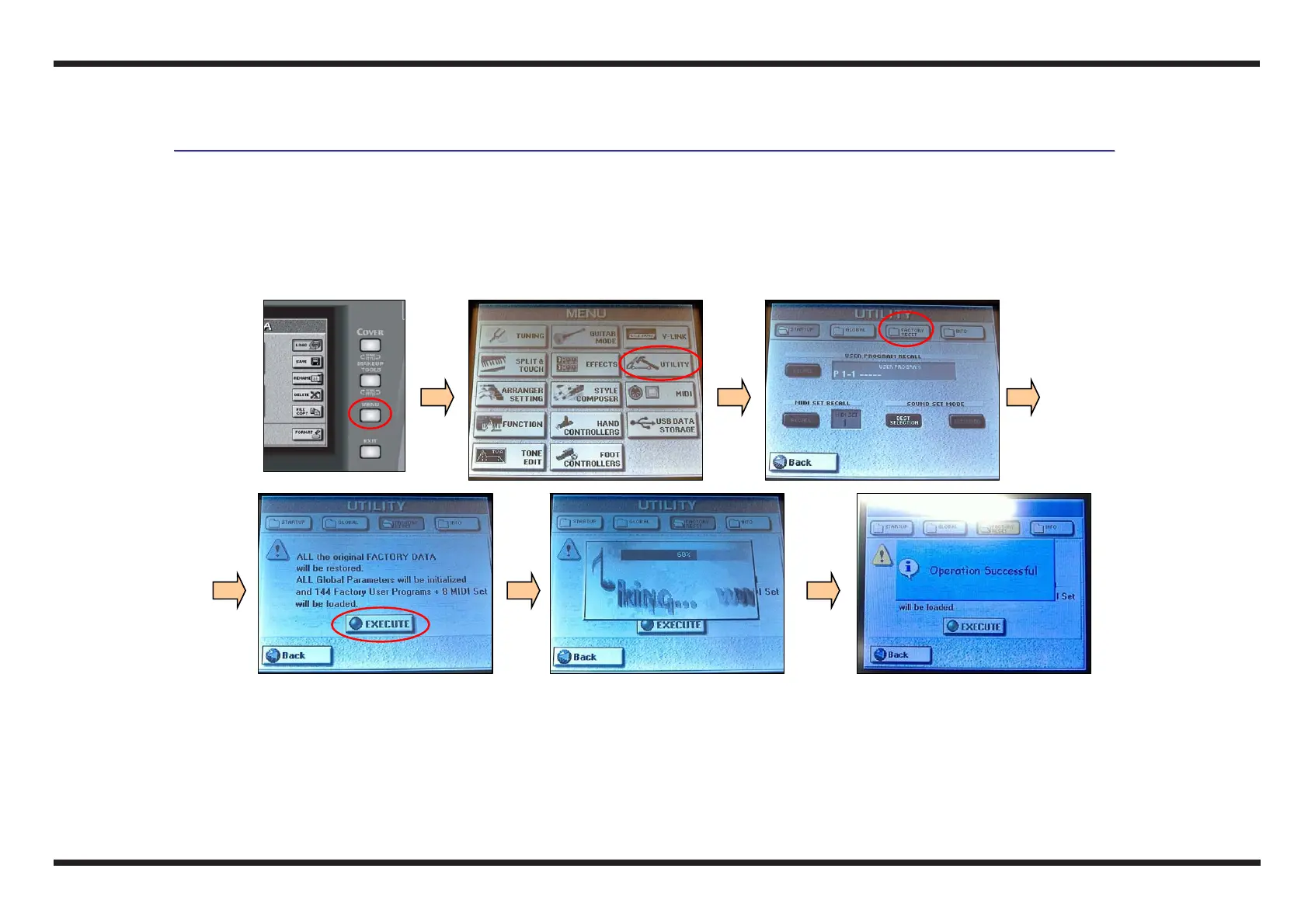
c Turn on the instrument, wait for the initialization of the E-50, press the MENU button
d Select the UTILITY icon on the right side of the display
e Select the FACTORY RESET icon on the top of the display, then select the icon EXECUTE: the Factory Reset will start
f At the end of this operation (100%) a video must appear that confirms the operation has been successful
g Check that the test has had a positive outcome
h Press the EXIT button
c d e
e f



 To Next Page