1.7 Switch and Led Check
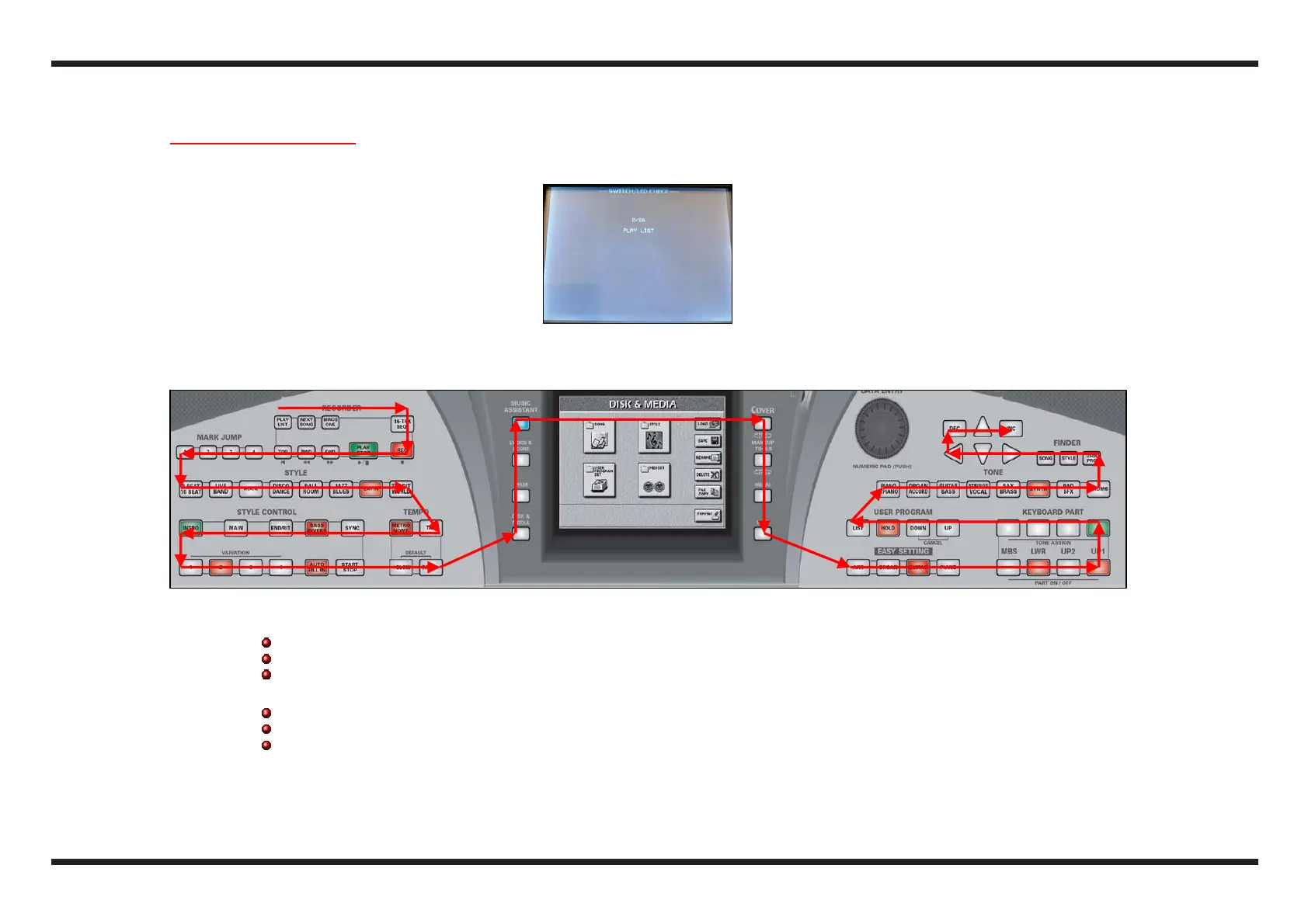
c From the previous test the display shows:
d Press one at a time all the buttons, respecting the sequenze shown in the figure below; the display shows the button to be pressed each time
and, if any, the associated led flashes.
e Make the following checks for each button:
a “beep” will be heard to confirm it is working correctly
the counter on the display will start growing when the button is released
in case of error a louder “beep” will be heard (buttons in short-circuit) or no sound at all (the button does not work)
f If the button has a led associated to it carry out the following checks:
before pressing the button the associated led will flash (make sure that it is the only one to flash)
once the button is pressed, the associated led will be lit
if the led is bi-colour the associated button will have to be pressed twice (check that the first time the led becomes red and the second
one green)
g At the completion of the buttons’ sequence, the instrument will pass to the next test



 To Next Page