EasyManua.ls Logo

Roland SUPER JX - Page 13

Roland SUPER JX
88 pages
Print Icon
To Next Page IconTo Next Page
To Previous Page IconTo Previous Page
Loading...
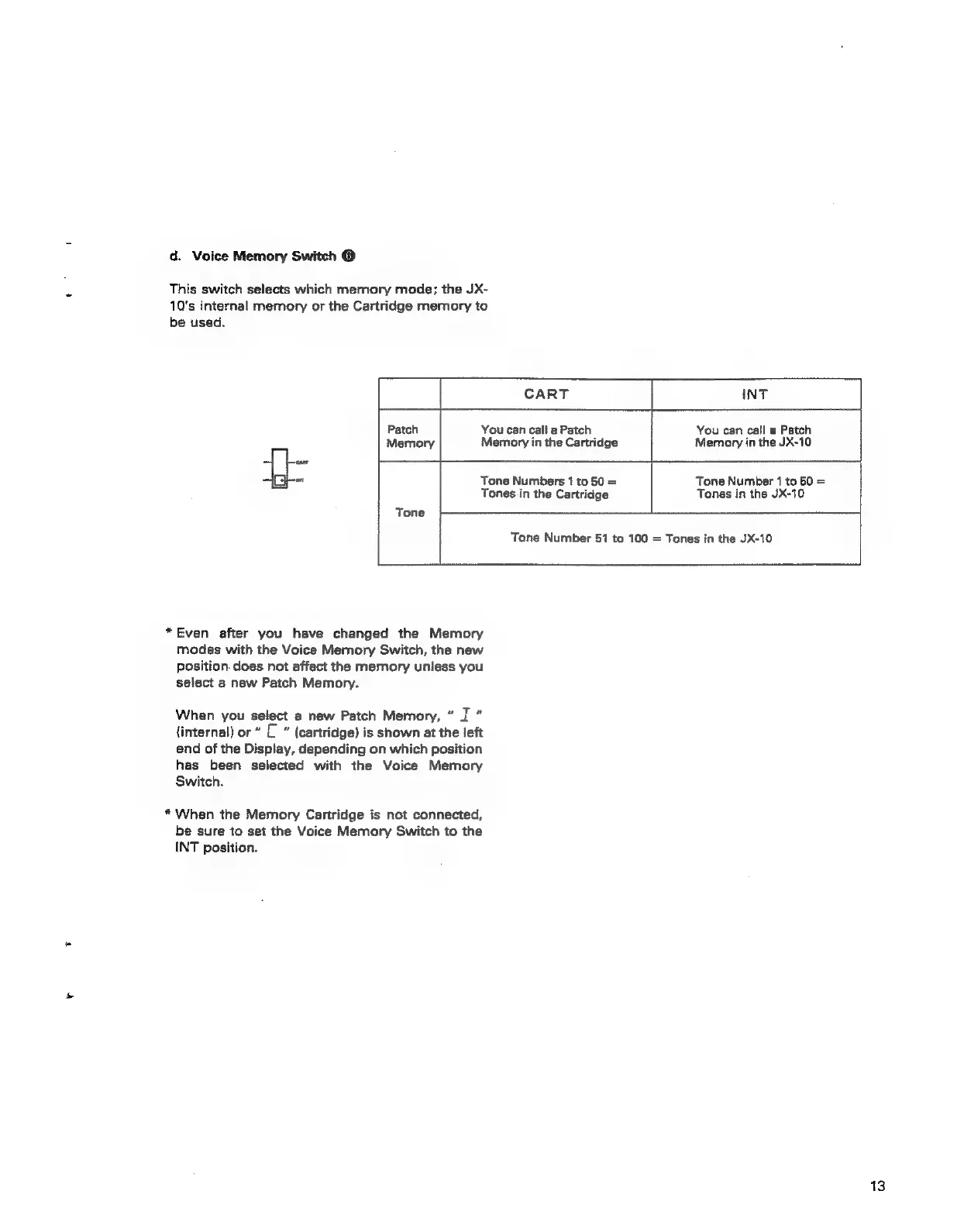
d.
Voice
Memory
Switch
©
This
switch
selects
which
memory
mode;
the
JX-
10's
internal
memory
or
the
Cartridge
memory
to
be
used.
CART
INT
Patch
Memory
You
can
call
a
Patch
Memory
in
the
Cartridge
You
can
call
a
Patch
Memory
in
the
JX-10
Tone
*Even
after
you
have
changed
the
Memory
modes
with
the
Voice
Memory
Switch,
the
new
Position.
does
not
affect
the
memory
unless
you
select
a
new
Patch
Memory.
When
you
select
a
new
Patch
Memory,
”
J
”
(internal)
or
”
C
”
(cartridge)
is
shown
at
the
left
end
of
the
Display,
depending
on
which
position
has
been
selected
with
the
Voice
Memory
Switch.
*
When
the
Memory
Cartridge
is
not
connected,
be
sure
to
set
the
Voice
Memory
Switch
to
the
INT
position.
Tone
Numbers
1
to
50
=
Tones
in
the
Cartridge
Tone
Number
51
to
100
=
Tones
in
the
JX-10
Tone
Number
1
to
50
=
Tones
in
the
JX-10
13