EasyManua.ls Logo

Roland SUPER JX - Naming

Roland SUPER JX
88 pages
Print Icon
To Next Page IconTo Next Page
To Previous Page IconTo Previous Page
Loading...
if
you
wish
to
write
the
edited
Tone
into
the
same
location,
in
other
words,
to
overwrite
it,
the
Tone
number
is
already
shown
in
the
Display.
So,
skip
the
next
step
@
and
@
then
go
to
the
step
©.
If
you
wish
to
write
the
edited
Tone
into
a
different
location,
take
the
step
©,
then
go
to
@.
@®
Set
the
Voice
Memory
Switch
@
to
the
approp-
tiate
position
depending
on
which
of
the
JX-
10's
memory
or
Cartridge
memory
to
be
used
for
the
new
location,
then
assign
the
new
loca-
tion
(Tone
Number)
using
the
Ten
Keys.
@®
Push
the
Enter
Key.
@®
Push
the
Enter
Key
again.
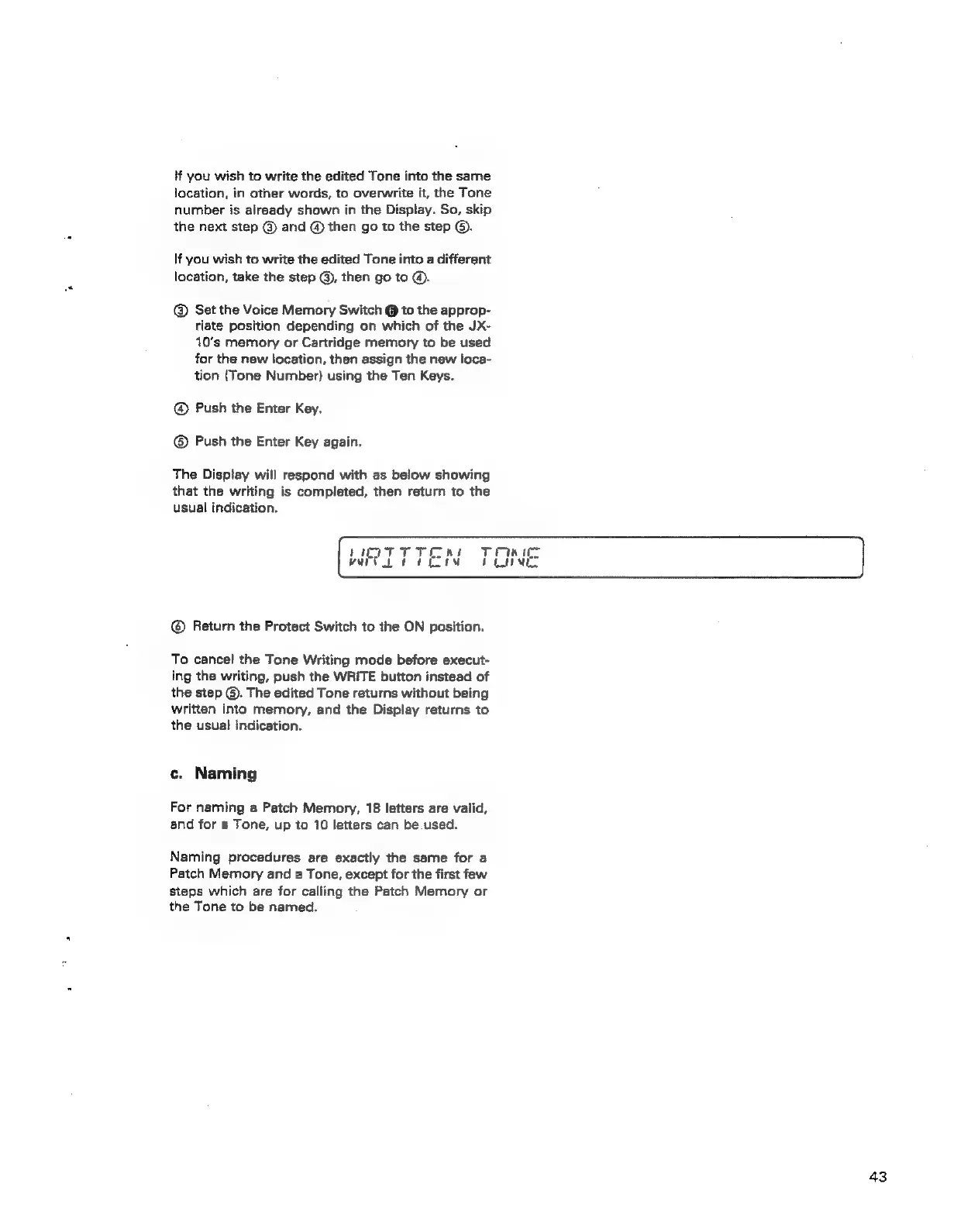
The
Disptay
will
respond
with
as
below
showing
that
the
writing
is
completed,
then
return
to
the
usual
indication.
©
Return
the
Protect
Switch
to
the
ON
position.
To
cancel
the
Tone
Writing
mode
before
execut-
ing
the
writing,
push
the
WRITE
button
instead
of
the
step
©.
The
edited
Tone
returns
without
being
written
into
memory,
and
the
Display
returns
to
the
usual
indication.
c.
Naming
For
naming
a
Patch
Memory,
18
letters
are
valid,
and
for
a
Tone,
up
to
10
letters
can
be
used.
Naming
procedures
are
exactly
the
same
for
a
Patch
Memory
and
a
Tone,
except
for
the
first
few
steps
which
are
for
calling
the
Patch
Memory
or
the
Tone
to
be
named.
43