EasyManua.ls Logo

Roland SUPER JX - Memory Cartridge; A, Copying the Entire Data

Roland SUPER JX
88 pages
Print Icon
To Next Page IconTo Next Page
To Previous Page IconTo Previous Page
Loading...
oa
8.
Memory
Cartridge
The
Memory
Cartridge
can
be
effectively
used
for
the
Sequencer
Memory
that
retains
the
sequencer
data
or
for
saving
the
Patch
Memory
or
Tone
data.
The
JX-10's
internal
memory
cannot
store
the
squencer
data,
therefore
the
Memory
Cartridge
is
essential,
while
the
Patch
Memory
and
Tone
data
can
be
retained
in
the
internal
memory.
The
entire
data
of
the
JX-10’s
intenal
memory
can
be
trans-
ferred
to
the
Cartridge
memory,
and
also
the
data
in
the
Cartridge
memory
can
be
loaded
back
to
the
internal
memory.
a.
Copying
the
Entire
Data
(All
Patch
Memories
and
50
Tones)
All
the
64
Patch
Memories
and
the
50
Tones
can
be
copied
to
the
Memory
Cartridge
M-64C,
and
loaded
it
back
to
the
JX-10's
internal
memory
at
any
time.
1)
Saving
@
Set the
Protect
Switch
on
the
Memory
Car-
tridge
to
the
OFF
position.
@
While
holding
the
Write
Button
@
on
the
JX-10
down,
pushthe
[']
of
the
Copy
Buttons®.
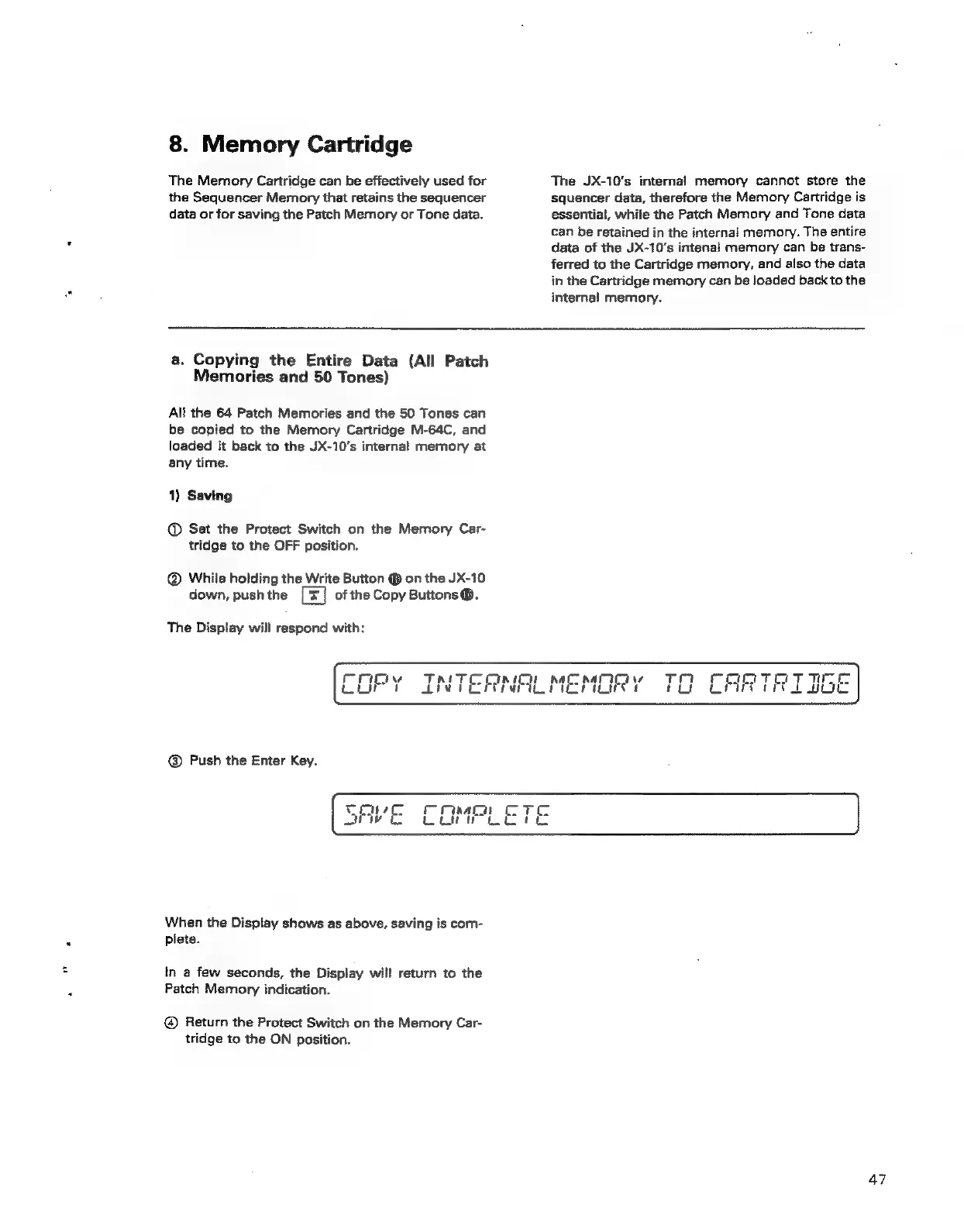
The
Display
will
respond
with:
@
Push
the
Enter
Key.
When
the
Display
shows
as
above,
saving
is
com-
plete.
in
a
few
seconds,
the
Display
will
return
to
the
Patch
Memory
indication.
@®
Return
the
Protect
Switch
on
the
Memory
Car-
tridge
to
the
ON
position.
47