EasyManua.ls Logo

Roland SUPER JX - Page 23

Roland SUPER JX
88 pages
Print Icon
To Next Page IconTo Next Page
To Previous Page IconTo Previous Page
Loading...
1)
Repeat
Function
The
sequencer
data
can
be
played
back
repeatedly.
PROCEDURE
@
With
the
sequencer
stopped,
push
the
FUNC-
TION
of
the
Sequencer
Buttons
once.
The
Display
will
show
REPEAT.
@
Rotate
the
a
Dial
clockwise.
The
Display
will
show
ON,
and
now
the
sequencer
data
is
ready
to
be
played
back
repeatedly.
To
stop
playing
push
the
START/STOP
button.
To
return
the
Display
to
the
usual
indication,
push
the
ENTER
Key
with
the
sequencer
stopped.
To
cancel
the
Repeat
mode,
push
the
FUNCTION
button
to
select
REPEAT,
then
rotate
the
a
Dial
counterclockwise
until
the
Display
shows
OFF.
2)
Tempo
Setting
The
recorded
data
will
be
played
back
in
the
same
tempo
as
recorded
if
no
special
operation
is
taken.
{t,
however,
is
possible
to
playback
the
data
in
a
different
tempo
using
the
a
Dial.
You
can
spon-
taneously
change
the
tempo
during
playback,
but
to
set
the
tempo
before
playing
back
the
data,
take
the
following
procedure.
@
Push
the
FUNCTION
of
the
sequencer
Buttons
with
the
sequencer
stopped.
The
Display
will
show
the
current
tempo.
@
Rotating
the
a
Dial,
change
the
tempo.
Rotating
the
dial
clockwise
will
set
higher
number
(quicker
tempo),
and
counterclockwise
will
set
lower
number
(slower
tempo},
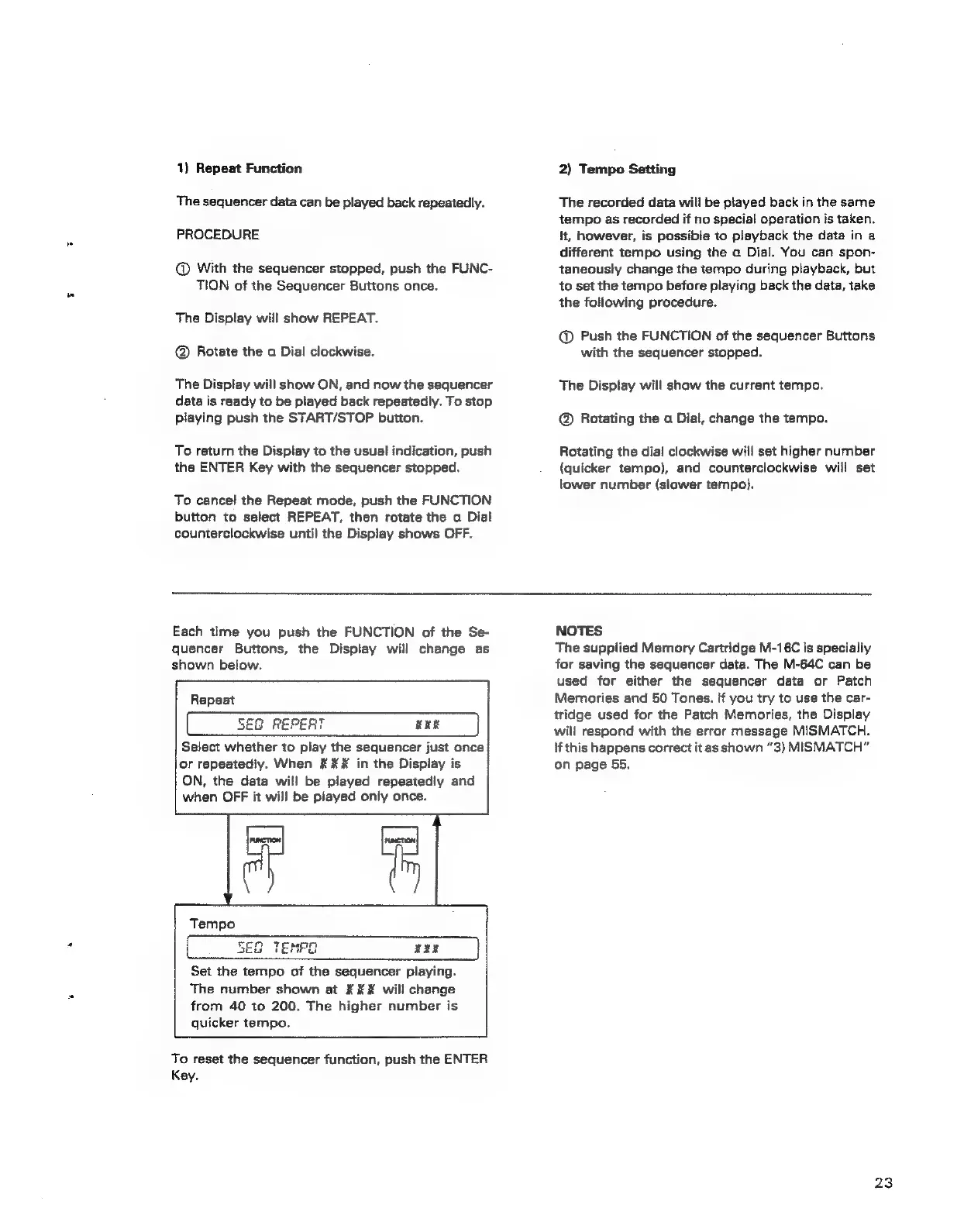
Each
time
you
push
the
FUNCTION
of
the
Se-
quencer
Buttons,
the
Display
will
change
as
shown
below.
Repeat
5EG
REPEAT
KER
Select
whether
to
play
the
sequencer
just
once
or
repeatedly.
When
&
XK
in
the
Display
is
ON,
the
data
will
be
played
repeatediy
and
when
OFF
it
will
be
piayed
only
once.
Tempo
SEG
Set
the
tempo
of
the
sequencer
playing.
The
number
shown
at
¥#X
will
change
from
40
to
200.
The
higher
number
is
quicker
tempo.
To
reset
the
sequencer
function,
push
the
ENTER
Key.
NOTES
The
supplied
Memory
Cartridge
M-16C
is
specialiy
for
saving
the
sequencer
data.
The
M-64C
can
be
used
for
either
the
sequencer
data
or
Patch
Memories
and
50
Tones.
If
you
try
to
use
the
car-
tridge
used
for
the
Patch
Memories,
the
Display
will
respond
with
the
error
message
MISMATCH.
if
this
happens
correct
it
as
shown
“3)
MISMATCH”
on
page
55,
23