EasyManua.ls Logo

Roland SUPER JX - Page 50

Roland SUPER JX
88 pages
Print Icon
To Next Page IconTo Next Page
To Previous Page IconTo Previous Page
Loading...
50
2)
Loading
a
single
Patch
Memary
to
the
JX-10's
internal
memory
@
Set
the
Protect
Switch
on
the
JX-10
to
the
OFF
position.
@®
Set
the
Voice
Memory
Switch
@to
the
CART
position.
@
Call
the
Patch
Memory
to
be
copied
to
the
JX-10.
@
Push
the
Write
Button
@.
The
Display
will
respond
with:
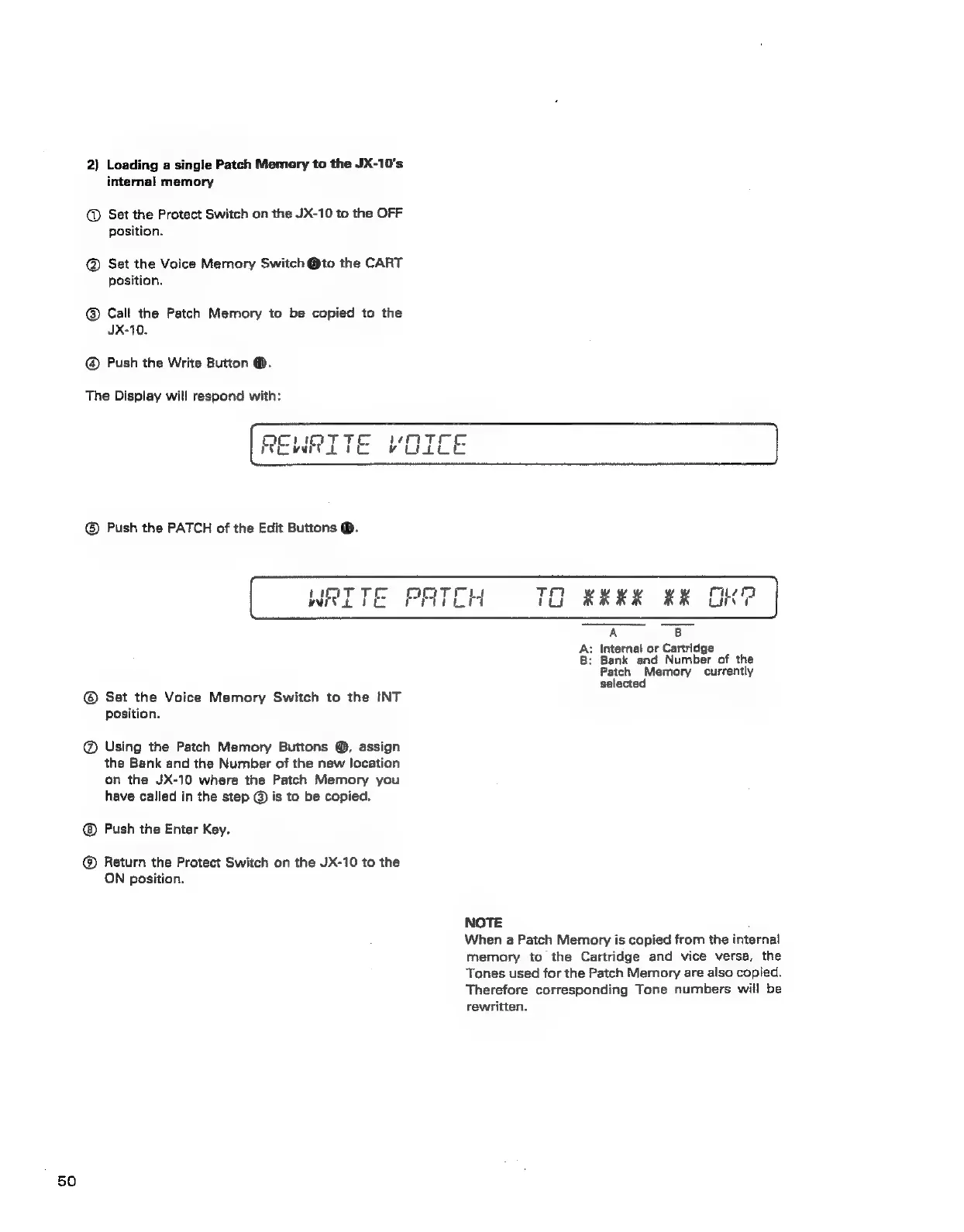
REWRITE
VOICE
@®
Push
the
PATCH
of
the
Edit
Buttons
®.
wert
WRITE
PATCH
TO
RRKK
RK
OOKG
A
B
A:
Internal
or
Cartridge
B:
Bank
and
Number
of
the
Patch
Memory
currently
selected
@®
Set
the
Voice
Memory
Switch
to
the
INT
position.
@
Using
the
Patch
Memory
Buttons
@,
assign
the
Bank
and
the
Number
of
the
new
location
on
the
JX-10
where
the
Patch
Memory
you
have
called
in
the
step
@
is
to
be
copied.
Push
the
Enter
Key.
@®
Return
the
Protect
Switch
on
the
JX-10
to
the
ON
position.
NOTE
When
a
Patch
Memory
is
copied
from
the
internal
memory
to
the
Cartridge
and
vice
versa,
the
Tones
used
for
the
Patch
Memory
are
also
copied.
Therefore
corresponding
Tone
numbers
will
be
rewritten.